
ShieldPRO 22.0 Upgrade Guide
ShieldPRO 22.0 is our major release. It reshapes daily security workflows with a guided dashboard that highlights fixes, investigations, configurations, reports, and many other improvements.
This guide outlines what have been added/removed, changed, or improved.
Firstly, we're going to explain what major changes are made and which options you'd need to review.
Major Changes
The plugin is no longer organised around features alone. The dashboard guides you through your security work in a logical order: what to fix, what to investigate, what to configure, and what your reports are telling you. The WordPress dashboard widget shows the same priority items as the Actions Queue, so you always know where things stand without digging.
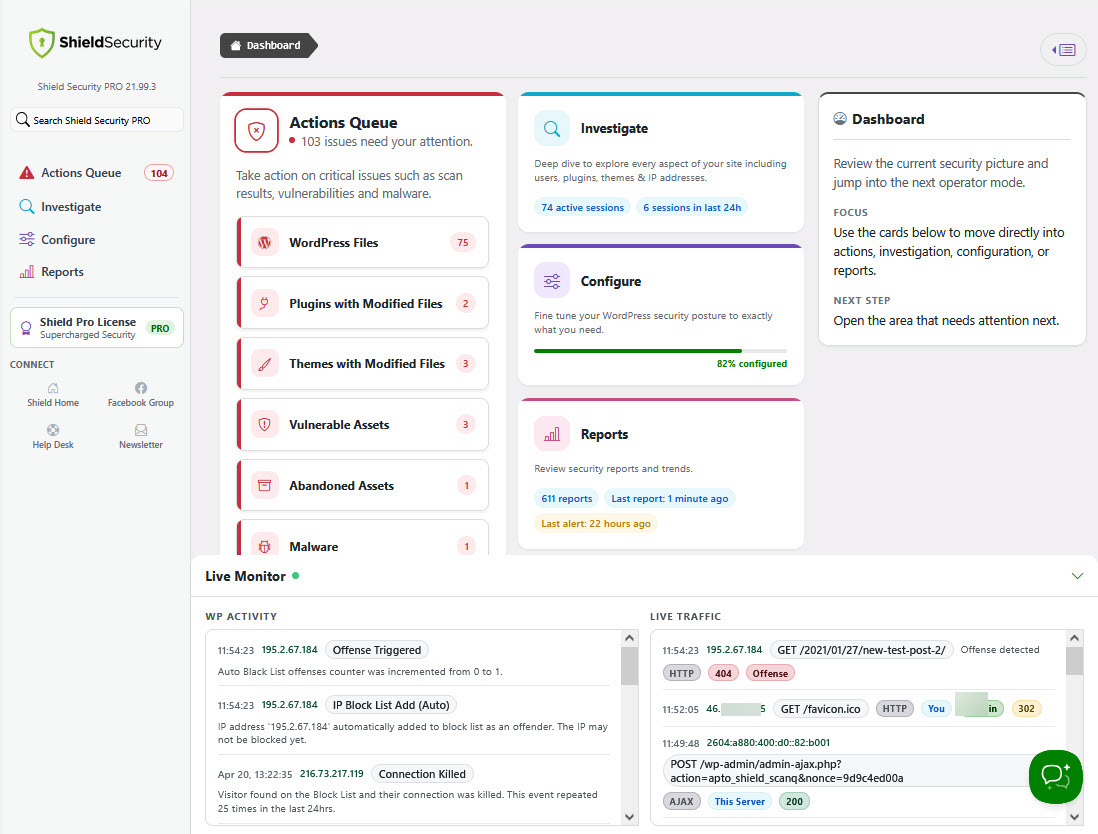
#1 Actions Queue: Focus on what needs attention first
The Actions Queue has been reorganised to distinguish between urgent issues and routine follow-up work. Tasks are grouped by type, including scans, maintenance, FileLocker, and quick actions, allowing you to address them more efficiently.
Previously, tasks were listed together without clear separation, making it harder to identify what required immediate action.
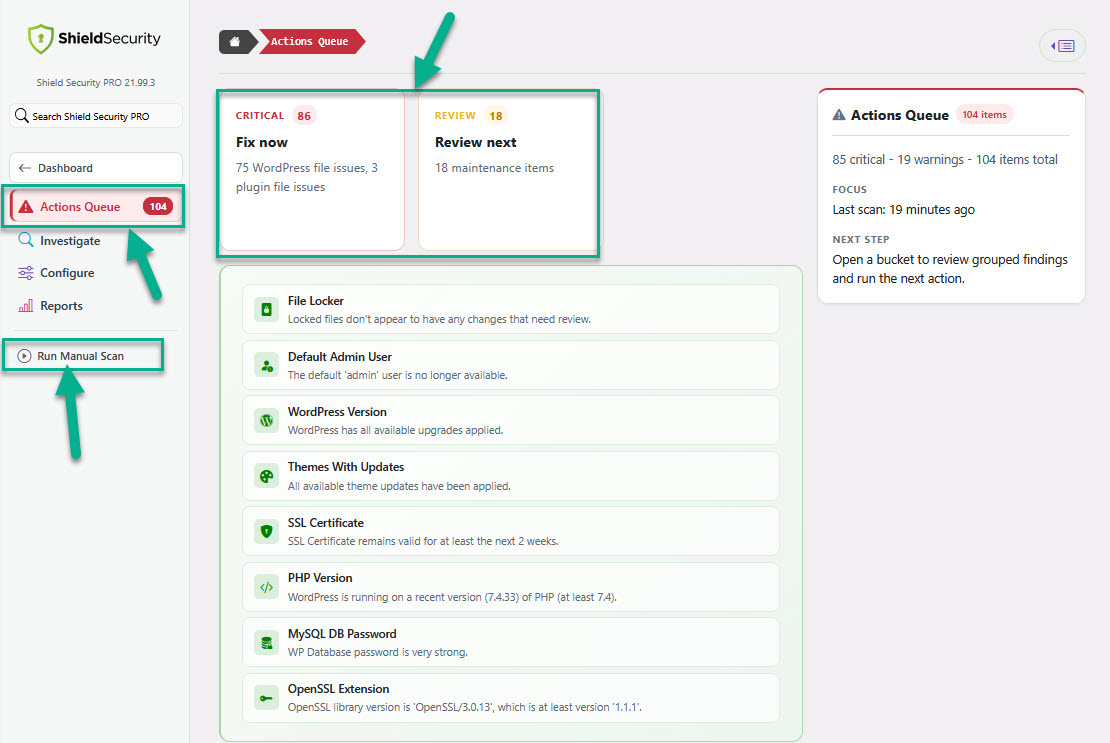
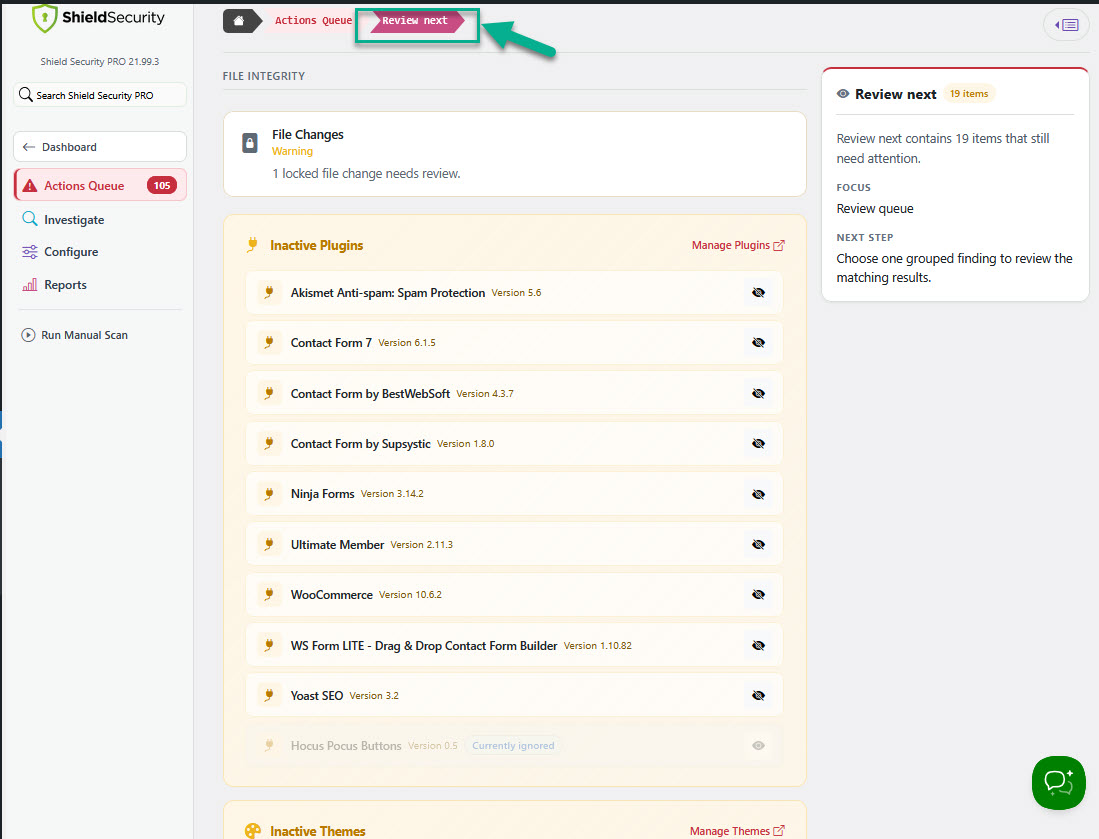
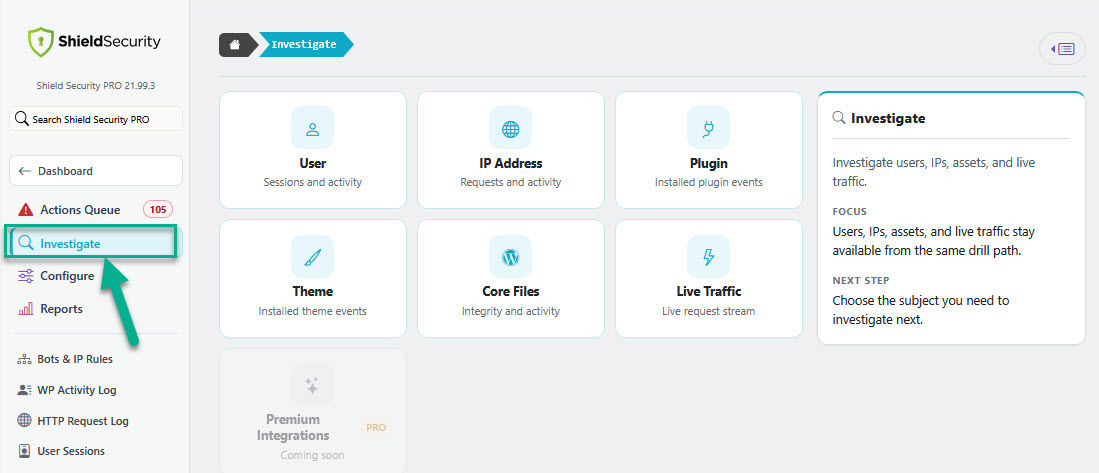
#2 - Investigate: More efficient data exploration
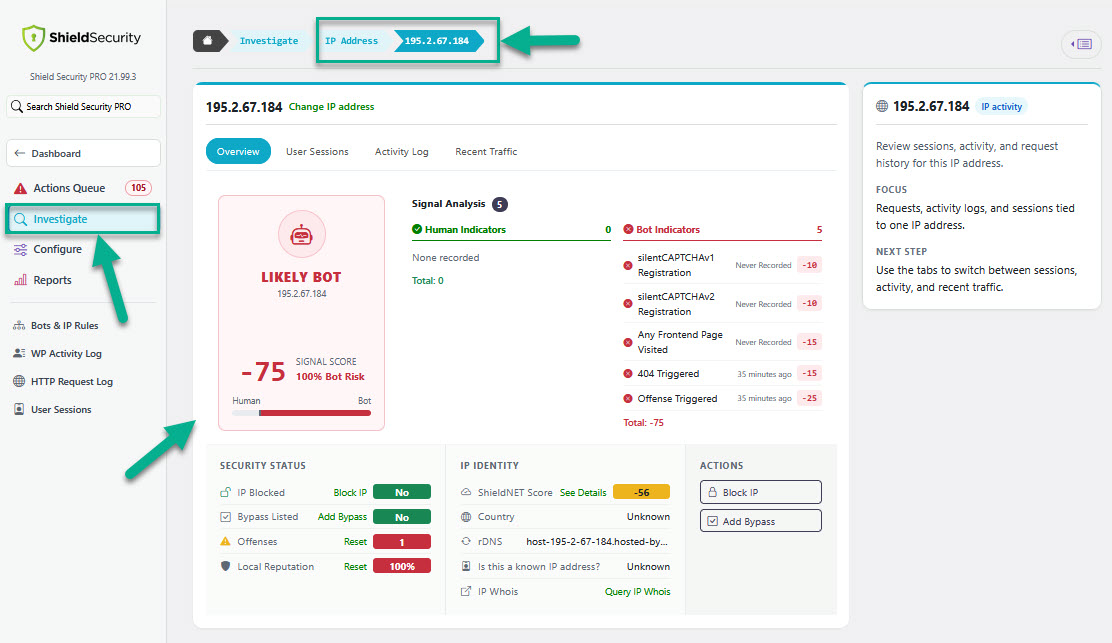
Investigate has dedicated views for users, IPs, plugins, themes, core files, live traffic, and sessions, so you go straight to what you're looking for. IP analysis shows more at a glance: clearer summaries, identity details, and the actions you actually need.
The IP Analysis dialog (now "IP Lookup") has also been improved with built-in search, so you can quickly find a specific IP and review all related activity in one place.
#3 - Live Activity: Real-time visibility
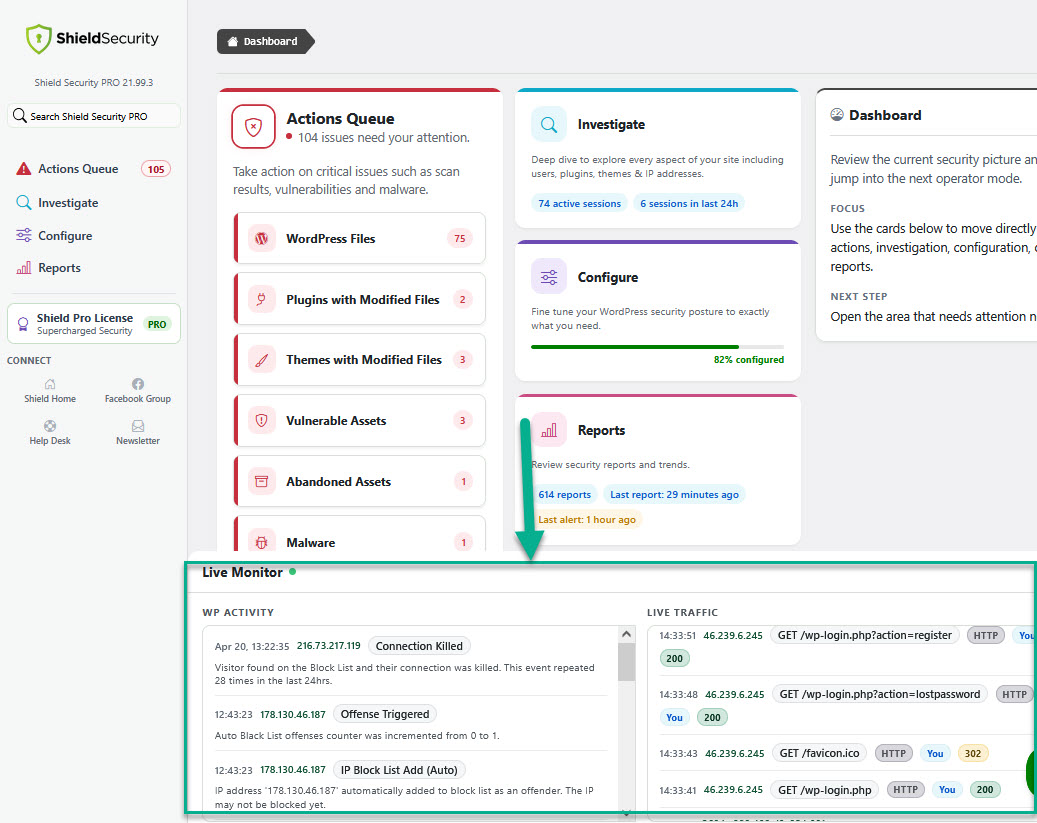
The dashboard shows a live activity feed so you can see what's happening on your site while you work. Traffic and live logs show more useful detail about each request, while filtering out routine admin noise like AJAX and heartbeat traffic. Less useful logs are cleared sooner, while more useful events are kept longer.
#4 - Configure
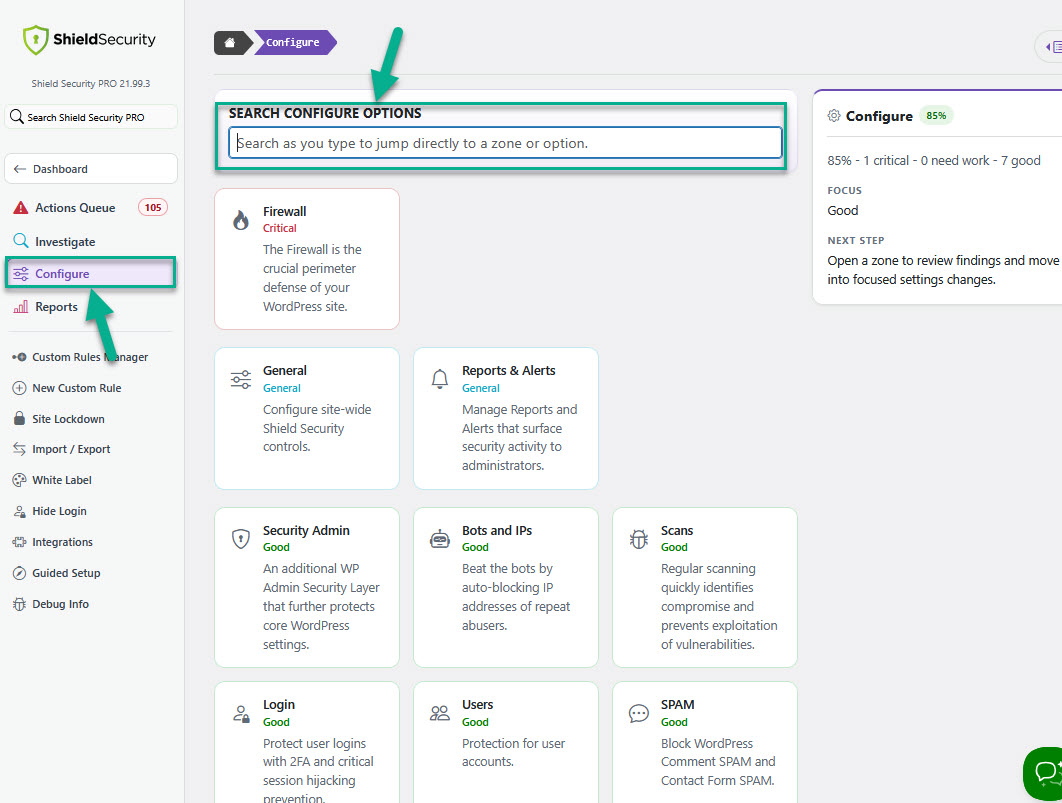
Configure shows security coverage, weak settings, and next steps in one place. In-place search helps you find and open settings without losing your place.
#5 - Reports
Alerts are now properly distinguished from informational reports. They serve 2 completely different purposes and their content reflects this.
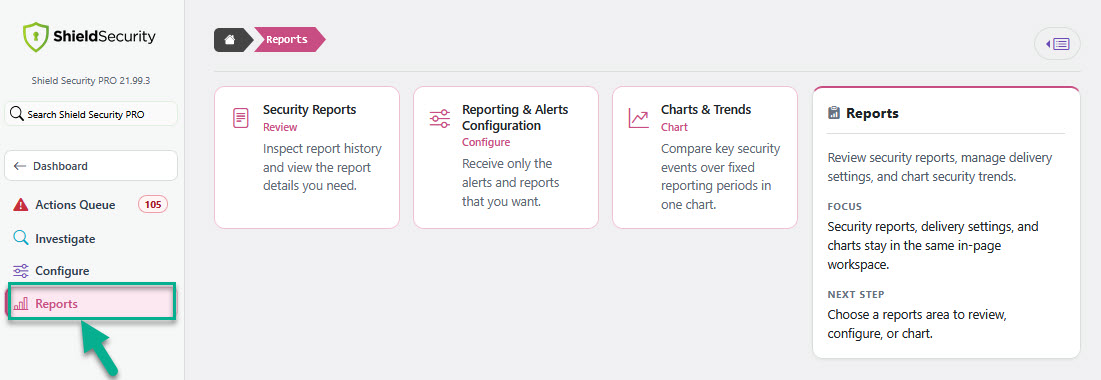
You no longer need to move between pages to manage reports, delivery, and trends, it’s all available together in one workspace.
Reports configuration, namely:
Info, Alert, Report Email, Instant Alerts are now under the Reports > Reporting & Alerts Configuration.
Here, you can also review and manage Reports and Charts and it's also easier to review and clean up reports you've already run.
For a full UI walkthrough, watch the video below.
Other Important Changes
For this release, we've also made the following changes:
#1 - MFA verification portal
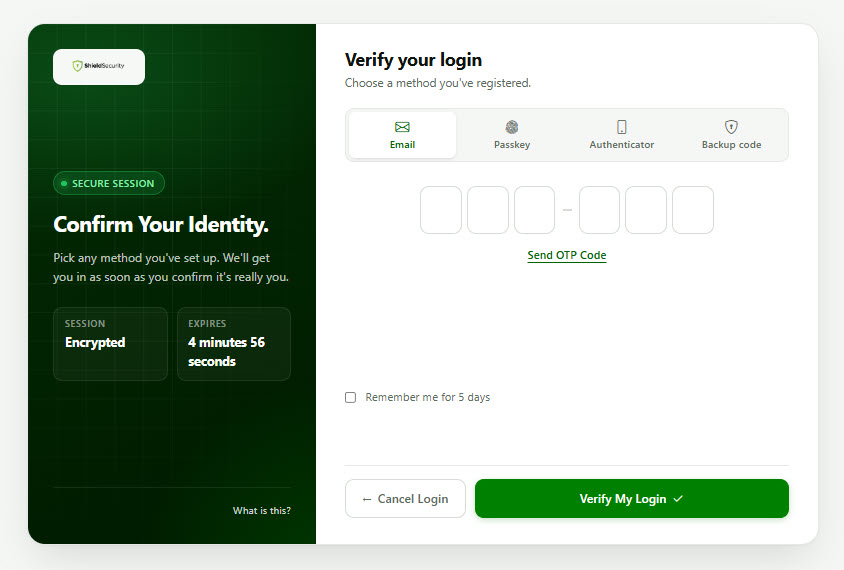
The MFA verification portal has been redesigned with a cleaner layout and a clearer step-by-step flow, making it easier to set up MFA for your own account or guide other users through the process.
Also, existing passkeys are handled more reliably during upgrades, so registered passkey logins keep working after Shield updates.
#2 - Admin/User Login and Firewall Alert
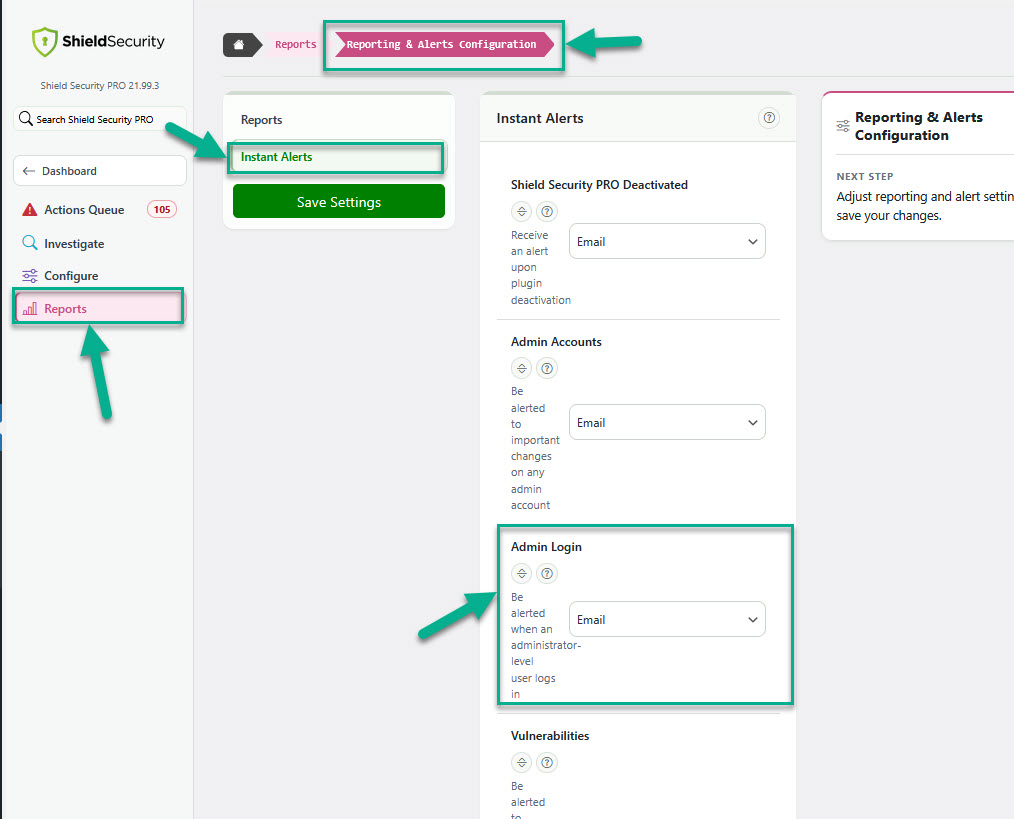
Admin and user login alert settings, and Firewall alerts are now better organised.
The admin login alert setting has been moved from Users > Sessions to Reports > Reporting & Alerts Configuration > Instant Alerts, where you can now manage notifications for administrator logins.
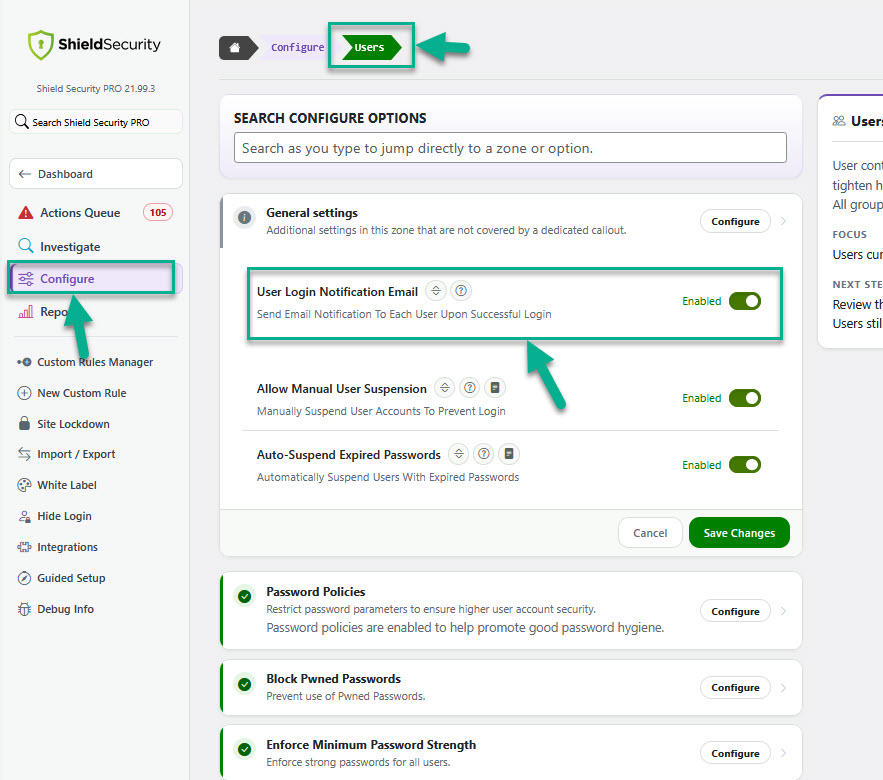
User login alert settings is moved to Configure > Users > General settings.
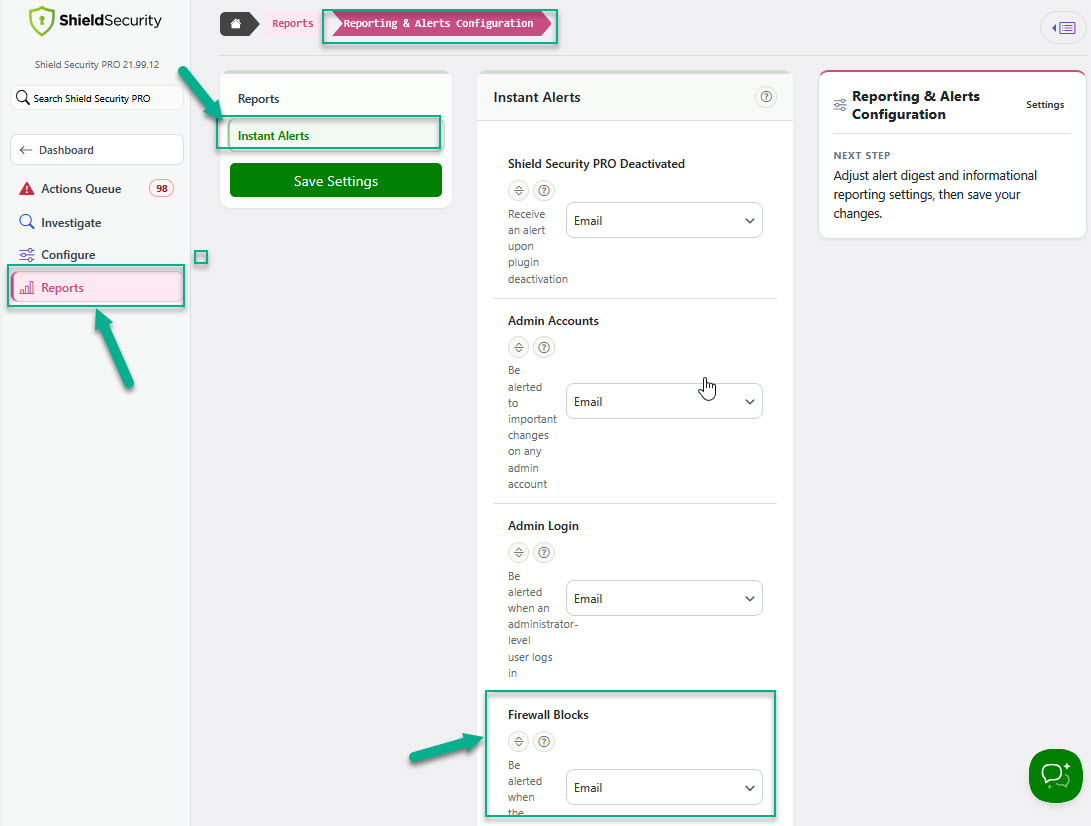
Firewall alert setting is moved to Reports > Reporting & Alerts Configuration > Instant Alerts.
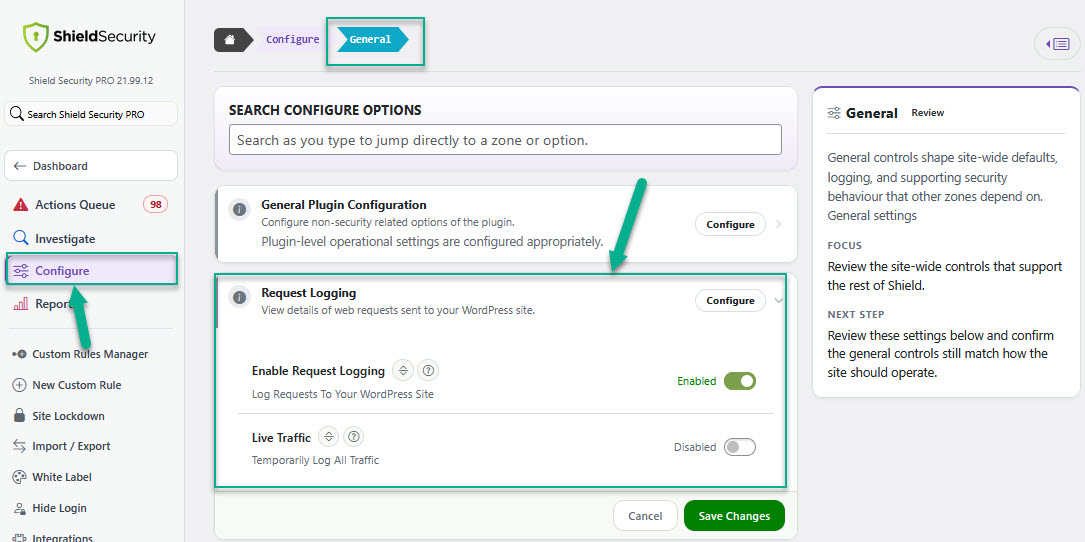
#3 - Request Logging
Request Logging (enable) and Live Traffic options are now under the Configure > General.
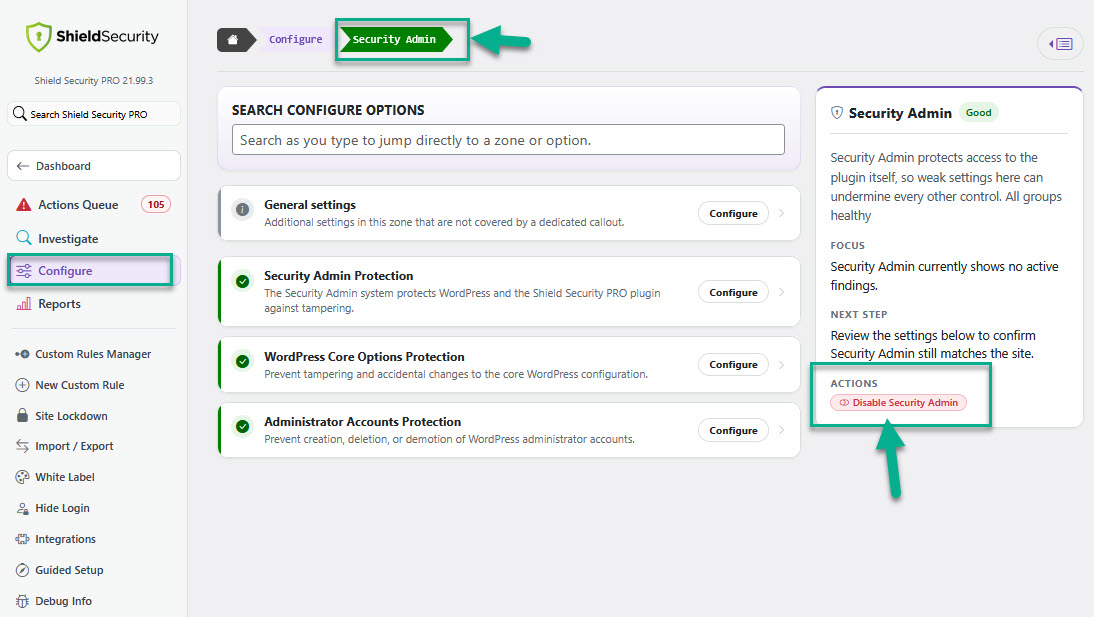
#4 - Security Admin control
Security Admin controls are now more transparent and reliable, with a simplified way to disable them for short periods.
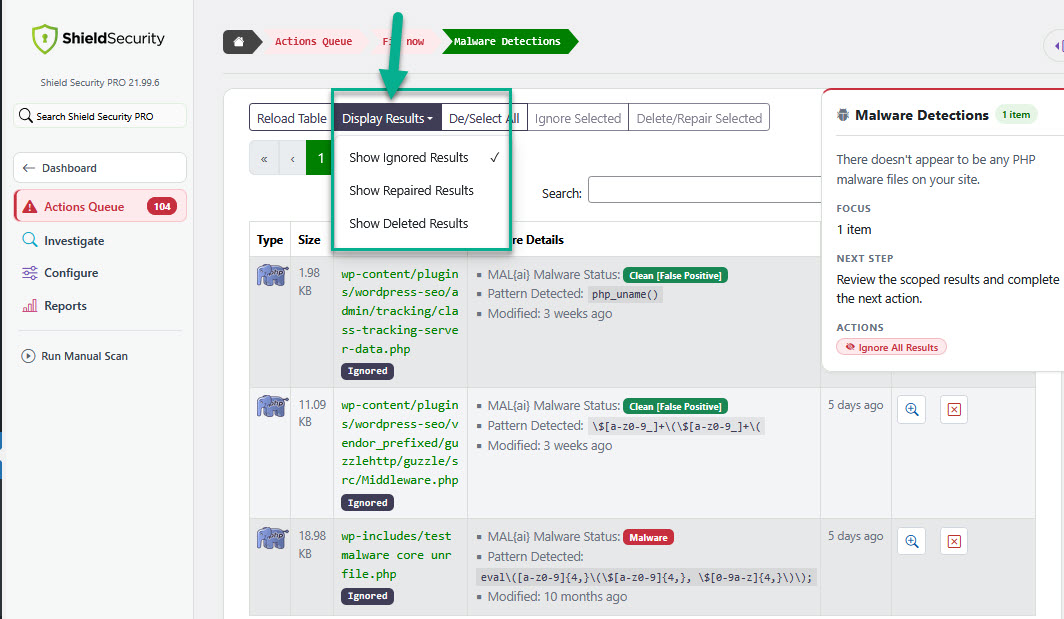
#5 - Scan Results table: "Results Display Options" option changes
The display options for scan results have been improved and are now easier to find and use.
Previously, these options were hidden under the “Additional Actions” menu in the top right of the Scan Results page. They’re now placed directly in the main table menu, so you can access them more quickly.
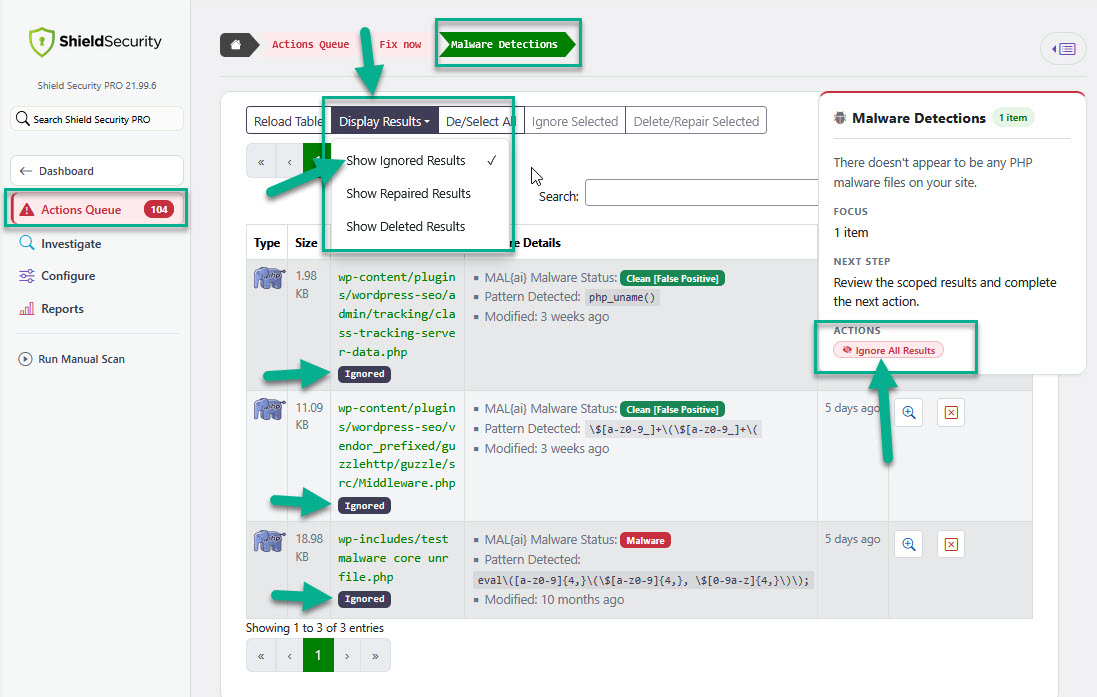
#6 - Scan Results table: New "Ignore All Results" option added
Previously, you could only ignore results page by page. Now, you can use “Ignore All Results” option to ignore all flagged files at once, which helps you quickly clear false positives in bulk.
You can still review them by selecting “Include Ignored Results” in the display options.
#7 - Run Manual Scan
This option is now under the Actions Queue.
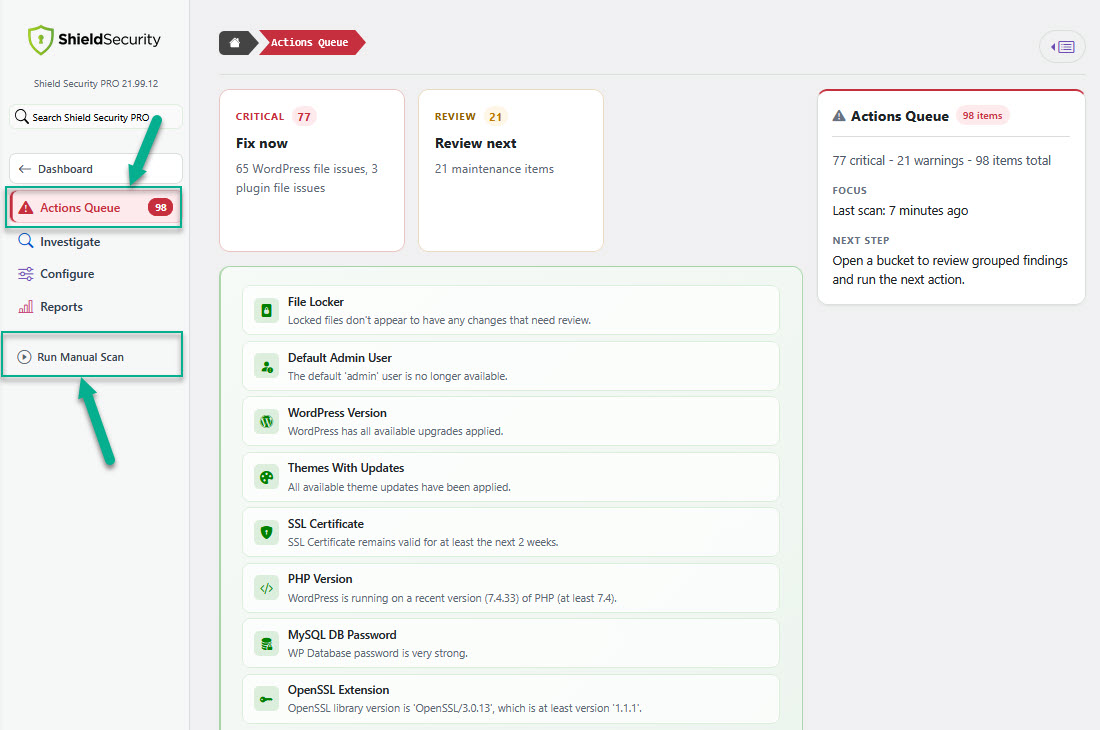
#8 - Plugin badge
You may now select either a light or dark Shield plugin badge design.
Other important improvements
For this release, we made the following further improvements:
-
silentCAPTCHA v3
silentCAPTCHA now uses a stronger challenge system behind the scenes. Real visitors still don't need to solve puzzles or click image challenges, while bots now face a stronger background challenge before Shield trusts them. Challenge strength can be tuned for your site, with Adaptive mode balancing stronger bot protection against visitor device performance.
-
Scan Handling
Scans are faster and more reliable, especially on larger sites and when reviewing results. Scan result pages keep more context while you work through findings. Shield is also better at recognising when scan queues have finished, reducing stuck or incomplete scan states.
-
Safer Admin Actions
Sensitive admin actions now use clearer confirmation prompts, so it's easier to understand what will happen before you continue.
-
Better Keyboard Navigation and Admin Dialogs
Keyboard focus is clearer and more consistent across Shield admin pages, tables, settings, dialogs, and MFA controls. Messages, confirmations, and error prompts are easier to follow with keyboard navigation and screen readers.
-
MainWP Site Actions
MainWP site action controls are more reliable and easier to use, including with keyboard navigation. Common site management actions from MainWP now feel more consistent with the rest of Shield.
-
Improved PHP 8.4 Support
Reduces PHP 8.4 deprecation warnings on sites running newer PHP versions.
-
Release Stability Improved
Automated tests and checks catch more issues before release.
Removed options
For this release, we removed the following options:
- Request Logging options: log exclusions, custom exclusions, Log Retention
- WP Activity Log options: logging levels, Log Retention
- Scans: Re-Install Links and Optimise File Scans options
- Tools menu: Tools is completely removed. All items are now under the main navigation menu > Configure.
- Docs section is completely removed
Patch 22.0.5 Release
We fixed
- Public Shield Screens Hardened
Shield now rejects unsafe attempts to load internal screens from public routes while preserving legitimate block pages, report views, MainWP flows, and MFA login screens. MFA login messages are treated as plain text, reducing the risk of untrusted content appearing in sensitive login flows.
- Report Access Hardened
Stored security reports now open through an authenticated Shield admin page, so report content is only shown after the proper admin access checks. Older report links redirect into the safer admin report view.
- Upgrade Reliability Improved
In-place upgrades are more reliable, reducing the chance of fatal errors when WordPress briefly has old and new Shield code loaded together.
- Actions Queue Display Fixed
The WordPress dashboard widget now consistently links to the Actions Queue, even when Security Admin is locked. Review maintenance groups now separate items that need attention from healthy items, making mixed results clearer to act on. Warning badges use stronger contrast in the dashboard and reports.
- MFA Device Tables Improved
Passkey and YubiKey records now use matching columns and clearer device details, making profile review and device removal more consistent.
- MCP Support Fixed
WordPress can now register Shield MCP abilities reliably, so supported integrations can discover and use them correctly.
For more information on Shield 22.0 release, read the blog article here.