
ShieldPRO 22.2.0 Upgrade Guide
ShieldPRO 22.2.0 is our main release. It introduces many improvements, bug-fixes and a new Cloaked Plugins Detection feature.
This guide outlines what have been added, changed, or improved and what fixes we've made.
Firstly, we're going to explain what major changes are made and which options you'd need to review.
New Added Features
For this release we added
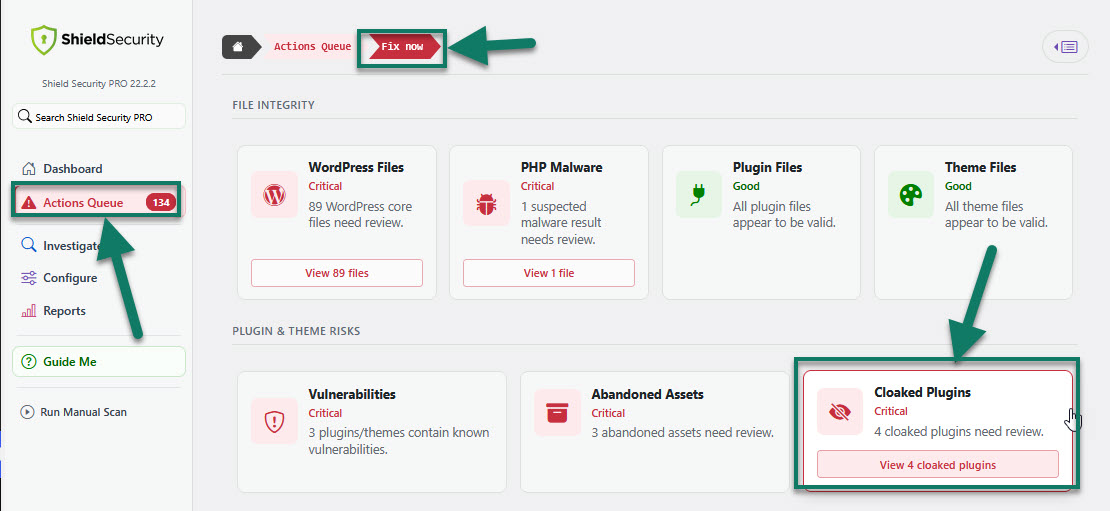
This feature identifies plugins that are installed on your site but hidden from the WordPress Plugins interface. When Shield finds a cloaked plugin, it alerts you immediately and surfaces it in the Actions Queue. (see the screenshot below)
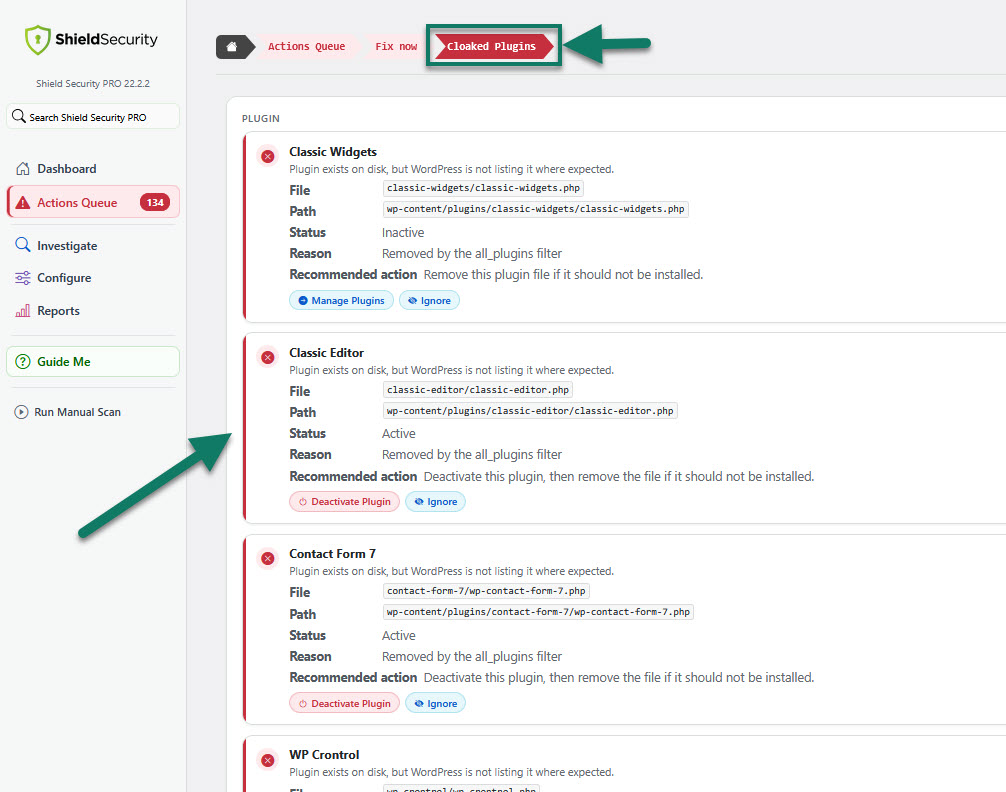
Here, you can review cloaked plugins and take the appropriate action.
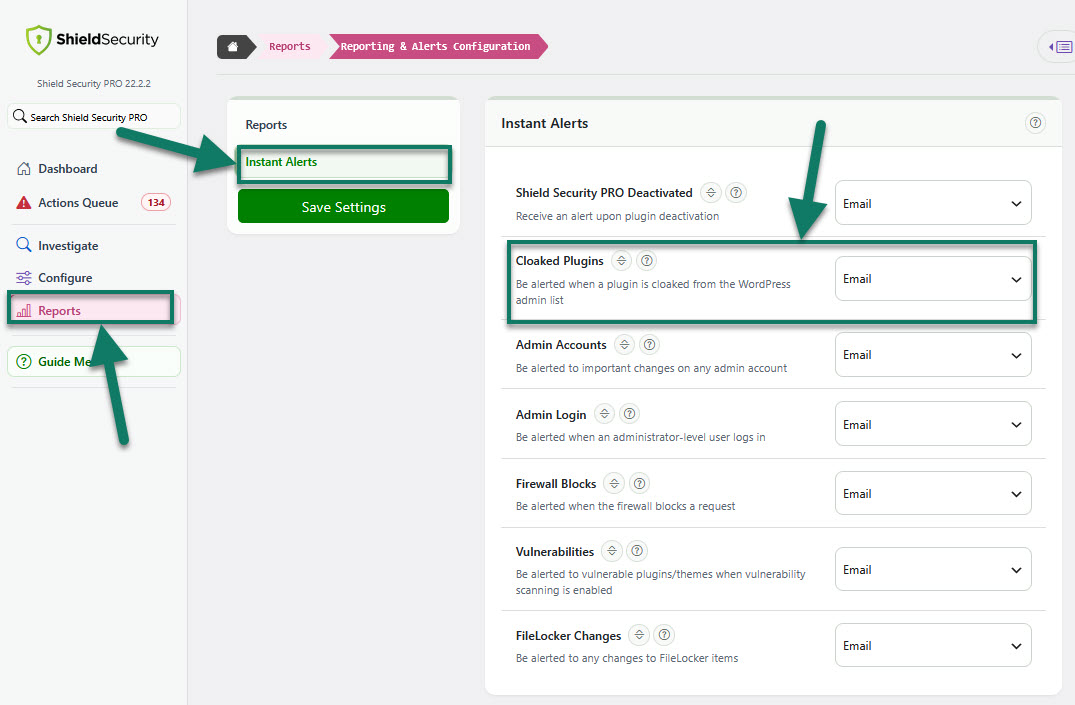
When a plugin is cloaked from the WordPress admin list, you'll be alerted by email.
UI Tweaks and Enhancements
We cleaned up much of the UI and replaced legacy UI elements from recent development. We also added
- Security Activity Overview
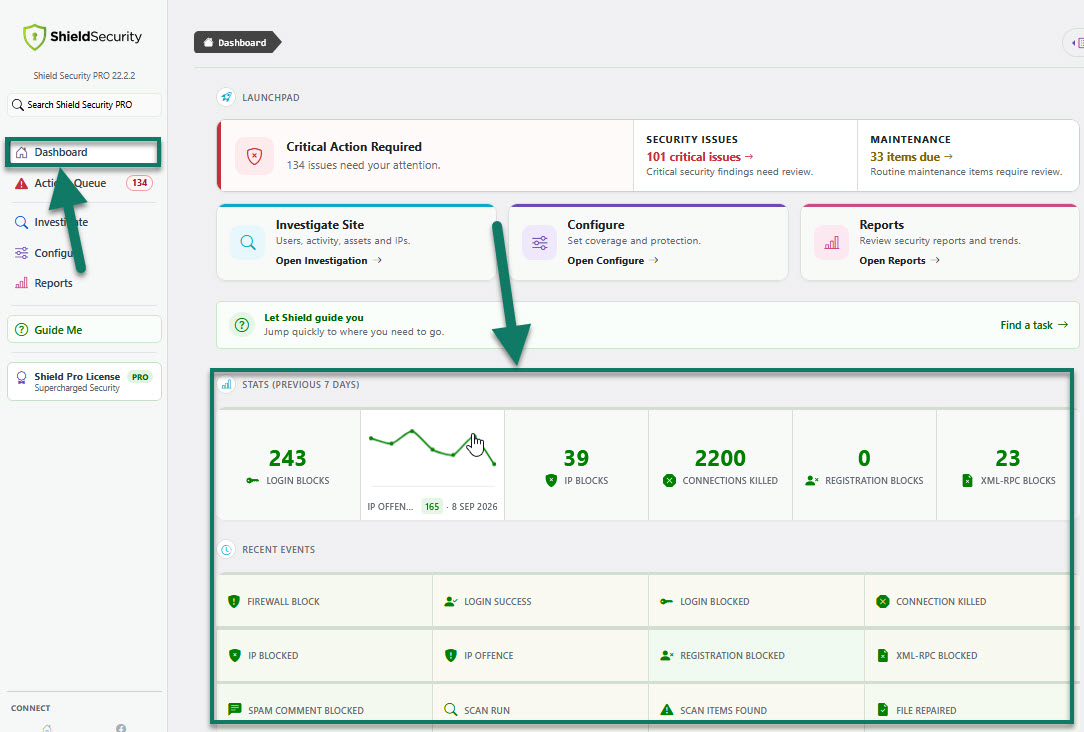
Get a quick overview of your site's recent security activity. The Dashboard displays key security statistics and charts from the previous 7 days, together with the latest security events detected by Shield.
- A Faster Way to Find Key Shield Features
We've added GuideMe, a new in-plugin shortcut designed to help you quickly find the Shield areas most relevant to what you want to do.
Select GuideMe from the main Shield sidebarmenu to see a short list of common tasks, such as managing IP access, running or reviewing scans, investigating an issue, configuring Shield, or viewing reports. Choose an option to go directly to the relevant section of the plugin.
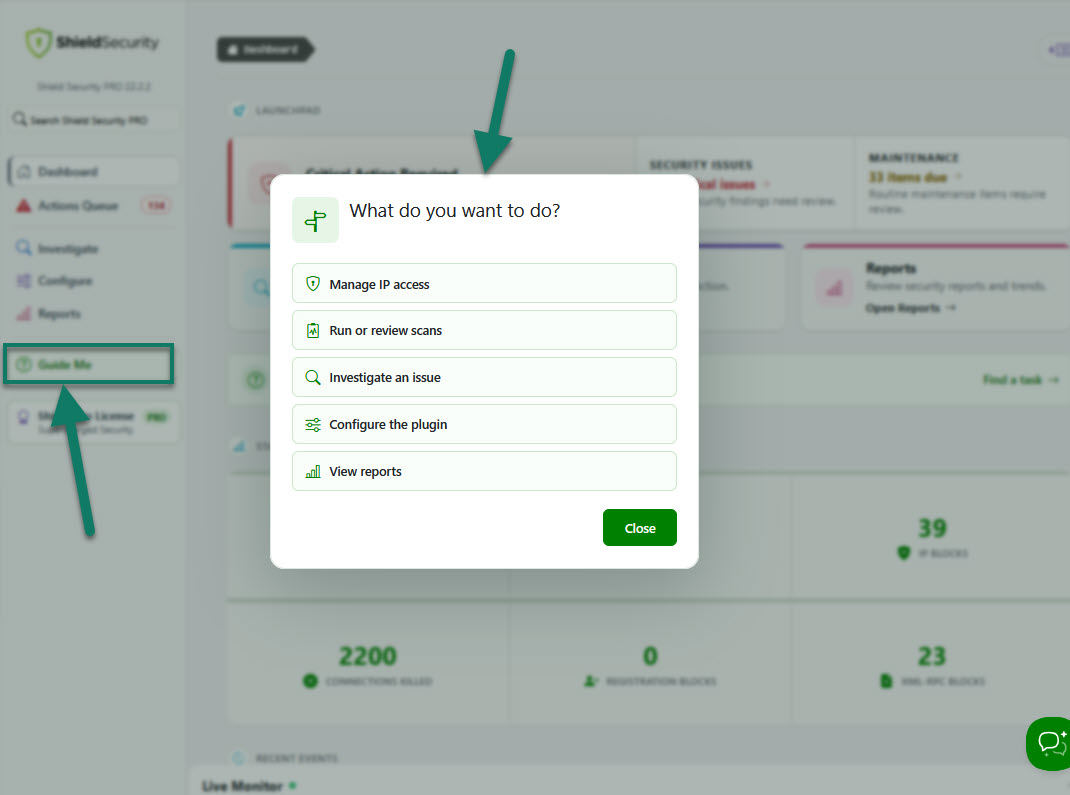
GuideMe makes Shield easier to navigate, especially when you are new to the plugin or need to complete a task without searching through multiple menus. It provides a clearer starting point and helps you reach important security tools faster.
Other Improvements
For this release, we made the following improvements:
We made a complete overhaul of site-to-site network sync feature. Better management of trusted sites; create settings profile separately from master site configuration.
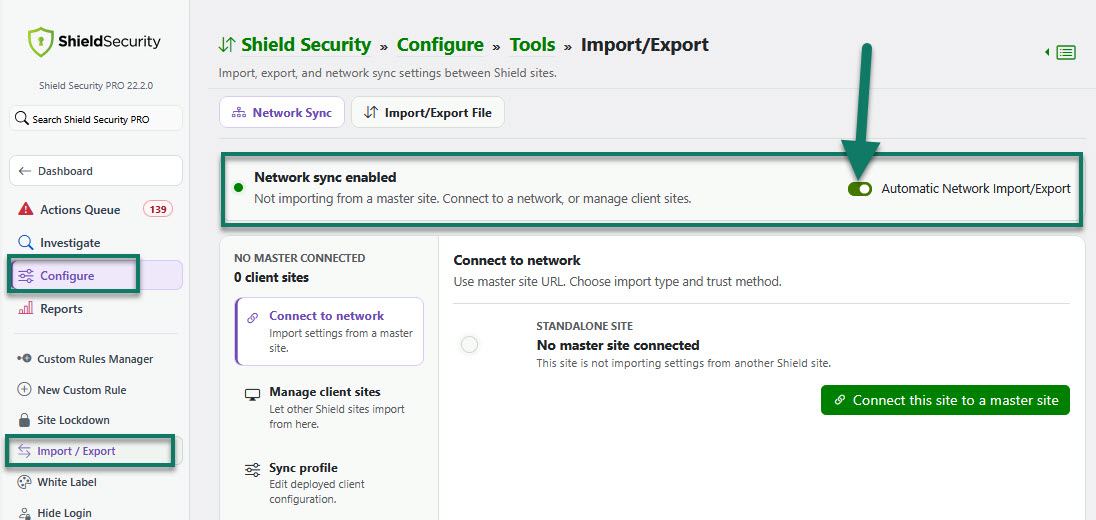
This update makes it easier to understand how your site is connected and to manage Shield settings across multiple sites with fewer steps.
- All Plugins and All Themes
Investigate now provides site-wide views of plugin and theme activity and vulnerabilities.
- More Accurate File Scans
After updates, Shield refreshes its plugin and theme file references, reducing false modified or unrecognised file findings. Stalled scans recover, and stale file data no longer creates unnecessary Actions Queue items.
- Final Scan Results
Malware findings update when their final assessment is available. Vulnerability alerts wait until all follow-up scan work is complete.
- More Reliable Backups
Large backups avoid duplicate or skipped files. Backup archives stop cleanly when a file cannot be included.
- Enable File Locker Per File
Enable File Locker for individual files directly from scan results.
- Clearer File Scan Results
Scan results show site-relative paths. Fallback File Locker comparisons show less surrounding context.
- Admin Bar Scan Status
The Shield Admin Bar now always shows scan status.
- Matching Report Periods
Recurring reports now compare matching time periods.
- Admin Login IP Identity
Admin login alerts identify requests from your server, loopback, or recognised services.
Fixes
For this release, we made the following fixes:
- Accurate Update Notices
Update and beta notices use WordPress.org release data, avoiding incorrect prompts.
- MFA Remember Me
Clicking the Remember Me label now selects the checkbox.