
How To Detect and Manage Cloaked Plugins
Shield's Cloaked Plugin Detection identifies plugins that are installed on your site but hidden from the WordPress Plugins interface.
This matters because hidden plugins are easy to overlook and may be difficult to review, update, deactivate, or remove. Some may be legitimate, but attackers can also use them to conceal backdoors, malware, or other unwanted code.
When Shield finds a cloaked plugin, it alerts you immediately and surfaces it in the Actions Queue, so you can review it and take the appropriate action.
Where Can I Find Detected Cloaked Plugins?
Shield reports cloaked-plugin detections in several places.
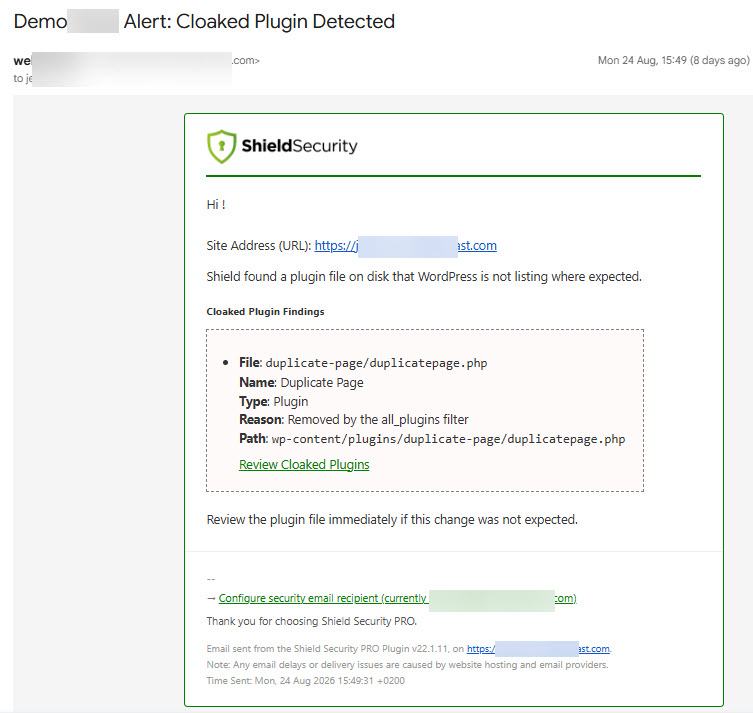
1) Alert Email
Shield sends an instant alert email when it detects a cloaked plugin.
2) Actions Queue
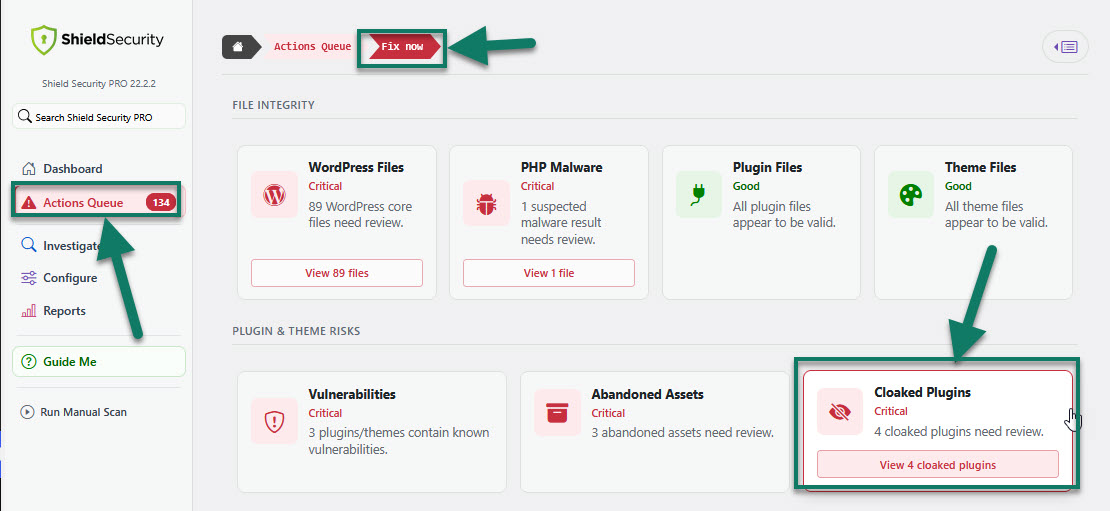
Go to Shield Security > Actions Queue.
When Shield detects one or more cloaked plugins, you will see a Cloaked Plugins card in the Fix Now section.
Select this card to view all cloaked plugins Shield has detected.
3) WP Activity Log
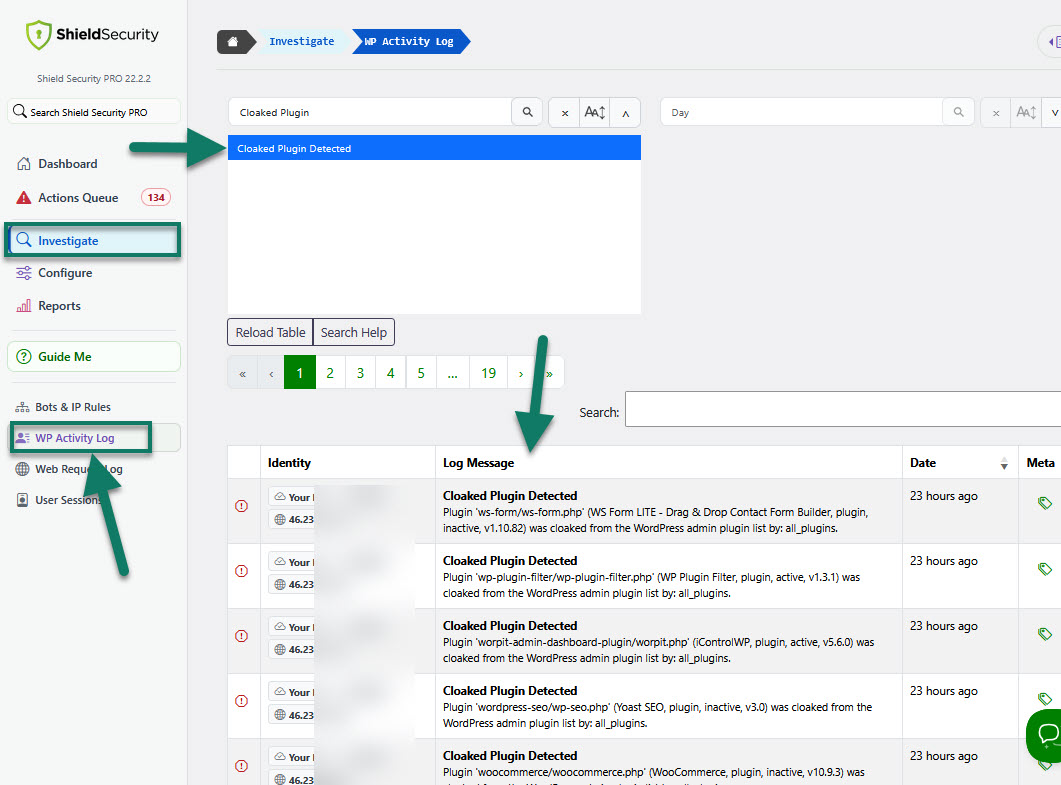
Shield also records an event in the WP Activity Log when it detects a cloaked plugin.
To review this event:
- Go to Shield Security > Investigate > WP Activity Log.
- Look for the cloaked-plugin detection event.
The WP Activity Log lets you review important activity and security events that have occurred on your site.
4) WordPress Plugins Interface
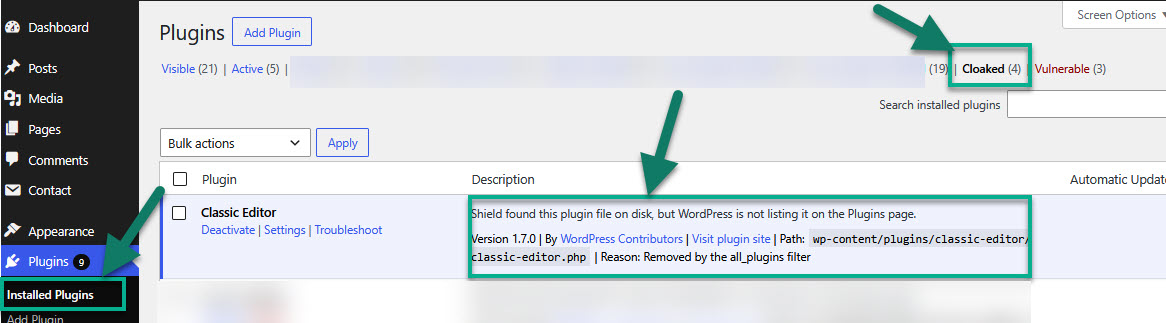
Go to Plugins > Installed Plugins in your WordPress admin.
At the top of the page, select the Cloaked Plugins tab to view plugins Shield has detected as cloaked.
Shield also displays a notice for each detected cloaked plugin in this view, so you can easily identify the plugin and understand why it has been reported.
Important Notes
- A cloaked-plugin detection does not automatically mean that the plugin is malicious. However, you should always investigate a plugin that is present on your site but hidden from the WordPress Plugins interface.
- Before you ignore, manage, or deactivate a cloaked plugin, make sure you understand what it does and why it is installed. If you are unsure, take a full backup of your site before making changes.
- Cloaked Plugin Detection is part of Shield’s plugin and theme integrity monitoring. It is not a separate scan and does not require separate configuration.
How To Review Cloaked Plugins And Take Action
To review cloaked plugins and take action:
- Go to Shield Security > Actions Queue.
- Under Fix Now, select the Cloaked Plugins card.
- Review the table of cloaked plugins detected by Shield.
- Review the available details for each plugin.
- Choose the appropriate action for each plugin.
Every cloaked plugin includes an Ignore option. Use it only when you recognise the plugin and have confirmed that it's expected on your site.
Depending on the plugin and its current status, Shield may also provide the following options:
-
Manage Plugin
Use this option to manage the plugin.
-
Deactivate Plugin
This option is available only when the cloaked plugin is active. Use it to deactivate a plugin that you do not recognise, no longer need, or want to investigate further.
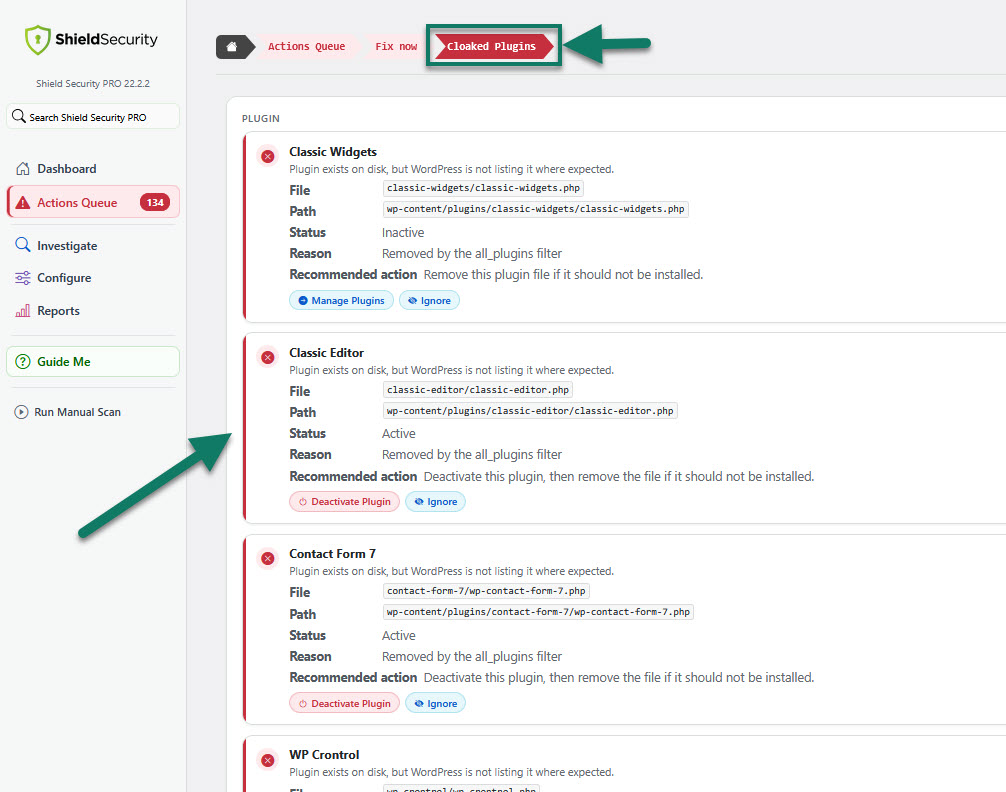
Note: Not all cloaked plugins will have the same available actions. Every detected plugin can be ignored, but the Manage Plugin and Deactivate Plugin options are only available where they apply to that individual plugin.