
ShieldPRO 21.2 Upgrade Guide
ShieldPRO 21.2 is our major release. It introduces many improvements, such as new search and faster capabilities for Activity Log and Traffic Log tables, improved security reports, added translation into nearly 40 languages and much more.
This guide outlines what have been added/removed, changed, or improved.
Firstly, we're going to explain what major changes are made and which options you'd need to review.
New Added Features
For 21.2.0 release we added
- Activity Log and Traffic Log tables
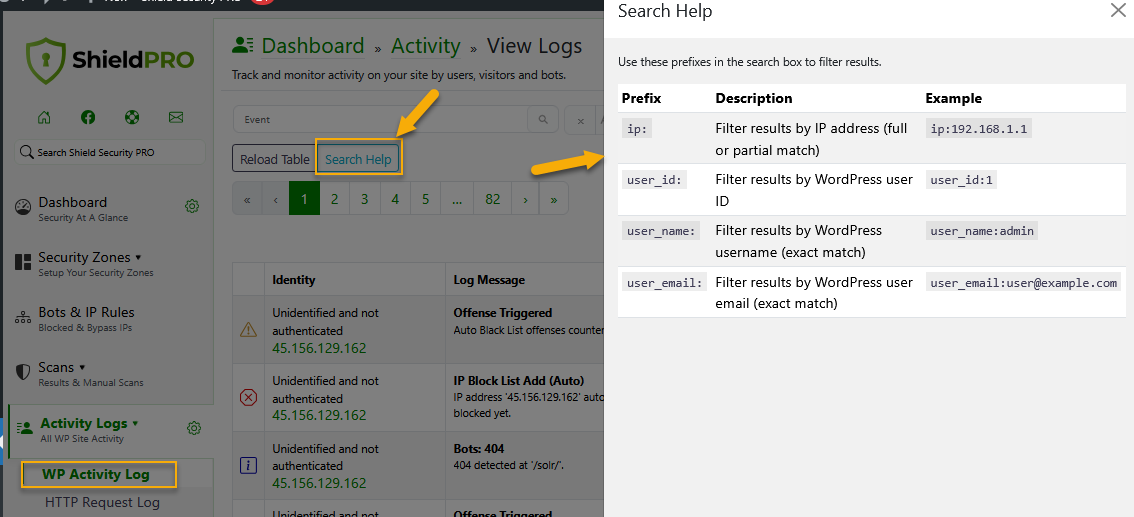
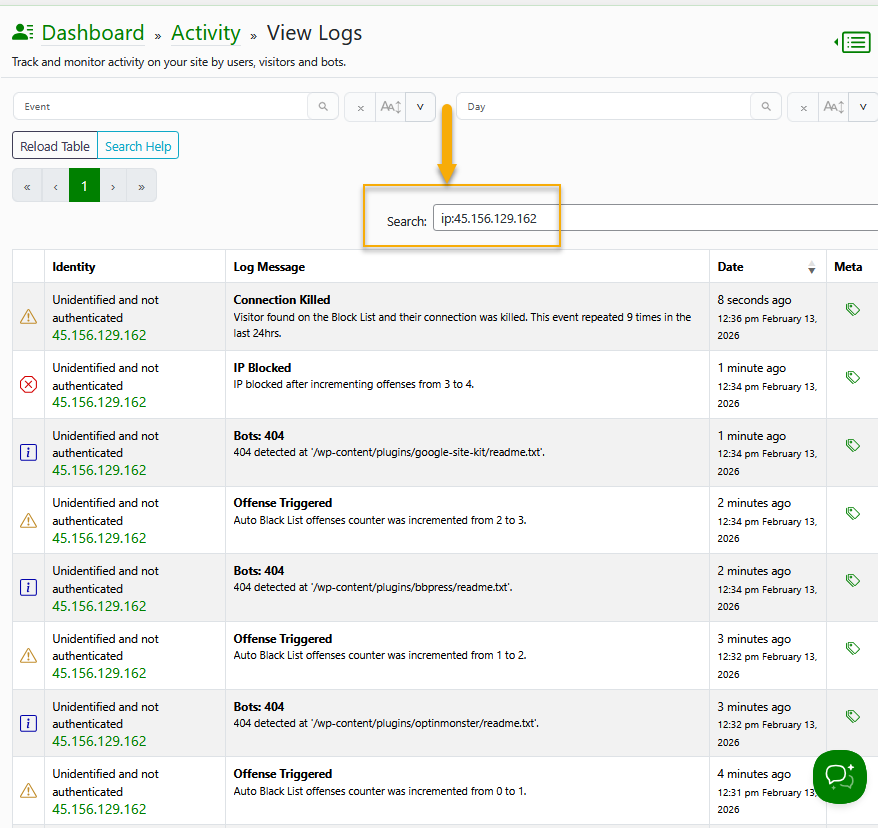
We added powerful new search capabilities for Activity Log and Traffic Log tables, including free-text search, plus filters by IP address, username, email, user ID, event description, and metadata values.
There's a new search syntax help panel to guide users through available search options (for example ip: and user_id:).
Please see below screenshots (Activity Log).
Help Panel
Example: Search by IP (full match)
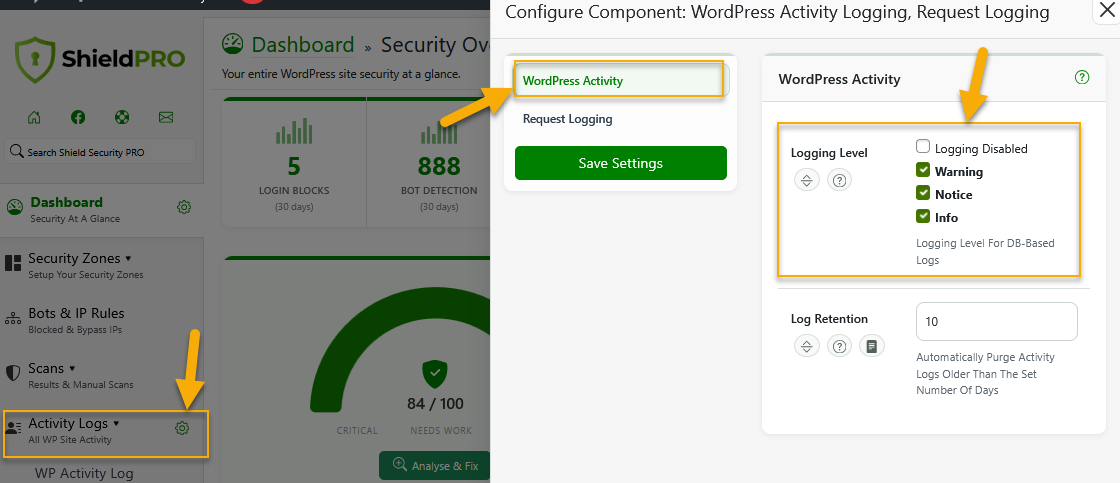
We removed "Alert" and "Debug" WP Activity Log logging levels. Severity labels are more clear now. (see below screenshot)
Additionally, Activity Log and Traffic Log table are running much faster - loading through optimised database queries.
- Translation into nearly 40 languages
We've completed translation for the Shield Security plugin into nearly 40 languages. We've also hugely improved translation coverage so that practically all text in the plugin can be translated. Our translations were built using our own in-house AI Translations system - so there may be some errors here and there and some translations might be missing. We'll continue working on improvements.
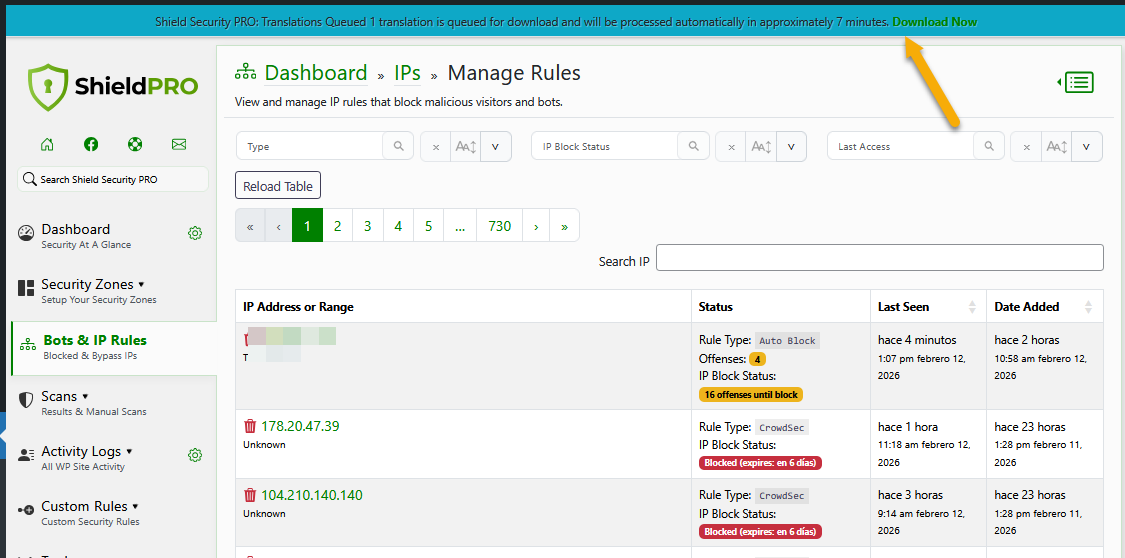
We also added Remote Language Translation Downloads.
Shield now downloads translations on-demand rather than shipping them with the plugin, significantly reducing plugin size. You might see In-plugin notification for available translation downloads like in the below screenshot.
Example: Spanish
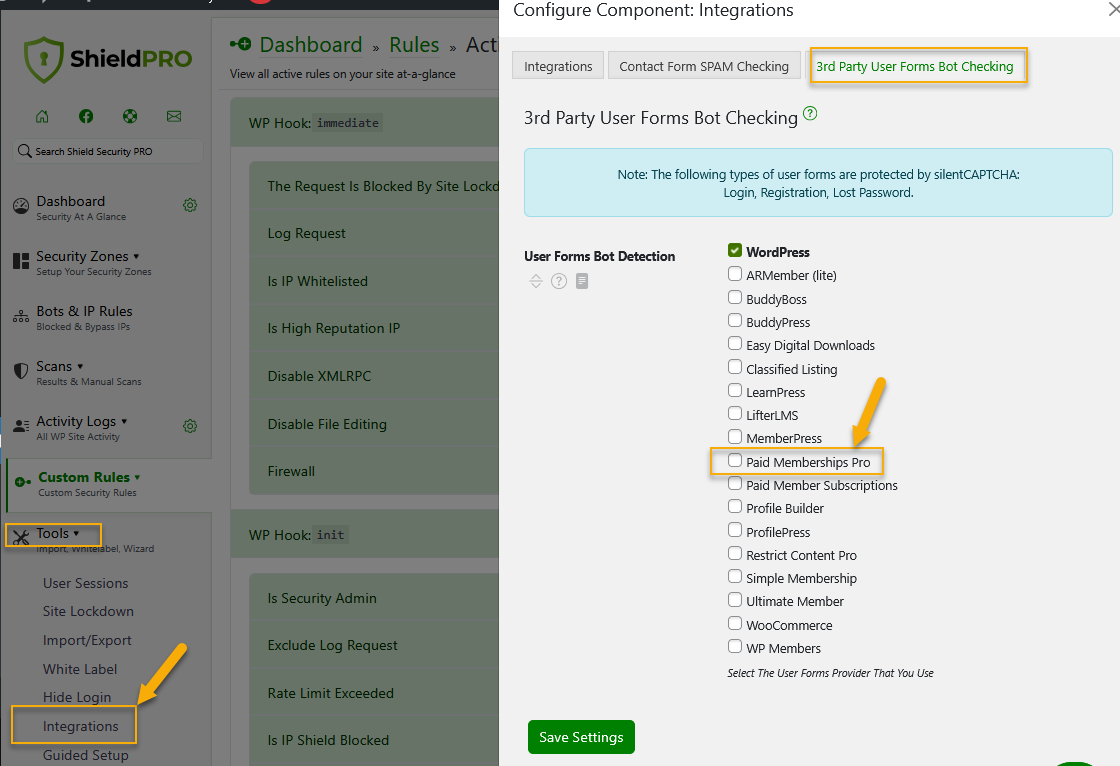
We added SilentCAPTCHA bot detection support for Paid Memberships Pro plugin checkout requests.
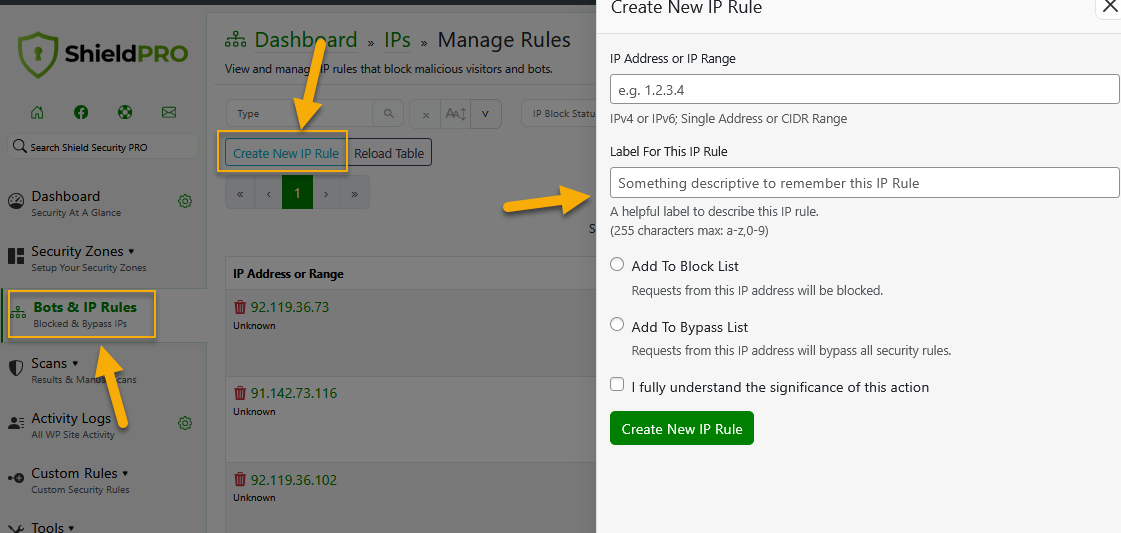
- "Create New IP Rule" form visibility
We've made the "Create New IP Rule" button on the Bots & IP Rules table more visible, making it much easier to access and manage IP addresses manually. Clicking it instantly opens a form where you can add your current IP to the whitelist/bypass list, or block any IP with a single click. No more searching through settings—everything you need to whitelist or blacklist IPs manually is now right there on the table.
Changes
Change 1: Security Reports improvements
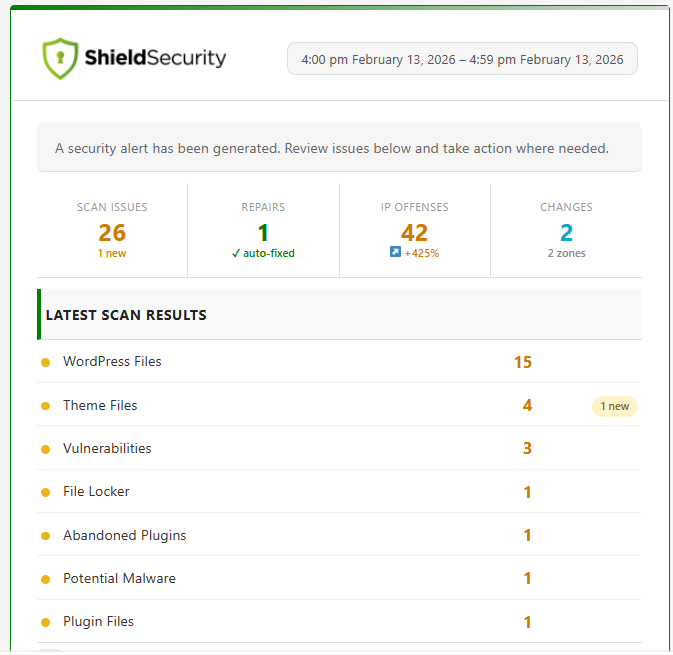
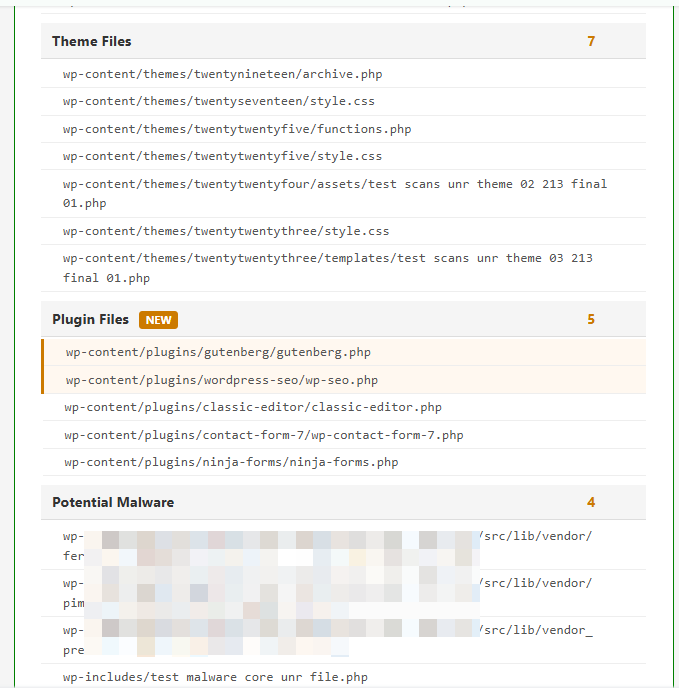
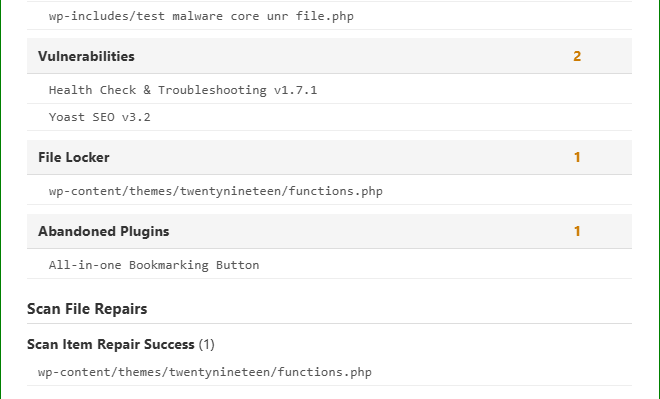
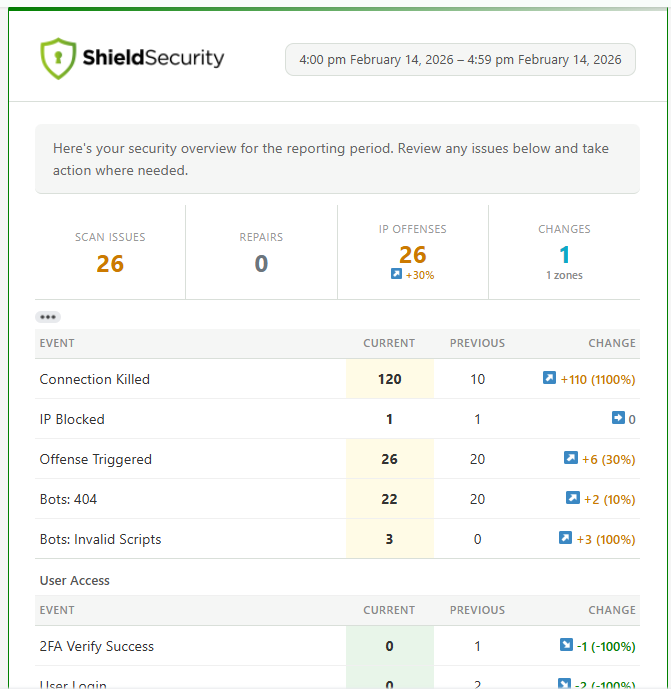
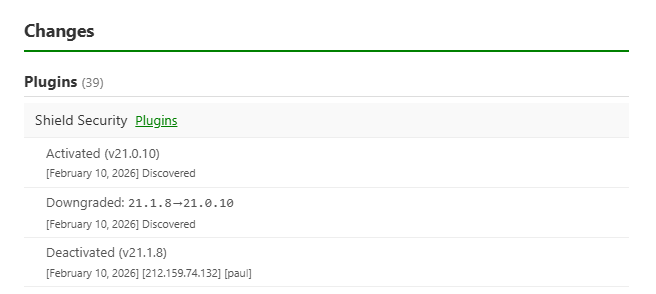
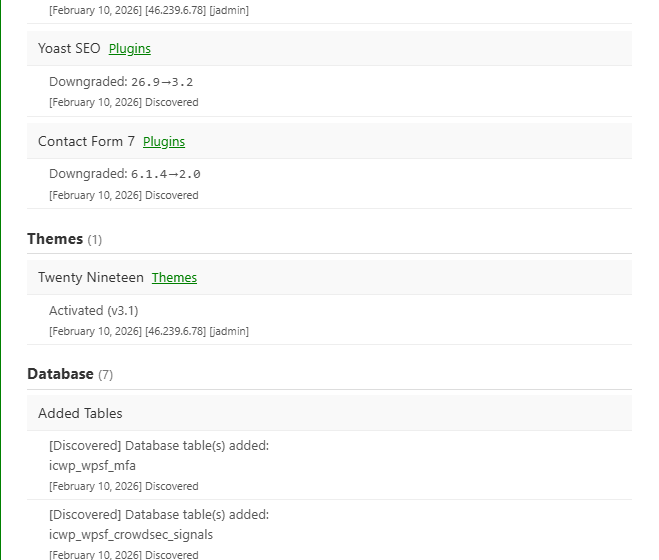
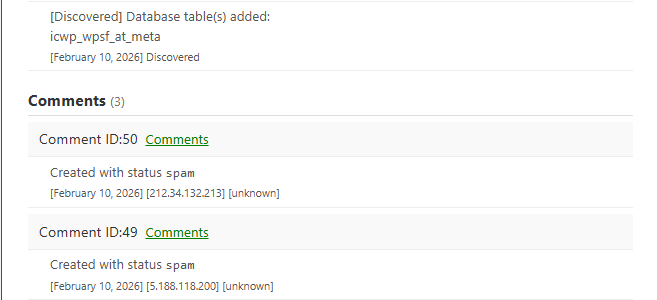
Security report emails/pages and layouts have been redesigned for improved clarity and a more professional presentation. Enhanced report emails now include richer inline statistics and more detailed scan data (including up to 20 relevant results in key sections).
Example: Alert Report email from scans (hourly)
Example: Info Report email (hourly)
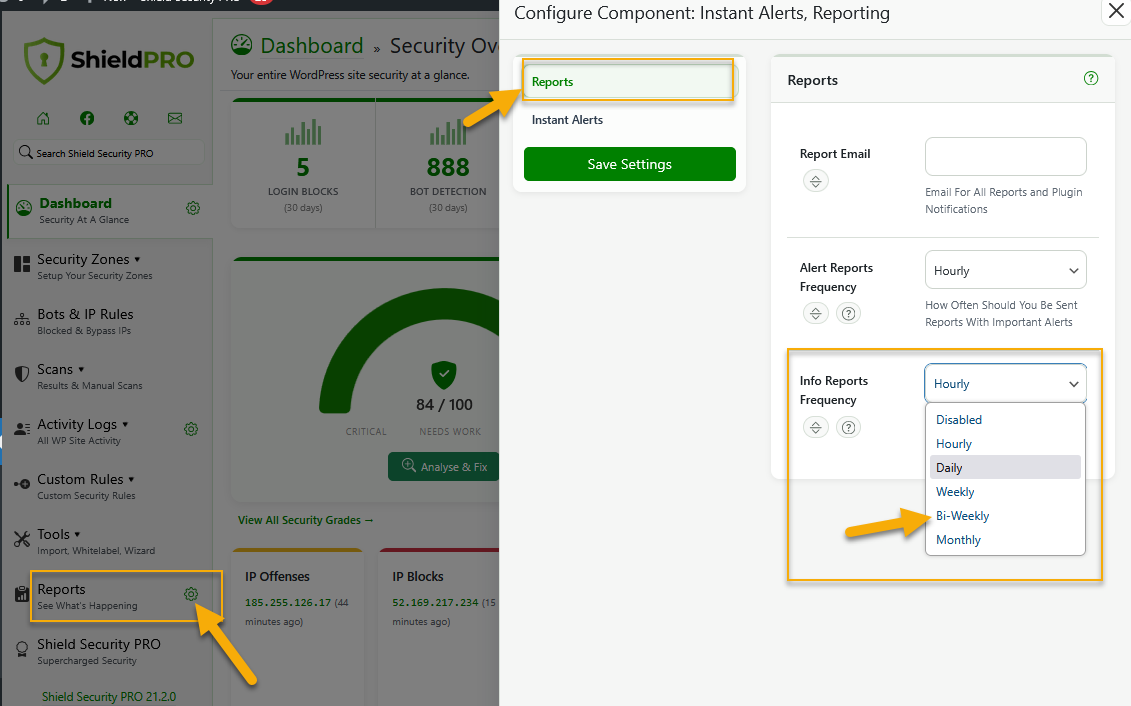
You can now run scheduled Info reports bi-weekly, as shown in the screenshot below.
We also improved report creation flow with better form validation and cleaner date-picker styling, and report email logic to avoid sending redundant informational emails when an alert email is already being sent.
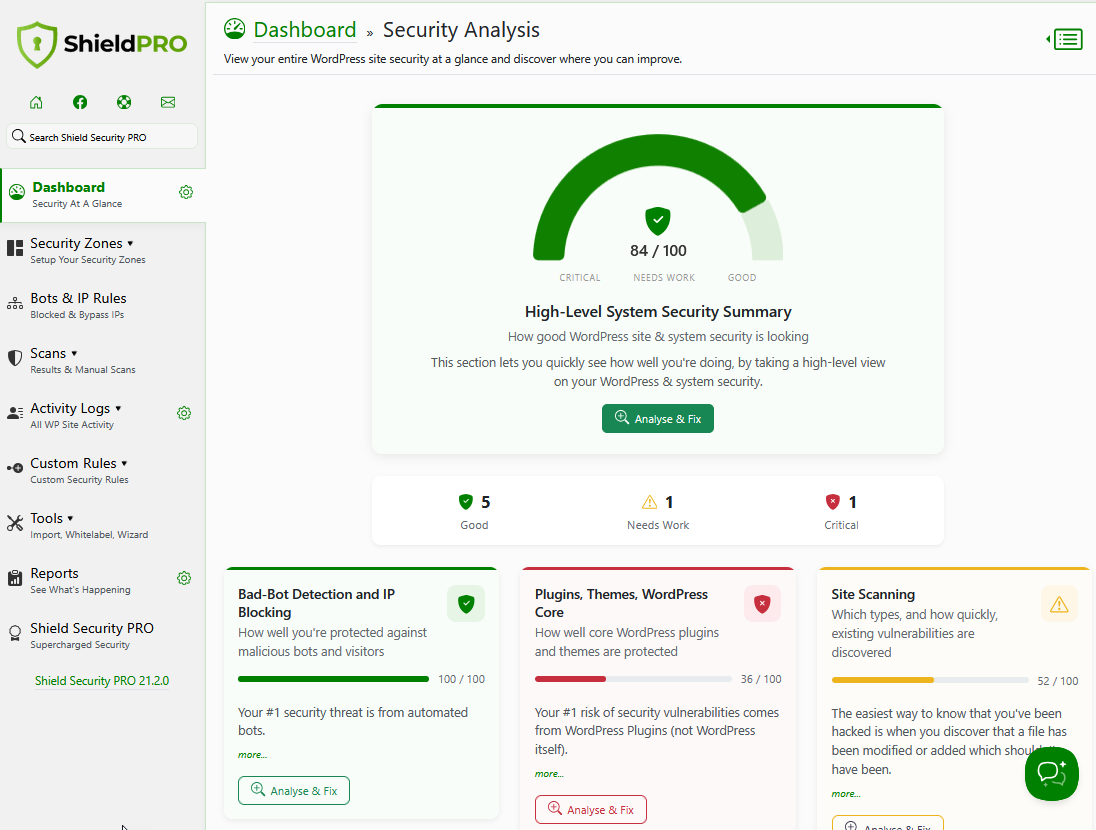
Change 2: Security Dashboard enhancements
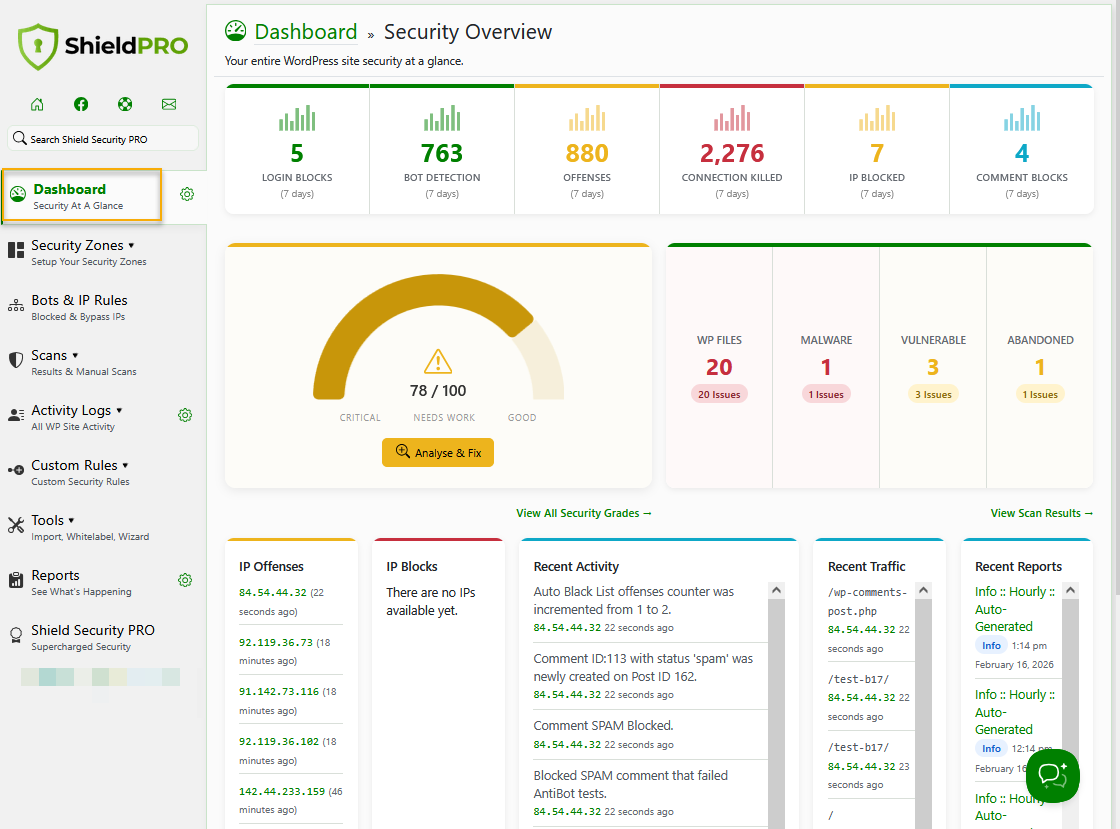
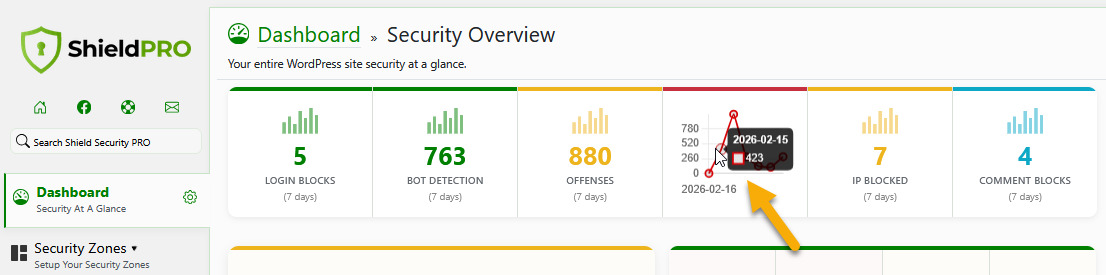
We completely upgraded security dashboard for improved performance and visuals.
Security Dashboard stats & charts
Security Analysis
Improvements Summary
This is a quick summary of the improvements we made for 21.2 release:
-
Major plugin UI refresh
We've begun rolling out a UI refresh. Not all elements have been updated; more components will be completed with subsequent releases.
-
Faster and cleaner admin experience
Dashboard visuals, page performance, and smaller-screen navigation have all been refined.
-
Improved log and scan performance
Log tables load faster and stale malware scan records are cleaned up automatically.
-
Redesigned security reports and emails
Reports are clearer, include richer inline insights, and avoid redundant email noise.
-
Biweekly report scheduling
You can now run scheduled security reports every 2 weeks, in addition to existing reporting intervals.
-
Clearer Activity Log severity labels
Activity events now use consistent severity labels so filtering and triage are easier.
-
Stronger upgrade and admin workflow reliability
Upgrade handling, redirects, and WordPress admin notice behavior are more reliable and consistent.
For more information on Shield 21.2 release, read the blog article here.