
ShieldPRO 22.1 Upgrade Guide
ShieldPRO 22.1 is our major release. It introduces many improvements and bug-fixes for the previous release. This guide outlines everything that has changed.
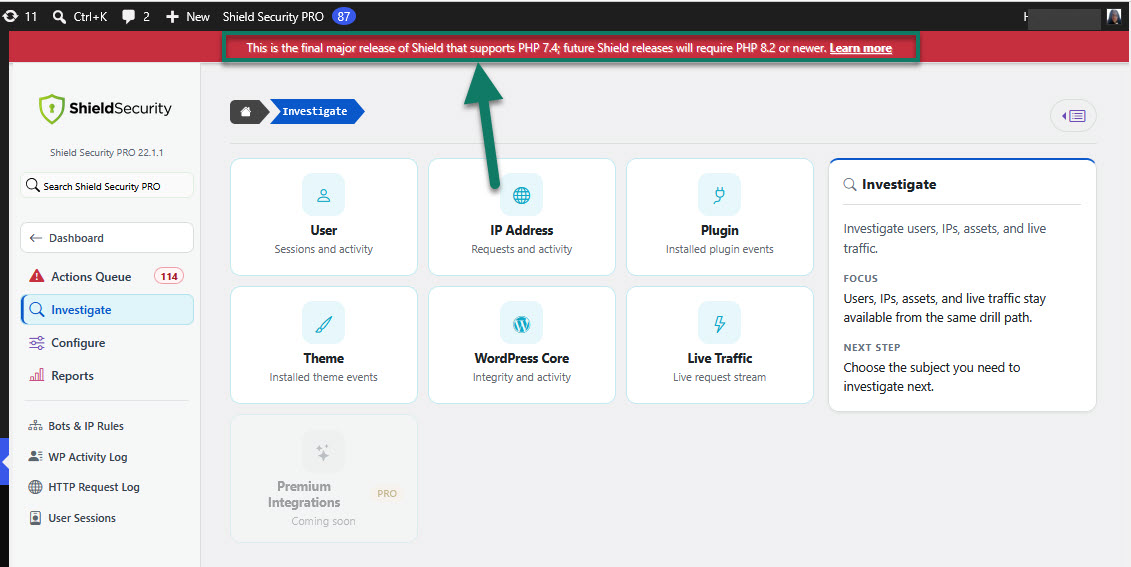
Please note: This is the final major release of Shield that supports PHP 7.4. Future Shield releases will require PHP 8.2 or newer.
Admins are warned when a site is below Shield's future PHP requirement, with a lighter reminder for PHP 8.2 sites to move toward PHP 8.3 or newer.
Improvements
For this release, we made the following improvements:
- Backup and Export Reliability Improved
Backup and DB export handling is more reliable, especially when checking site file access, building archives, and tracking progress during backup work.
- WordPress Site Health Checks Restored
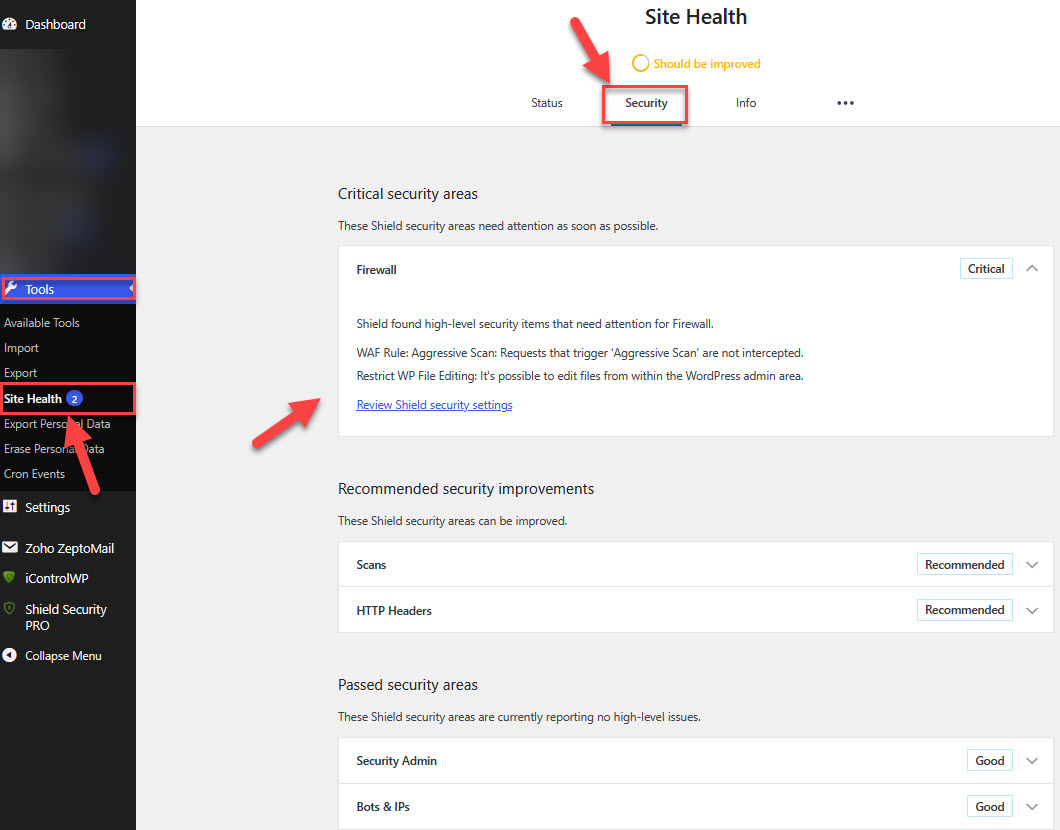
Shield security zones now appear as native WordPress Site Health checks, with clearer results and links back to the relevant Shield settings.
The screenshot below gives you a clear visual of this.
- Security Admin Boundaries Tightened
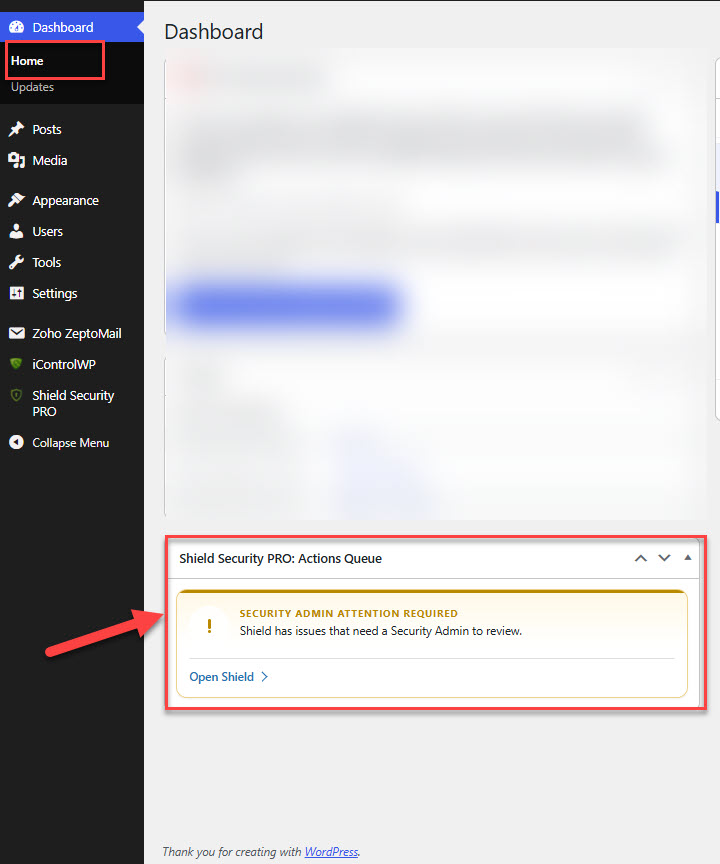
When Security Admin is enabled, WordPress admins without an active Shield Security Admin session see less sensitive detail in the dashboard widget and Site Health areas.
Take a look at the screenshot below for a visual example.
- Security Reports and Admin Actions Hardened
Security report details are handled more safely, and Shield is stricter about which admin actions can be started outside normal admin screens.
- Cleaner Admin Upgrade Prompts
Free sites now see a clearer Get Pro Security menu prompt and fewer repeated Pro badges, keeping the Shield admin sidebar less noisy.
- silentCAPTCHA Reliability Improved
silentCAPTCHA is better at remembering trusted visitors and handling failed background checks without noisy errors or extra challenges.
- Traffic and Activity Log Reliability Improved
When request or activity logging runs into problems, Shield now records cleaner diagnostic details without exposing sensitive request data. Server-run cron requests without a normal visitor IP now keep a safe local server identity, so Activity and Traffic Log records stay linked without noisy diagnostics. Very long or malformed request paths are bounded before storage, reducing failed Traffic Log writes on unusual URLs.
- IP Analysis Reliability Improved
IP investigation panels now handle unavailable reputation, hostname, or bot-detection data more cleanly, so one problem doesn't collapse the whole IP analysis view. IP analysis data is more consistent for Shield admin screens and connected tools without breaking existing integrations.
- Release Reliability Improved
Release checks now cover more real-world upgrade and plugin compatibility situations before each release.
Fixes
For this release, we made the following fixes:
- Security Report Email Compatibility
Security report emails now cooperate more cleanly with SMTP and email delivery plugins.
- Dashboard Icon Fonts Fixed
Shield dashboard icon fonts now load correctly on sites where direct plugin asset access is restricted.
- File Locker Configuration Scoring
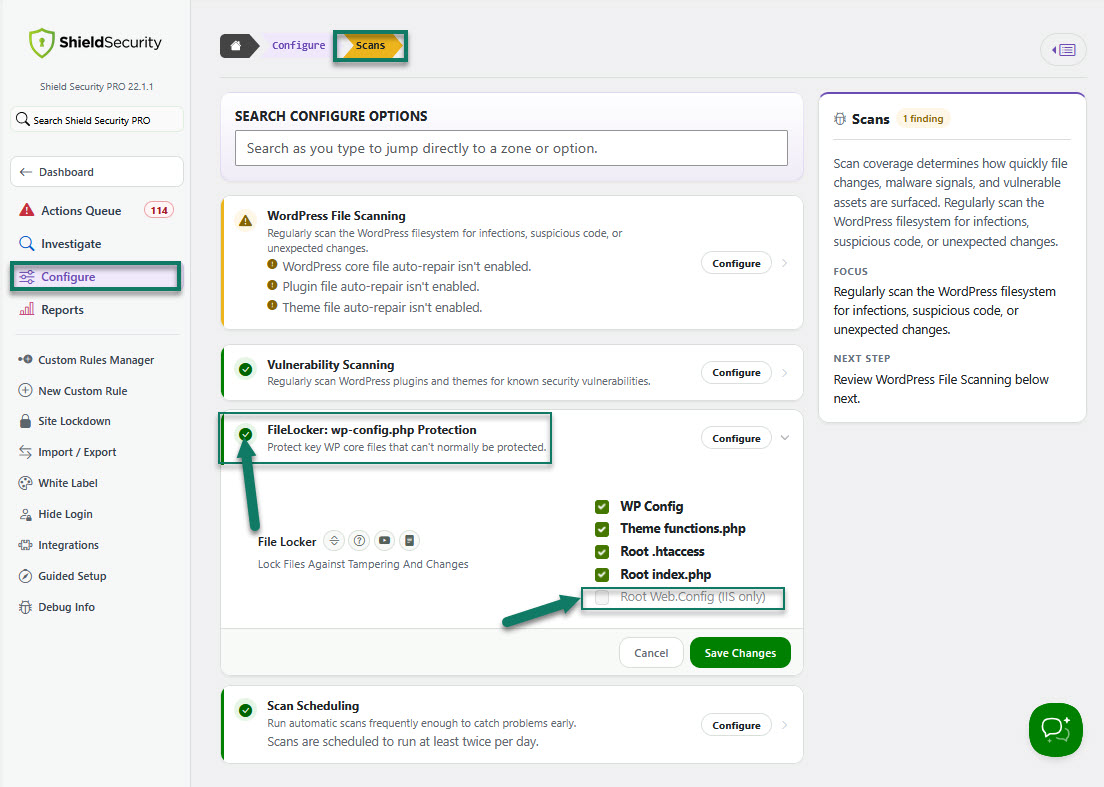
File Locker now ignores unavailable file targets, such as Web.Config on non-Windows servers or inaccessible theme functions.php files, when calculating Configure scores and posture results. Greyed File Locker options no longer make an otherwise complete setup look incomplete.
The screenshot below shows exactly what this should look like.
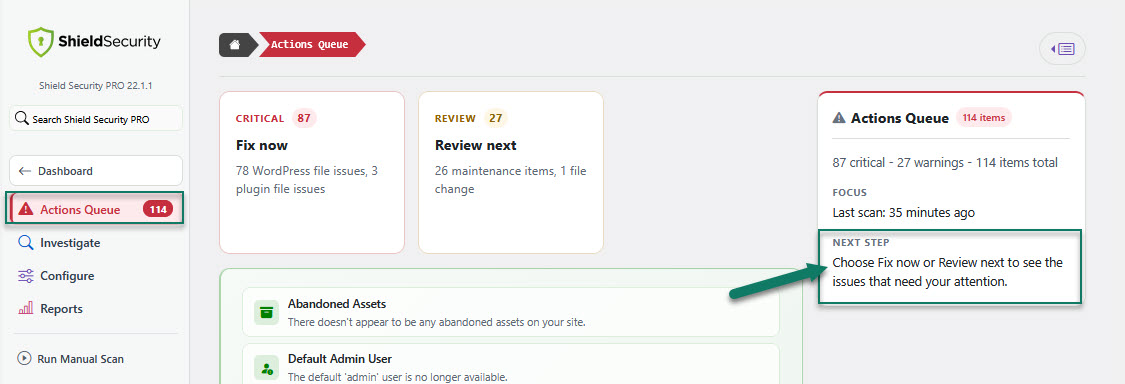
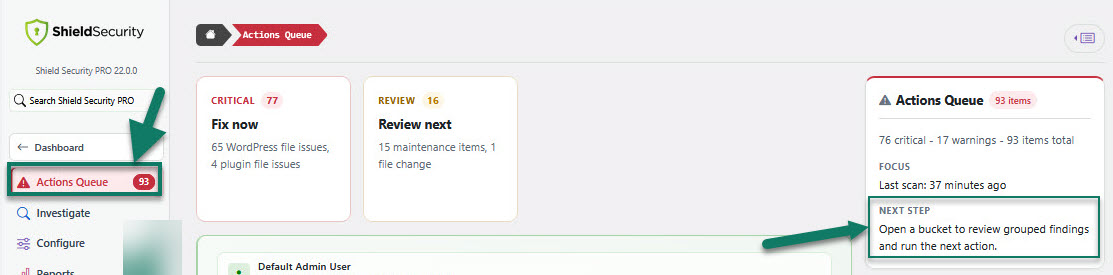
- Actions Queue Help Text Clarified
Actions Queue guidance now uses clearer terms for queue areas, issue groups, results, and next steps, making review work easier to follow. See an example screenshot below.
- CrowdSec Signal Sharing Reliability Improved
CrowdSec signal sharing now batches reports in a way that matches the current CrowdSec API, improving reliability when Shield submits larger sets of security signals.