
Overview of the Shield Security Dashboard & Sidebar Menu
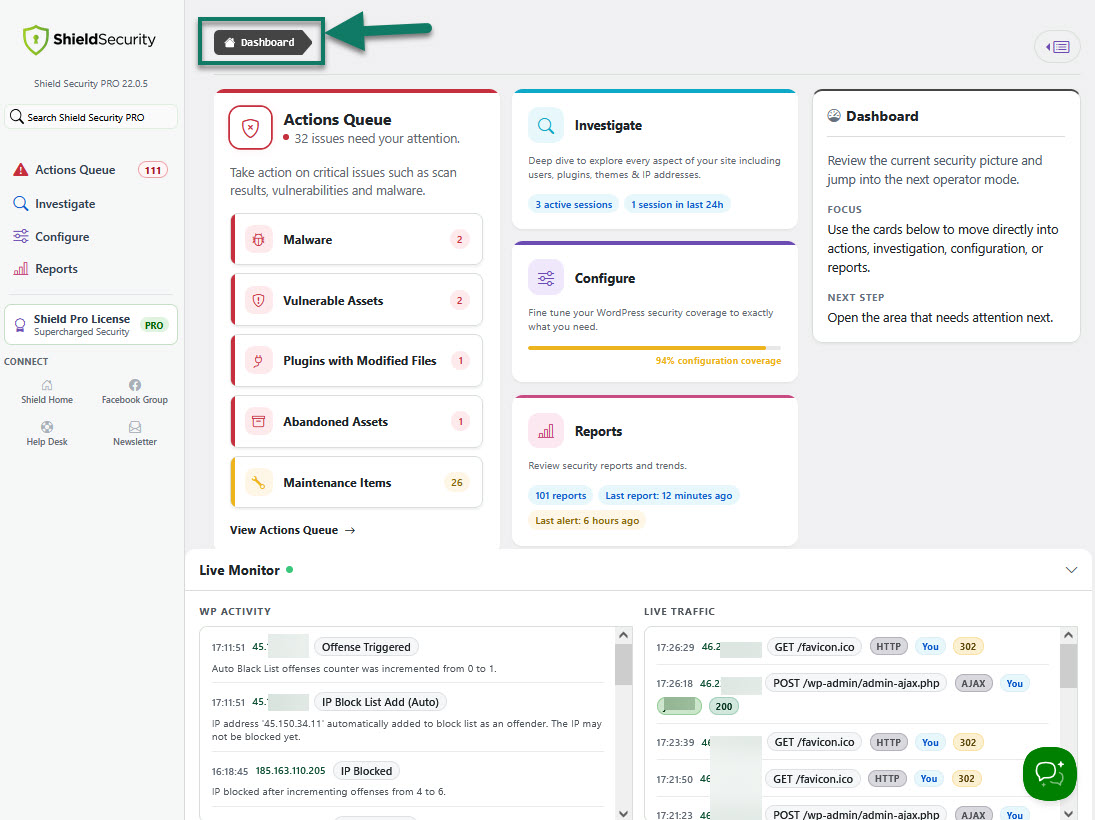
Shield Security top level Dashboard is designed to be 1st place any site administrator will go to, in order to
- learn of any issues that they need to take care of
- fix security issues before they impact the site
- easily go through the information they need, and take steps and actions based on that information
- live monitor of recent WordPress activity and traffic while they work
- manage ShieldPRO license
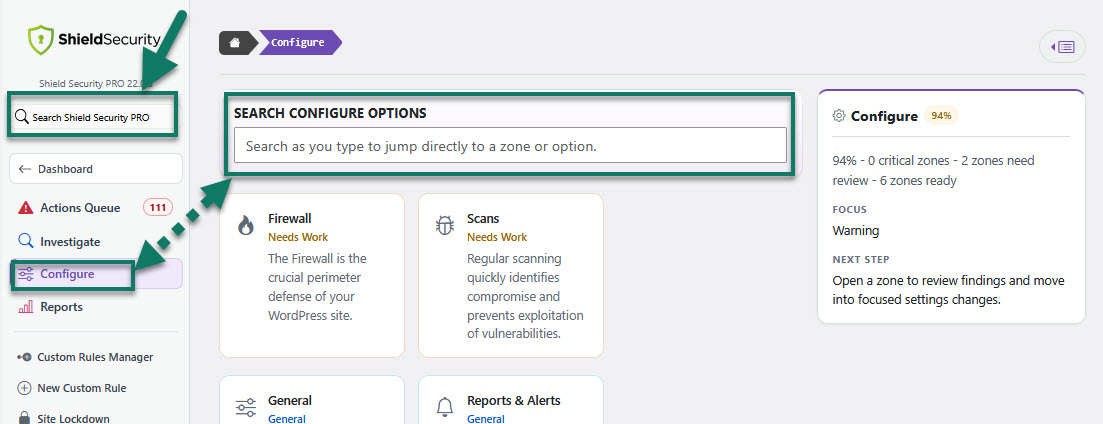
Search options
Use Search to find any option within the entire plugin.
This is available in the main sidebar menu and under Configure section.
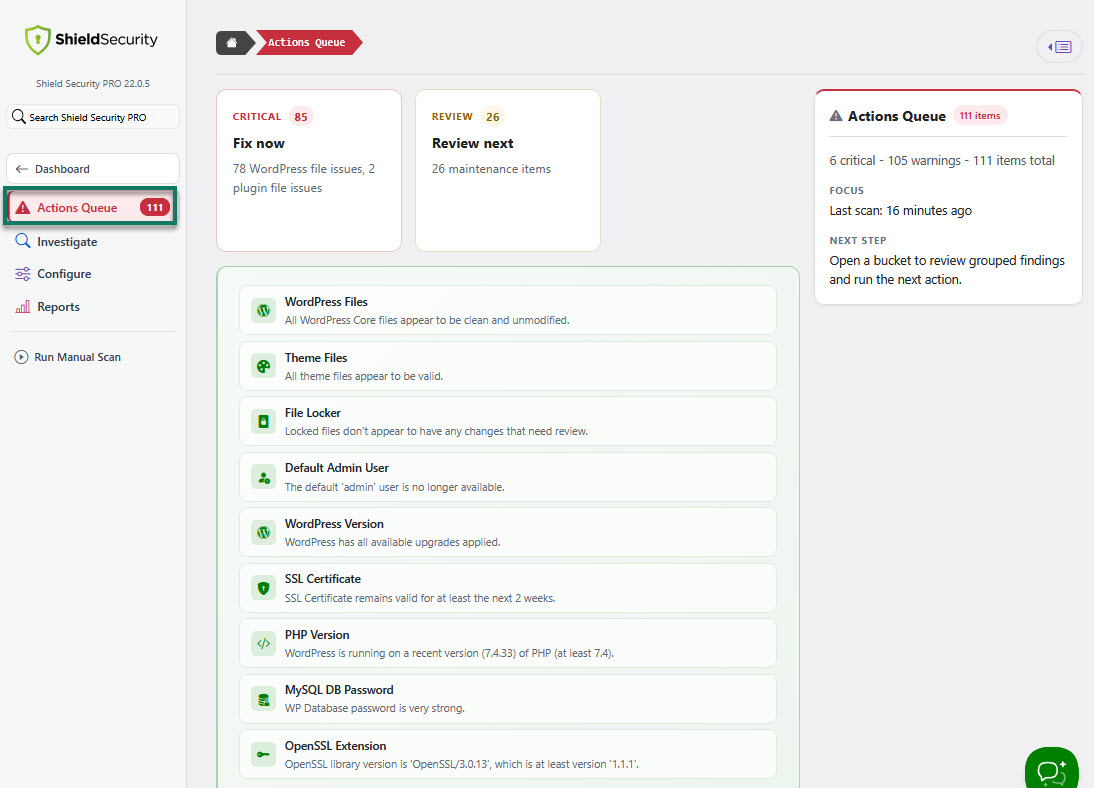
The Main Sidebar Menu
The sidebar menu helps you move between operator areas - sections and tools and each one of them has a certain purpose.
Actions Queue
This is the place to start when you are alerted to issues that need your attention. All important actions queue items are grouped here as a high-level summary. You can take action on critical issues such as scan results, vulnerabilities and malware.
Investigate
Use Investigate to deep dive into issues around users, IPs, plugins, themes, and all site activity. This is where you may access Activity Logs, IP Rules Management, and User Sessions Management.
You can investigate users, IPs, assets, and live traffic.
Available tools:
- Bots & IP Rules section - tool you can use to view and manage IP rules that block malicious visitors and bots.
- WP Activity Log - track and monitor activity on your site by users, visitors and bots.
-
HTTP Request Log - view and explore details of HTTP requests made to your site.
This includes Live HTTP Log as well.
- User Sessions - view and manage details of current user sessions on the site.
Configure
Use Configure to control, update, and tweak every aspect of your WP security posture.
Here you can setup the following security zones:
- General Plugin Configuration - general controls shape site-wide defaults, logging, and supporting security behaviour that other zones depend on. General settings
- Security Admin system - add an additional WP admin layer to protect core WordPress settings.
- Firewall Zone - WAF that automatically blocks malicious HTTP requests and data sent to your site.
- Bots and IPs Blocking Zone - detect malicious bots and visitors, and block them from accessing the site.
- Scans & Integrity Zone - automatically detect & repair vulnerable and suspicious files, plugins and themes.
- Login Protection Zone - add protections to your WordPress login forms and protect user accounts with 2-Factor Authentication.
- User Protection Zone - control user sessions, duration, timeouts and account sharing.
- SPAM Protection Zone - block Comment SPAM and Contact Form SPAM while retaining your privacy.
- HTTP Headers Protection Zone - control HTTP Security Headers.
- Custom Rules Builder - view, edit and remove custom security rules
- Site Lockdown - block all access to the site except from IPs on the bypass/white list
- Import/Export - quickly setup your site by importing from another site or a backup
- White Label - rename and re-brand the Shield plugin for your client site installations
- Hide Login - hide the WP Login page
- Third Party Integrations - Shield automatically integrates with 3rd party plugins including MainWP. Protects your user and contact forms from automatic bots.
- Guided Setup - walks you through some of Shield Security's key features, to get you up and running in under 3 minutes
- Debug Info - assess the state of the plugin and view various configuration information for your site
Reports
Use Reports to review delivered reports, alert settings, and view security trends. Reports and alerts control how site security activity is surfaced to administrators.