
Introduction To The Shield General Section
Shield General section is the most important part of the plugin - it contains options for the basic plugin settings. It controls shape site-wide defaults, logging, and supporting security behaviour that other zones depend on. General settings.
Here you can
- Configure plugin defaults
- Switch on/off the plugin
- Configure Request Logging
The all General section options are accessible from within the main sidebar menu > Configure > General.
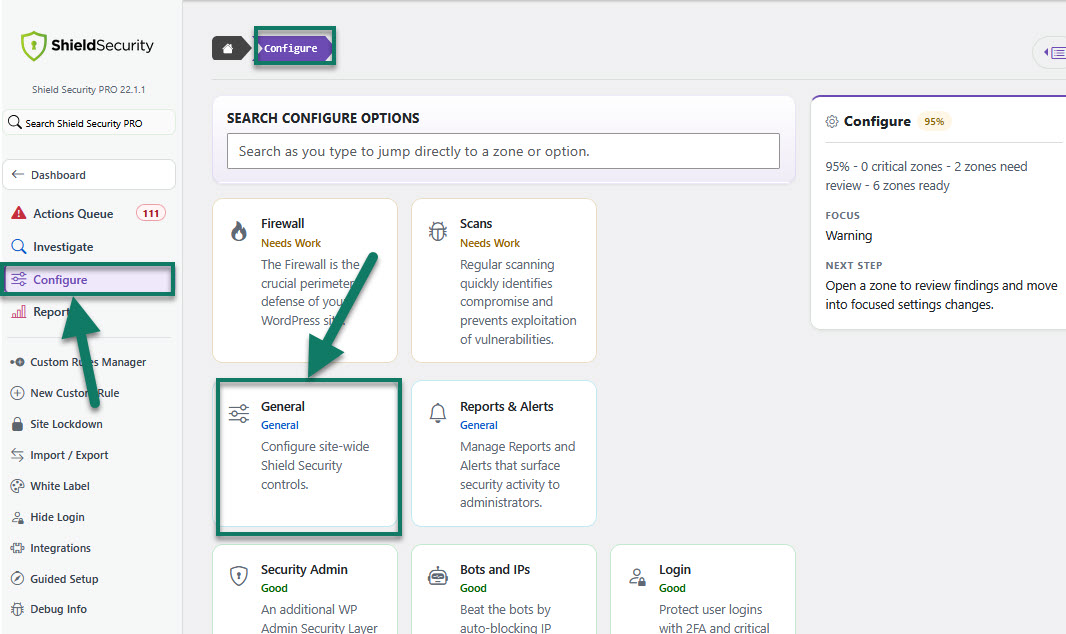
General Plugin Configuration options
This option contains important default settings used through the plugin. Those are the following:
IP Source - Is a method of retrieving the user/visitor IP address. There are several methods:
Automatically detect visitor IP
REMOTE_ADDR - (recommended)
HTTP_CF_CONNECTING_IP
HTTP_X_FORWARDED_FOR
HTTP_X_FORWARDED
HTTP_X_REAL_IP
HTTP_X_SUCURI_CLIENTIP
HTTP_INCAP_CLIENT_IP
HTTP_X_SP_FORWARDED_IP
HTTP_FORWARDED
HTTP_CLIENT_IP
Note: If you don't know what your particular IP address is, please see here:
https://getshieldsecurity.com/my-ip
For better understanding the Shield plugin and the Visitor IP address detection, read the article here.
Display plugin badge on your site.
-
In-Plugin Notices
Display non-essential plugin notices and admin bar menu.
By default Shield displays non-essential notices in the admin area and admin bar. This can be hidden by switching off this option.
Allows us to gather some information around your use of the plugin.
Setup the plugin to run as an MU-plugin to prevent accidental deactivation.
Controls the Shield Security plugin's auto-update.
-
Delete Plugin Settings
Removes all plugin options when you deactivate the plugin. If this option is disabled, all plugin settings will remain.
Specify a temporary directory lets you tell Shield where it should start in its search for a writable directory.
Override the language used throughout the plugin regardless of site/user profile settings.
Allow Shield to upgrade to beta and pre-release versions.
-
Enable Shield Security PRO Protection
Here you can completely enable or disable Shield plugin and all its features.