
Force Language Locale Regardless Of User Profile Language Settings
Sometimes you may want Shield Security plugin to always use the same language for every user, at all times, regardless of the WordPress site language or any user profile language settings. This article explains how to force a single locale for Shield, so you have a consistent interface for everyone who uses your site.
How To Override And Force Language Used Throughout Plugin
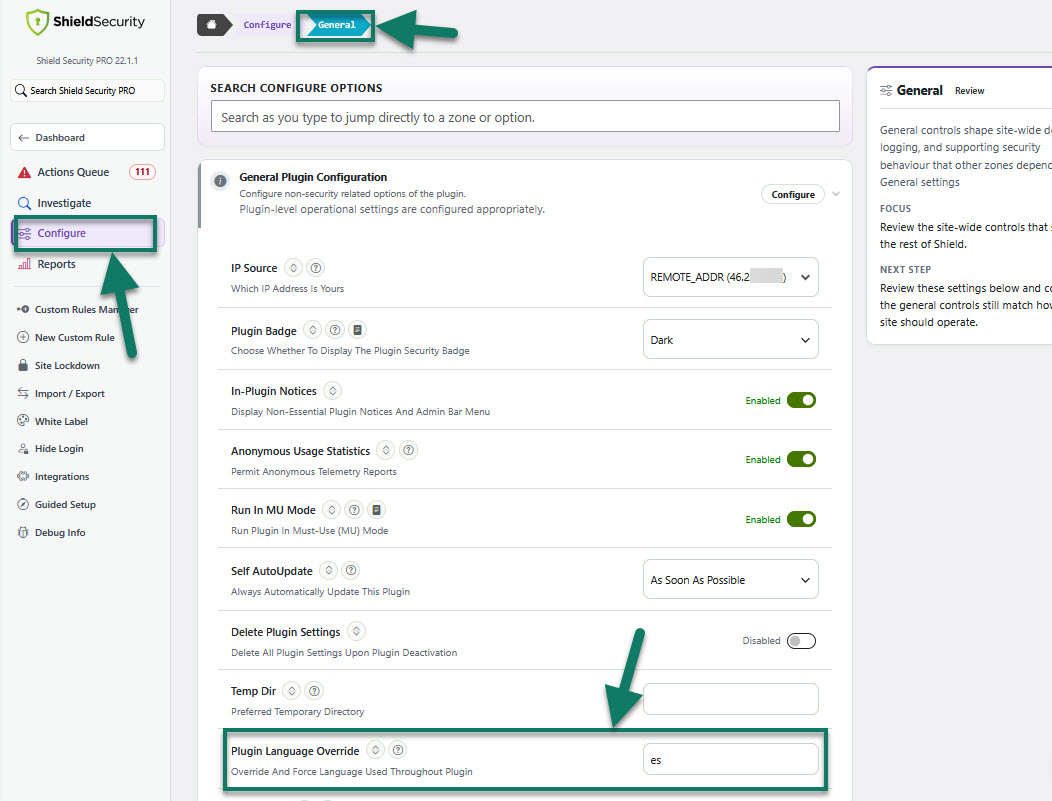
To achieve this, you just need to go to the main Shield sidebar menu > Configure > General > General Plugin Configuration > and enter your locale in the "Plugin Language Override" option field.
Important points to note
Only ISO 639-1 2-letter nomenclature is supported, e.g. English as "en", Spanish as "es".
If you provide a locale for which there are no translations, defaults will apply.
The language will be changed for the Shield plugin only. This will not change the language of your WordPress dashboard.
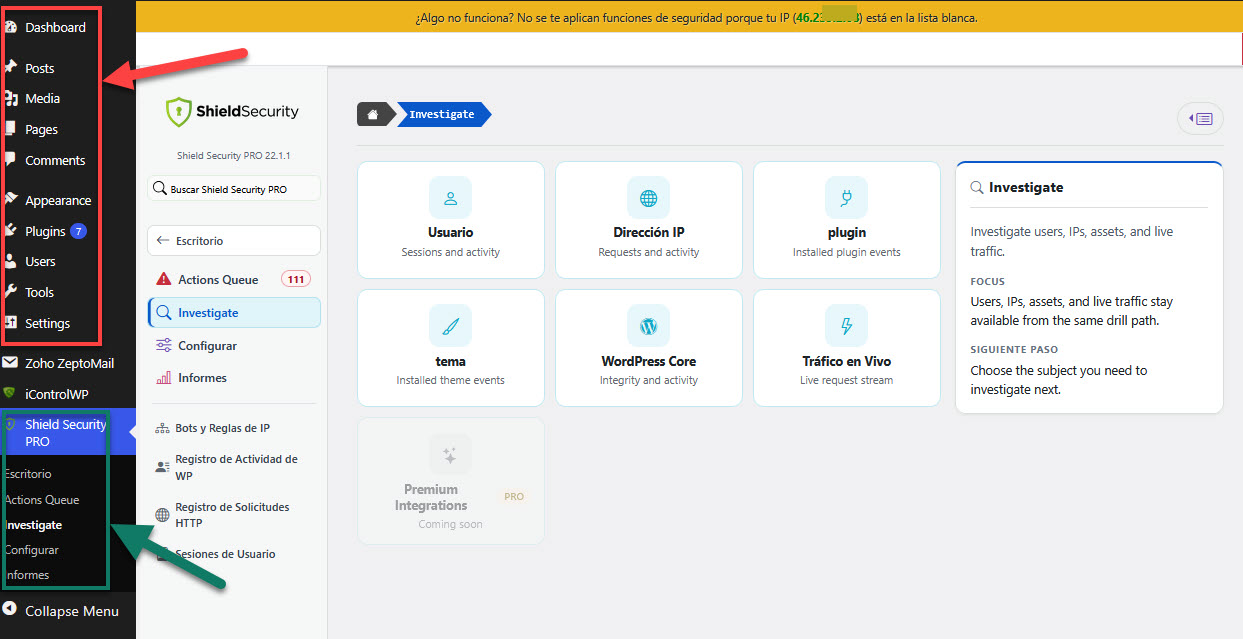
For example, if you use WordPress in English for your user profile (WordPress Dashboard > Users > Profile page > Language) but change the Shield language to Spanish, the WordPress dashboard will remain in English while the Shield plugin appears in Spanish, as shown in the screenshot below.
All translations are generated by our proprietary AI Translation system. We take great care to ensure accuracy across almost 40 languages, though minor errors may occur. If you notice any issues, we’d appreciate your feedback.