
How to enable TOTP Authenticator Apps for your WordPress site
The TOTP Authenticator Apps two-factor authentication helps your site users to add an authenticator app to their WordPress user profile.
Note: This is optional and can't be enforced.
Any app that generates time-based one-time passwords (TOTP) is supported, including Google Authenticator, LastPass Authenticator, Microsoft Authenticator and Authy.
This can be enabled under the main sidebar menu > Configure > Users > Two-factor authentication > TOTP Authenticator Apps.
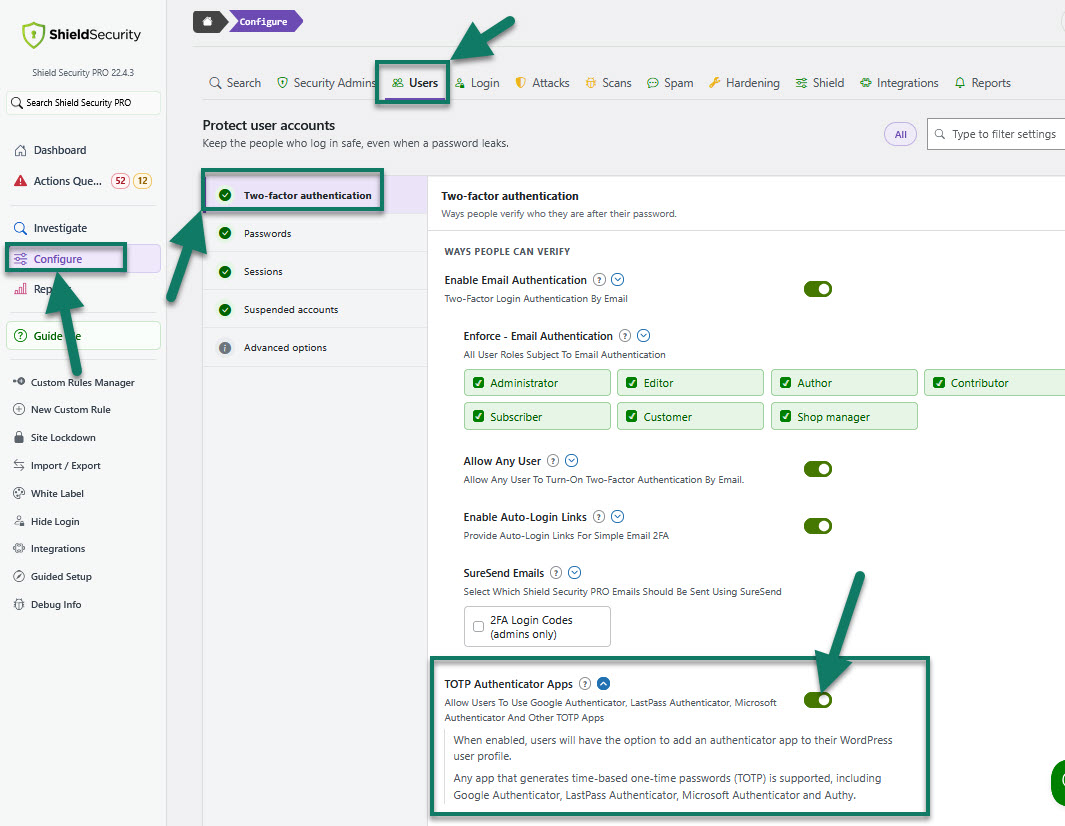
Access to TOTP Authenticator Apps option
Important: This enables the functionality, but it must be then in-turn configured for each individual user who wishes enable it for their own account.