
What Is A 'pwned' Password?
If a password has been involved in a data breach and this data is accessible and relevant, it’s part of the ‘pwned passwords’ database.
Basically if you used a password that got leaked, then you should never use it again. This is a good reason why you should never re-use passwords across different sites and services. This ensures that if 1 site is compromised, then your account is still safe on all other sites.
How to access this option
This option is accessible under the main Shield sidebar menu > Configure > Users > Block Pwned Passwords.
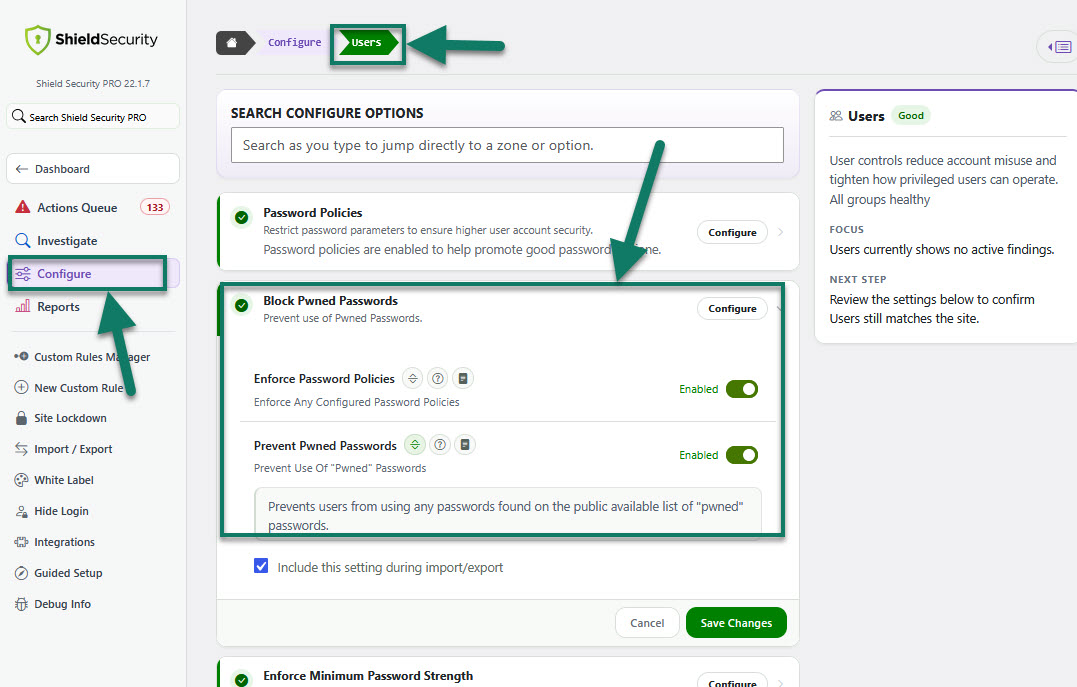
Access to Block Pwned Passwords
We go into much more detail on Shield's 'pwned' password feature on our blog, here.