
How to use 2FA User Configuration Pages
The standard place to manage your 2FA settings is within your WordPress User Profile page.
Now you have options to specify pages available to users to configure 2FA on their account.
The options (pages) available are
- WP User Profile Page
- Dedicated WP Admin Page
These options are located under the main Shield sidebar menu > Configure > Login > 2FA General Settings > 2FA User Config Page.
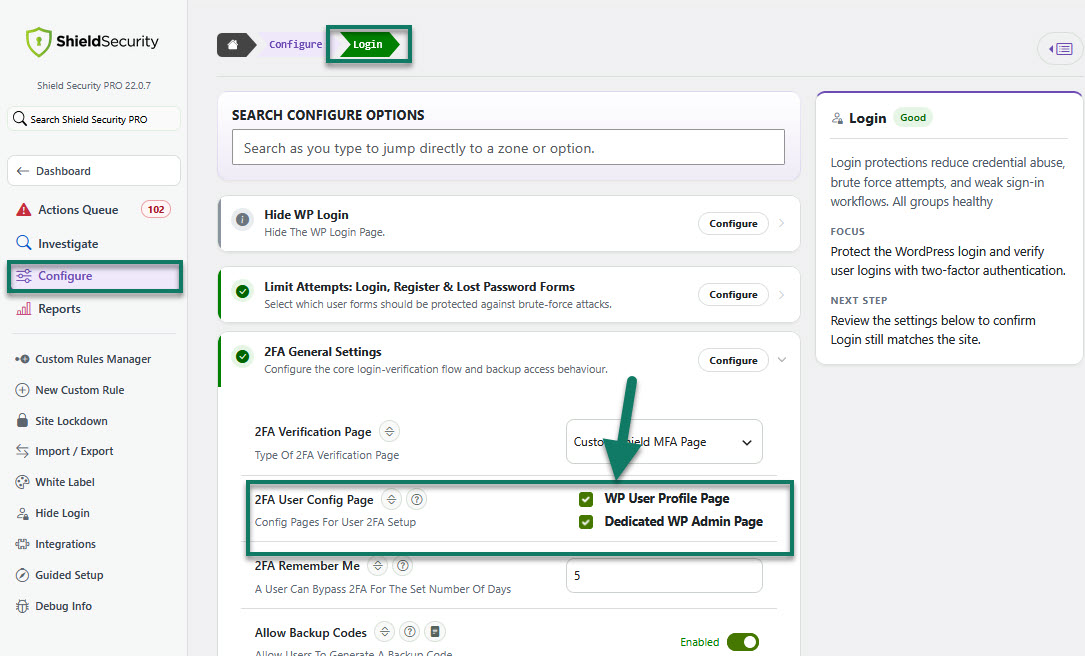
Access to 2FA User Config Page options
Please note that at least 1 option must be provided and defaults to the user profile page within the WP admin area.
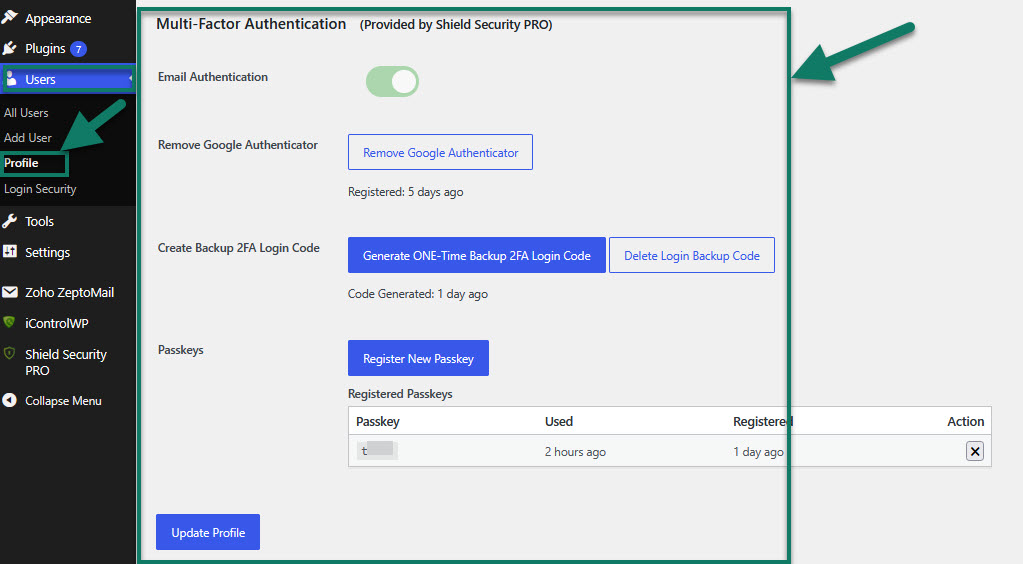
Example: 2FA settings on the user Profile page
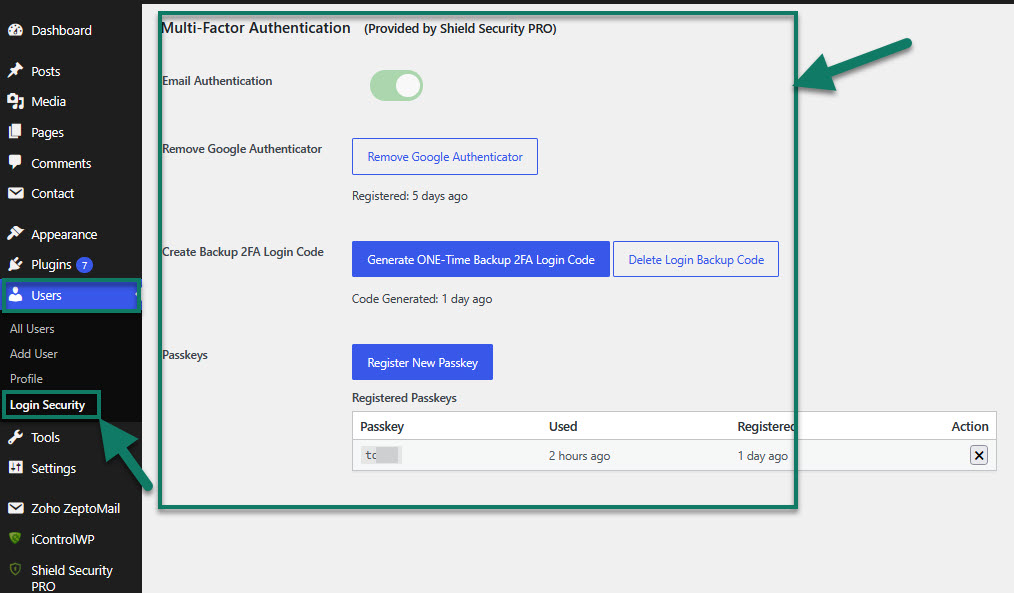
Example: 2FA settings on a dedicated (Login Security) WP admin page
Note: You can always use the shortcode (SHIELD_USER_PROFILE_MFA) to embed the 2FA settings within any page on your site to provide the most flexible screens for your users.