
How to use silentCAPTCHA AntiBot system to detect SPAM Bots
silentCAPTCHA AntiBot system is ShieldPRO's exclusive bot-detection technology that removes the needs for CAPTCHA and other challenges.
This feature is designed to replace the CAPTCHA and Bot Protection options. It distinguishes bad bots from all your other “good” traffic (humans + good bots).
All visitors who try to post a comment get a “ bot reputation score” and if they make a request that falls below the score, the request will be rejected.
How to enable this option and know if it works
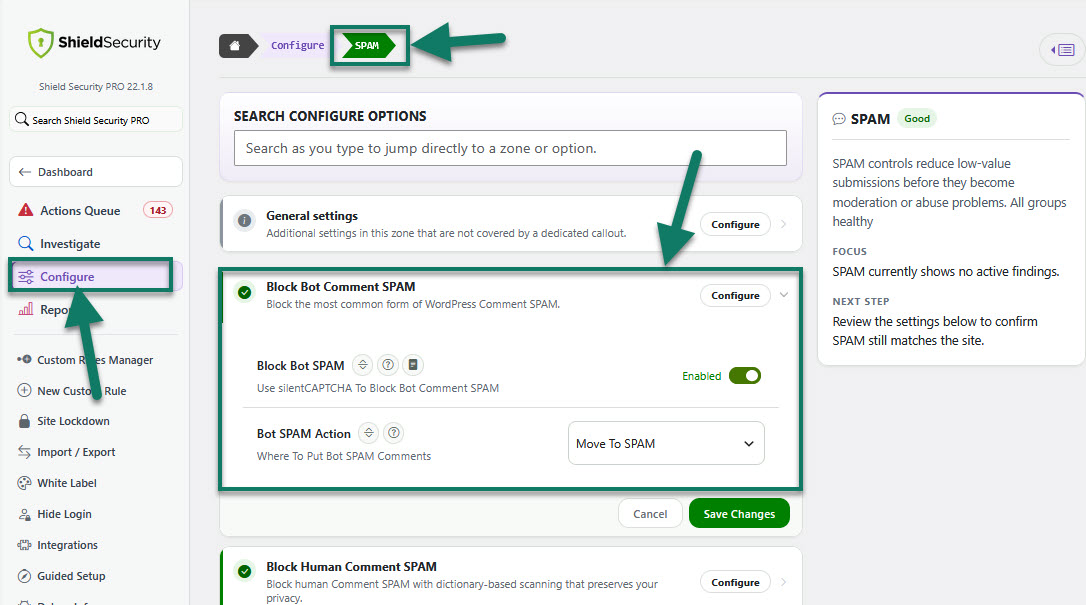
This option is accessible from within the main Shield sidebar menu > Configure > SPAM > Block Bot Comment SPAM.
It also allows you to decide how to categorise comments when identified to be SPAM.
Select one of the 4 options from the drop-down list:
-
Mark as pending moderation
This doesn't mark the comment as spam, but instead marks it as "pending" and you will need to approve it. This is not recommended.
-
Mark as SPAM
The comment will be immediately moved to the SPAM folder.
-
Move to trash
The comment will be immediately moved to the Trash folder.
-
Reject and redirect
The comment processing will stop immediately and will not be inserted into the WordPress comments database - the comment submission will be redirected to the website's home page.
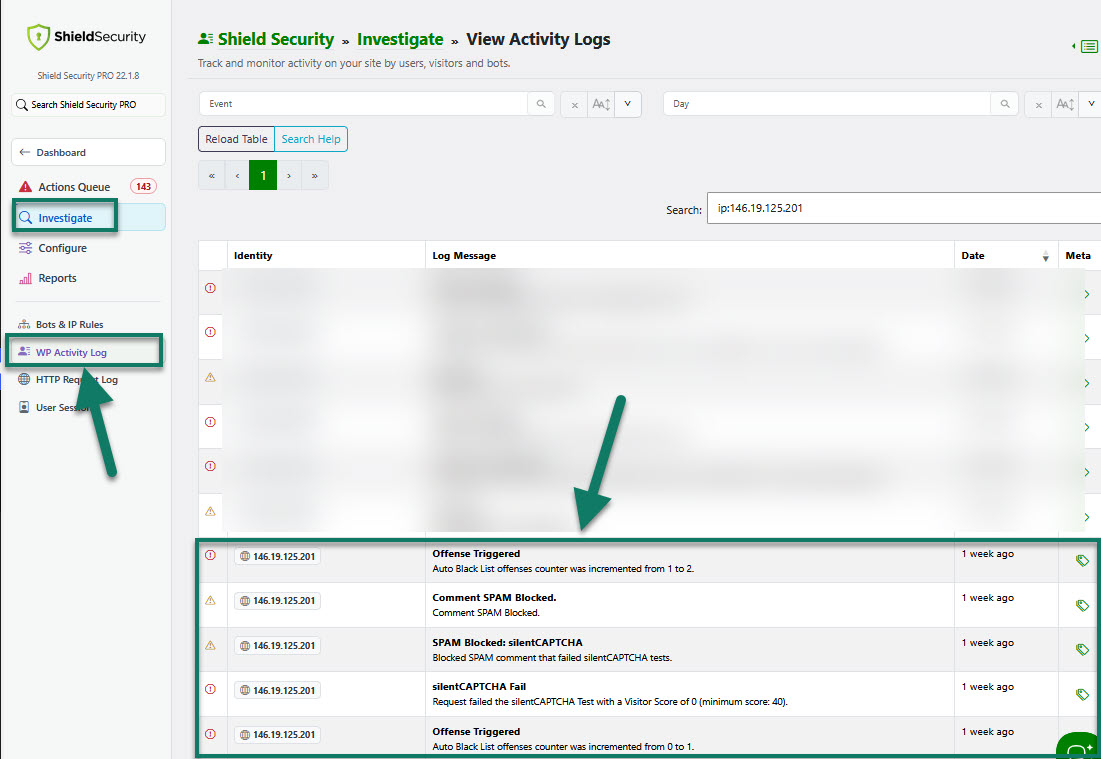
Once a bot triggers the Shield's offense, silentCAPTCHA will block the request and your WP Activity Log will record this for you.
For further details about silentCAPTCHA, read the release blog article here.