
How To Import Options From Staging To Live Site With ShieldPRO
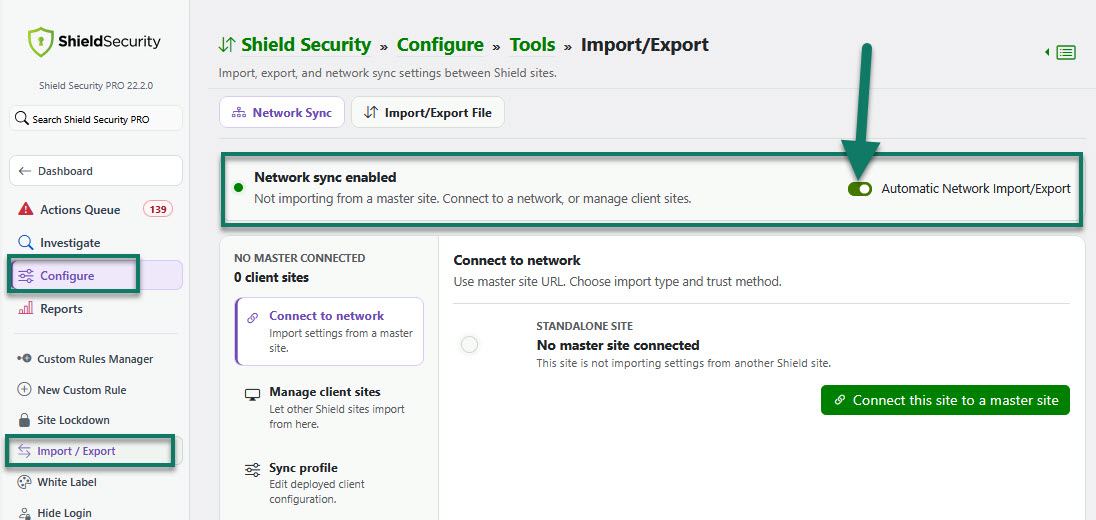
Before you try to do this, please ensure that on each site, you open Shield > Import/Export and select the Network Sync tab. Turn on Automatic Network Import/Export.. (see screenshot below)
To export options from staging and then import to the live site, please follow these steps:
1) Activate ShieldPRO on your staging site.
2) Configure Shield options on your staging site
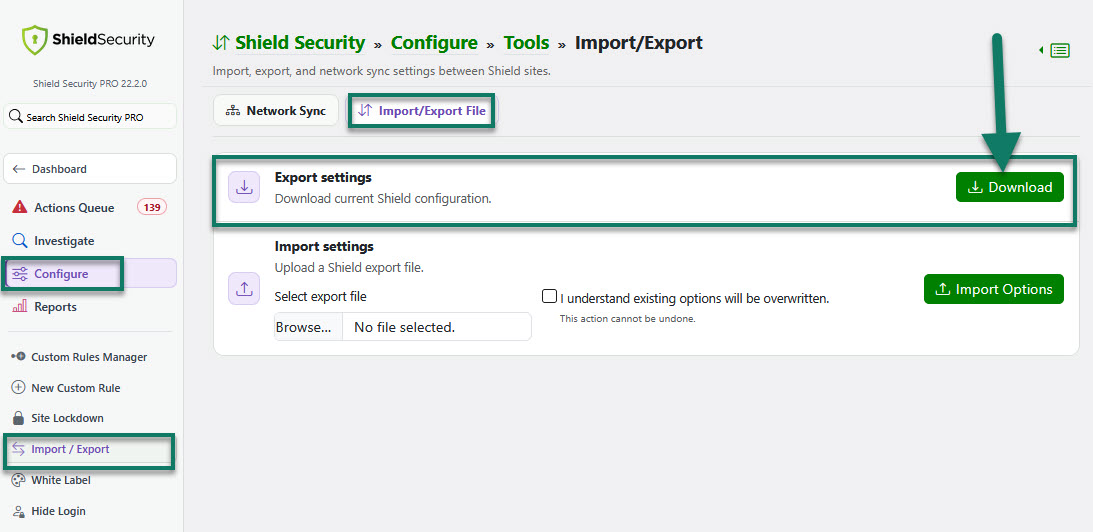
3) On the staging site, go to main sidebar menu > Configure > Import/Export > Import/Export File > Export settings > and click the button to download export file, as shown in the screenshot below.
4) Remove PRO from staging site and add it to the live site.
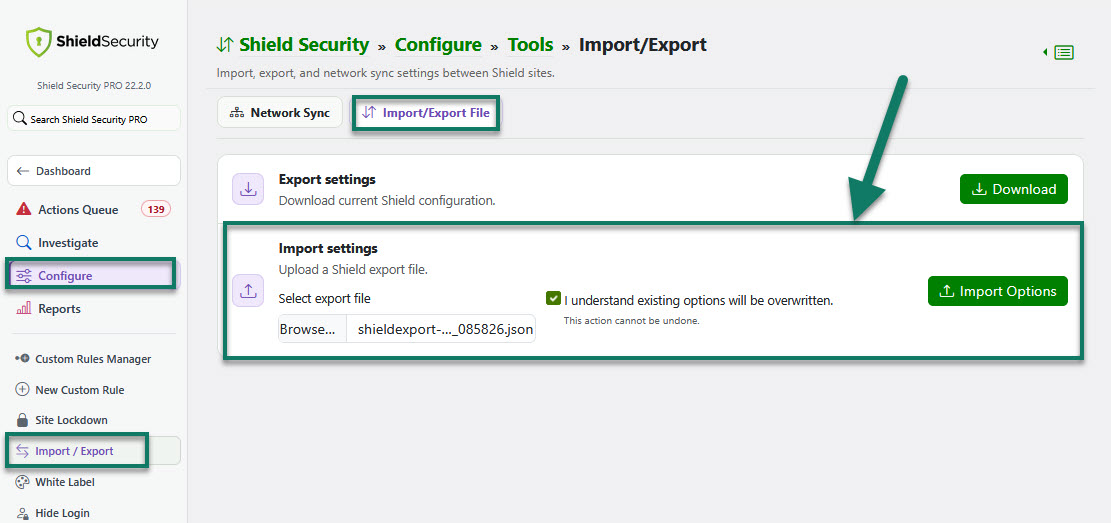
5) On the live site, go to Configure > Import/Export > Import settings. Then, browse to the exported file from your staging site > check the checkbox to confirm that the existing options will be overwritten.
6) Click the "Import Options" button and all Shield options will be imported from staging site to your live site. (see the screenshot below)
We'll be providing support for staging/dev sites in one of the future ShieldPRO releases.
Note: ShieldPRO is required for this feature. To find out what the extra ShieldPRO features are and how to purchase, please follow this link here.