
What are the Automatic Bot Comment SPAM Protection options?
The Automatic Bot Comment SPAM Protection blocks 100% of all automated bot-generated comment SPAM.
These options are accessible from within the main Shield sidebar menu > Configure > SPAM > Block Bot Comment SPAM.
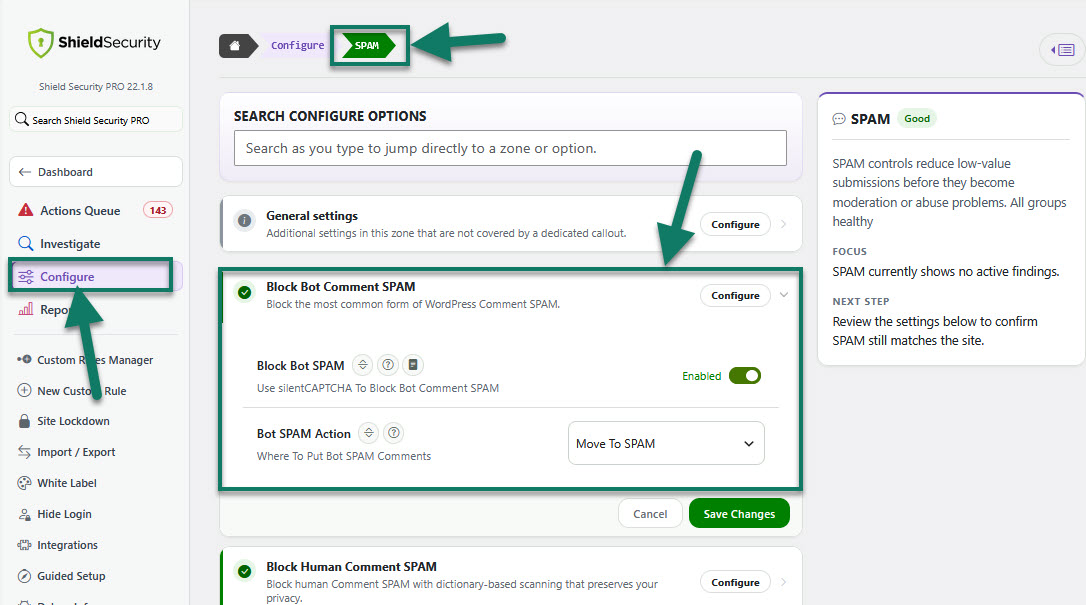
Automatic Bot Comment SPAM Protection options explanations
Option: Block Bot SPAM
Option: Bot SPAM Action
This option allows you to decide how to categorise comments when identified to be SPAM.
Select one of the 4 options from the drop-down list:
-
Mark as pending moderation
This doesn't mark the comment as spam, but instead marks it as "pending" and you will need to approve it. This is not recommended.
-
Mark as SPAM
The comment will be immediately moved to the SPAM folder.
-
Move to trash
The comment will be immediately moved to the Trash folder.
-
Reject and redirect
The comment processing will stop immediately and will not be inserted into the WordPress comments database - the comment submission will be redirected to the website's home page.
To learn more about this feature, read this article here.