
Introduction To The Bots & IPs Security Zone
The Bots & IPs Security Zone allows you to whitelist IP addresses and configure auto-blacklist rules.
it's accessible under the Shield main sidebar menu > Configure > Bots and IPs.
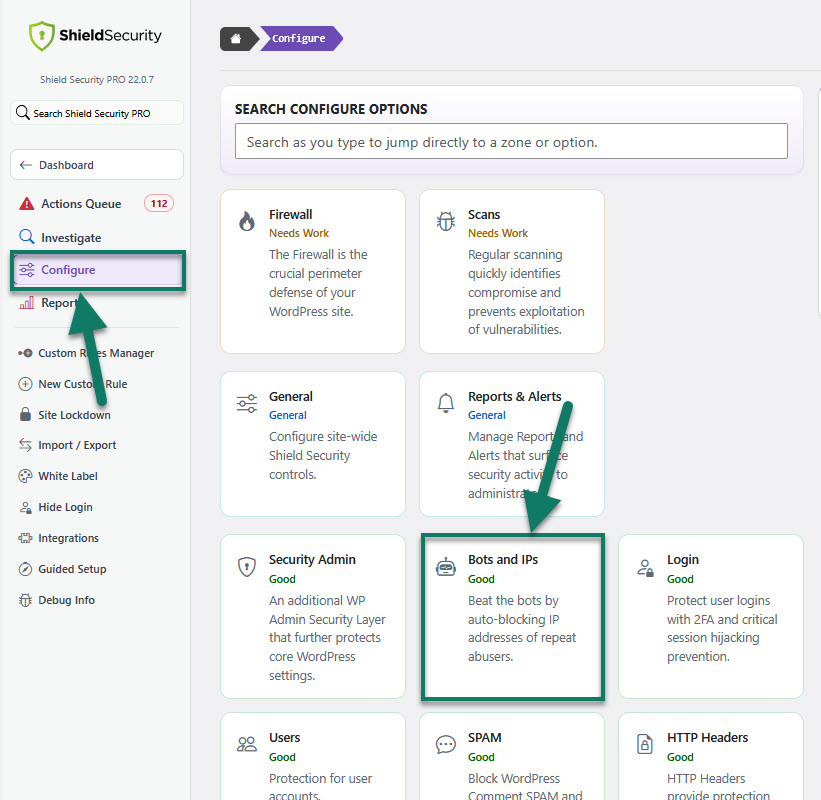
This feature is designed of the following components:
- Automatic IP Blocking rules
- CrowdSec IP Blocking
- silentCAPTCHA AntiBot system
- Bot Actions
- IP Management and Analysis tool
Important: Before you take any action, you should carefully review the Auto Blocking Rules settings.
Automatic IP Blocking rules options
The Bots & IPs feature's main part is the Automatic IP Black List system. It tracks bad behavior over a set period of time and as soon as it reaches the threshold, the Shield blocks it. No more lengthy and unmaintainable IP black lists.
To set-up the Automatic IP Black List system, use the following options:
- Offense Limit - Visitor IP address will be Black Listed after X bad actions on your site
- Auto Block Expiration - After 1 "X" a black listed IP will be removed from the black list
For more information about the Automatic Black List System, read the blog article here.
There are additional options available for the Automatic IP Blocking:
- User Auto Unblock - Allow visitors to unblock their IP automatically.
- Request Path Whitelist - Add paths that will never trigger an offense.