
What are the User/Admin Login Notification options?
The Admin Login Notification feature helps you to be aware of when a WordPress administrator has logged into your site when you are not expecting it.
This feature can also be set to send email notification to each user upon successful login.
Important: Admin or user login notification email will not be sent if their IP is whitelisted with Shield.
User Login Notification Email option
This option is located under the main Shield sidebar menu > Configure > Login > Session Hijacking Protection > User Login Notification Email.
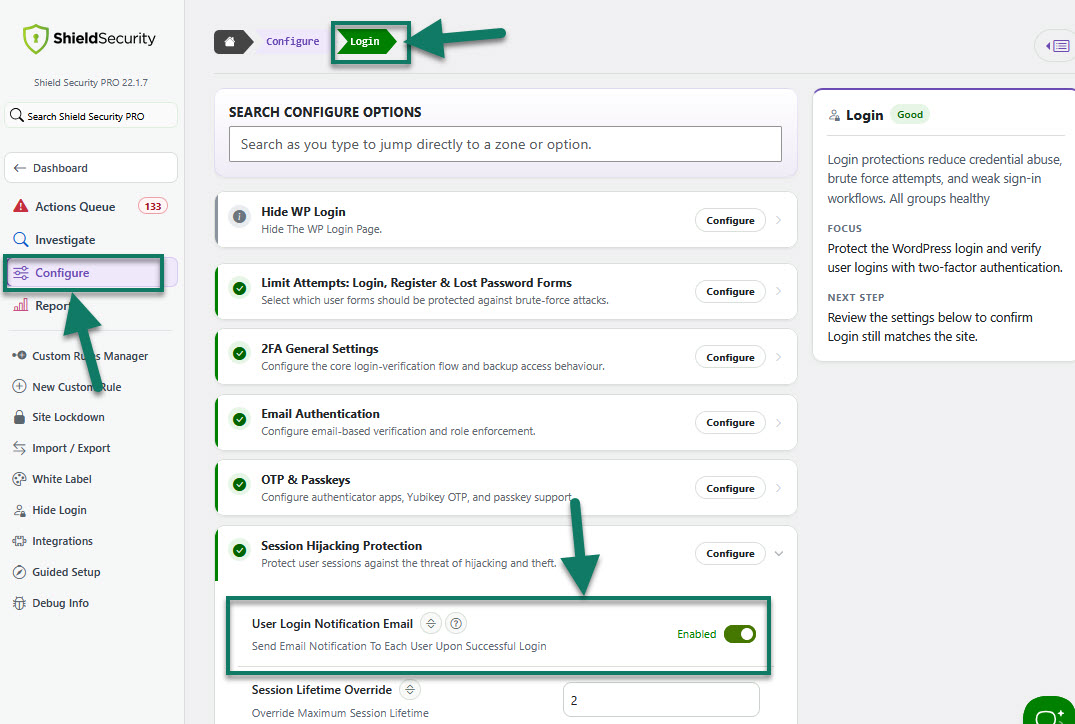
"User Login Notification Email" has a couple of points that you should note:
- Notification email is not sent if 2-factor authentication is enabled (this prevents 2FA emails + login notification emails)
- If the email address of the “admin notification email” is the same as the email address for the user logging on, a 2nd notification email will not be sent.
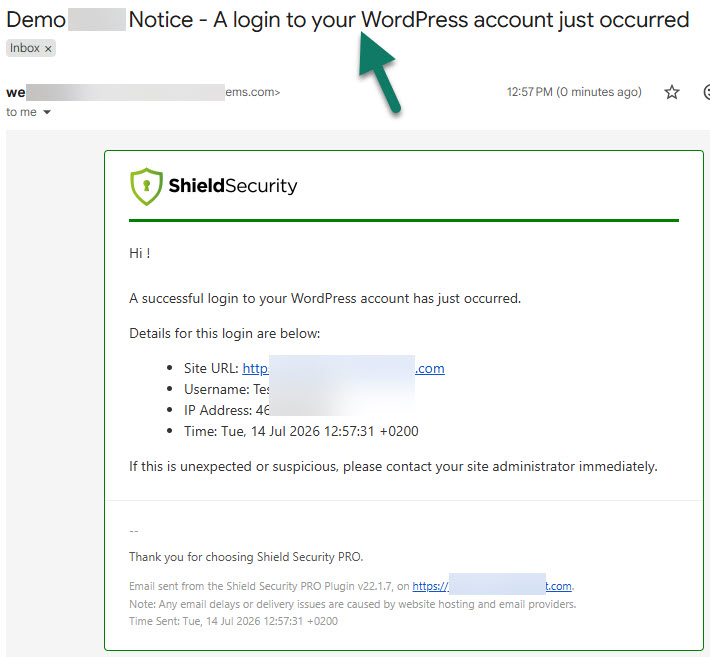
Admin Login Notification (Alert) option
This option is located under the main Shield sidebar menu > Reports > Reporting & Alerts Configuration > Instant Alerts > Admin Login.
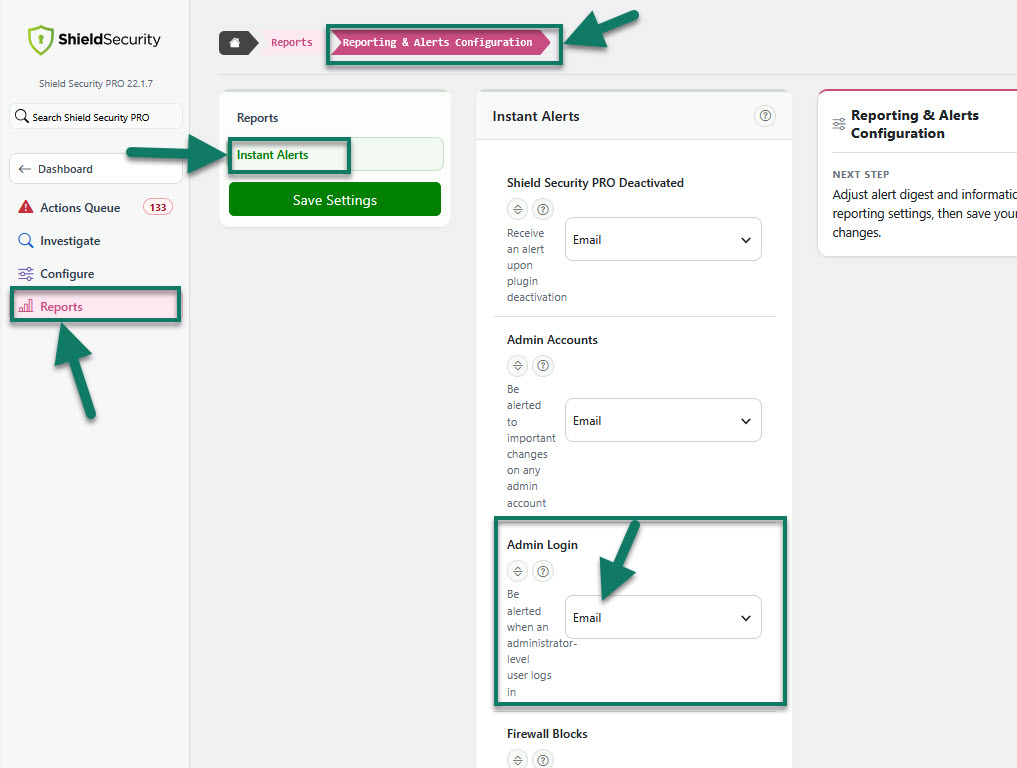
When activated, you'll be alerted every time an administrator user logs into your WordPress site.
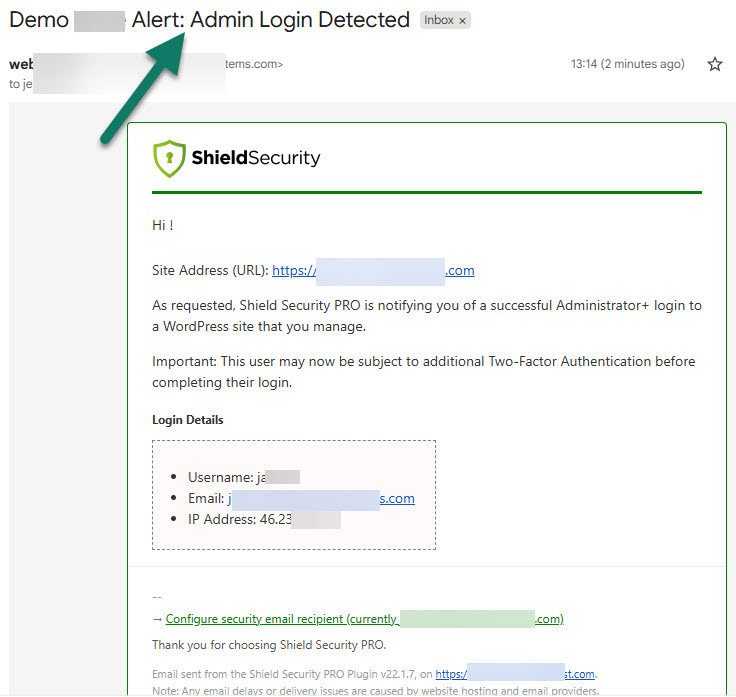
Admin login notification email subject will be:
How to change the roles for login notification emails
The WordPress filter you can use to change the minimum role for this notification is:
icwp-wpsf-login-notification-email-role
We only currently support the following 5 roles:
- network_admin
- administrator
- editor
- author
- subscriber
Also, selecting any role will result in notifications for any users at that role or above. E.g. 'editor' will result in email notifications for editor, administrator, and network_admin.