
What is the Alert Frequency report and how does it work?
Alert Frequency option is a part of the Reports section of the Shield Security plugin.
You can use it to decide when you should be sent important and critical alerts about your site security.
The all scans actions will be included in the Alert report including the deleted or repaired files.
To set the alert frequency, simply go to the Reports section > Reporting & Alerts Configuration and select the frequency you’d like for the report.
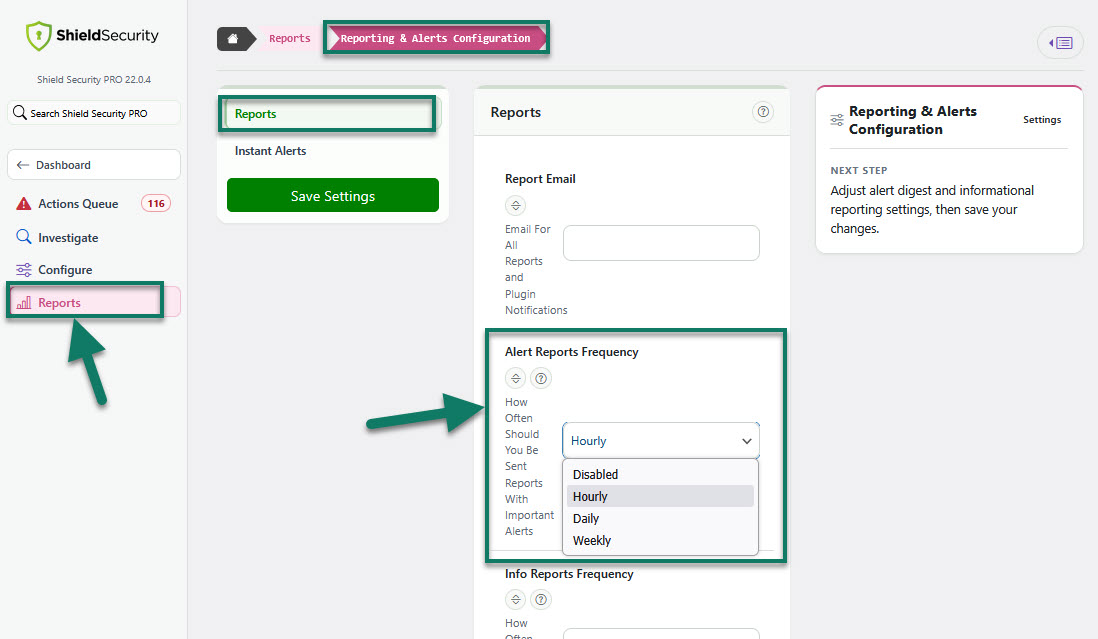
How does the Alert Frequency work?
To explain how this option works, we'll use an example.
Let's say you'd like to receive email alerts every hour, and you have Shield scans turned on.
You'll get email alert report about the detected files, and email subject will be [Your Site Name] Security Alert.
Alert report provides link to the full report content as HTML pages.
These links are accessible only if you're logged-into the WordPress site. This will ensure that they can’t be accessed by anyone without logged into your site and access to the link itself.
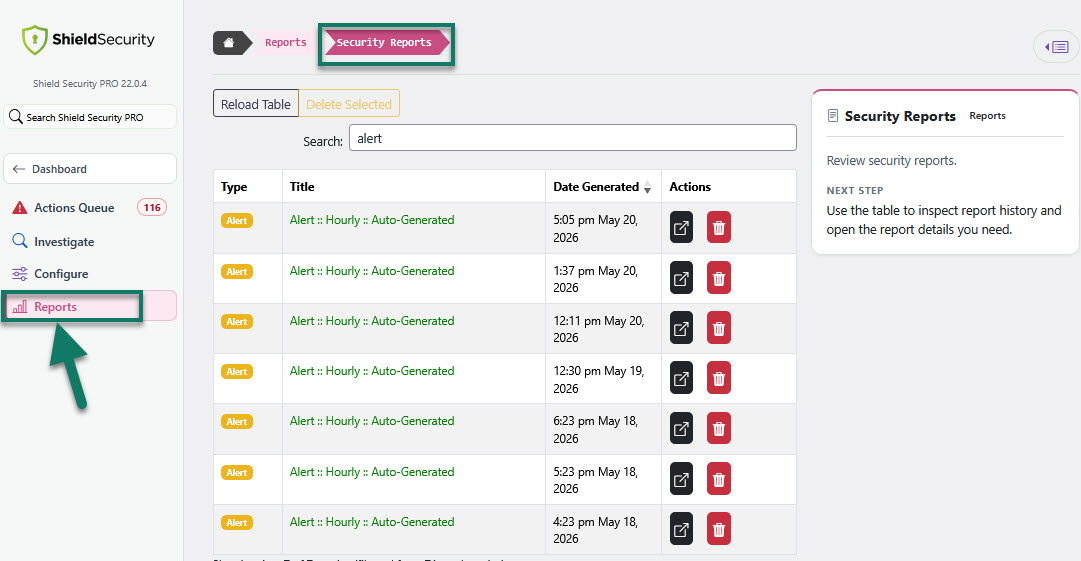
Alert reports are also accessed at any time from the Shield Dashboard (recent Reports) and Reports section > Security Reports (list of all reports). Here you can also remove reports you don't need any longer.
For more details on reports and how to create your own custom security reports, read these articles here.