
How To Choose Where Shield Security Appears In Your WordPress Dashboard
You can choose which parts of Shield appear in your WordPress dashboard. Hide the ones you don't need and keep your admin area clean.
How To Change It
- In Shield, go to Configure > Shield > General.
- Find the option Shield Security PRO In Your Dashboard.
- Select each item you want to show and deselect each item you want to hide.
- Save your changes.
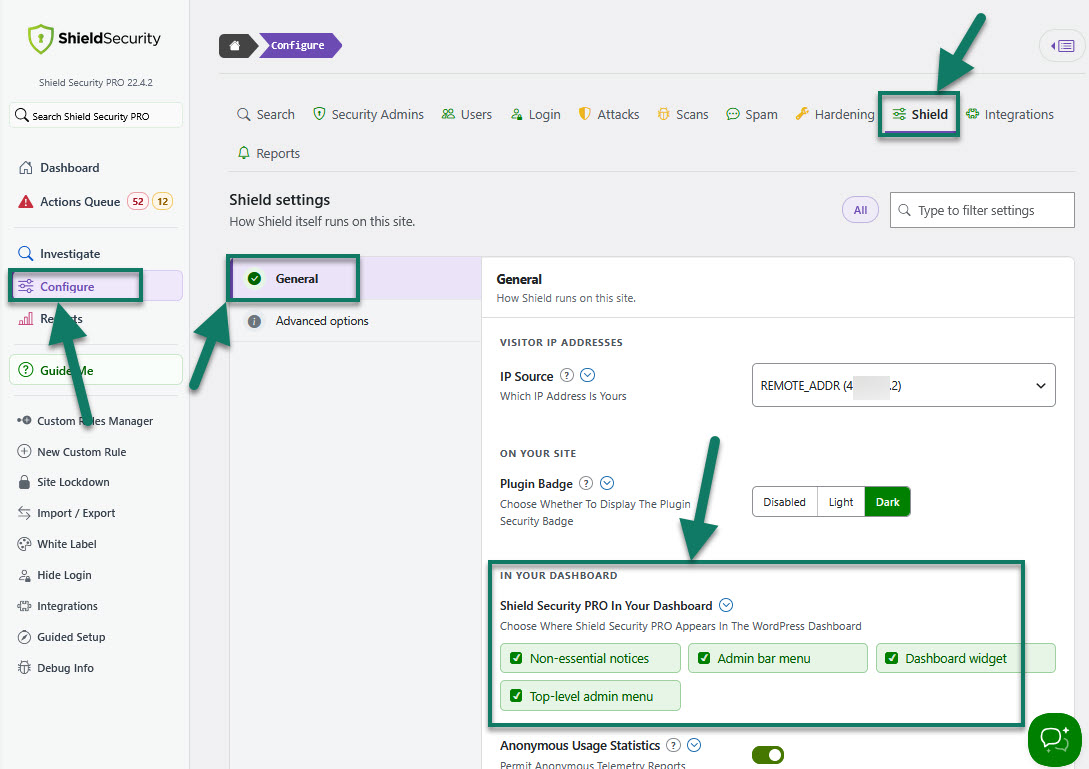
Access to Shield Security PRO In Your Dashboard option
What Each Item Does
Non-essential notices: Shield's general notices in the WordPress admin area. Security warnings and errors are always shown, even when this item is deselected.
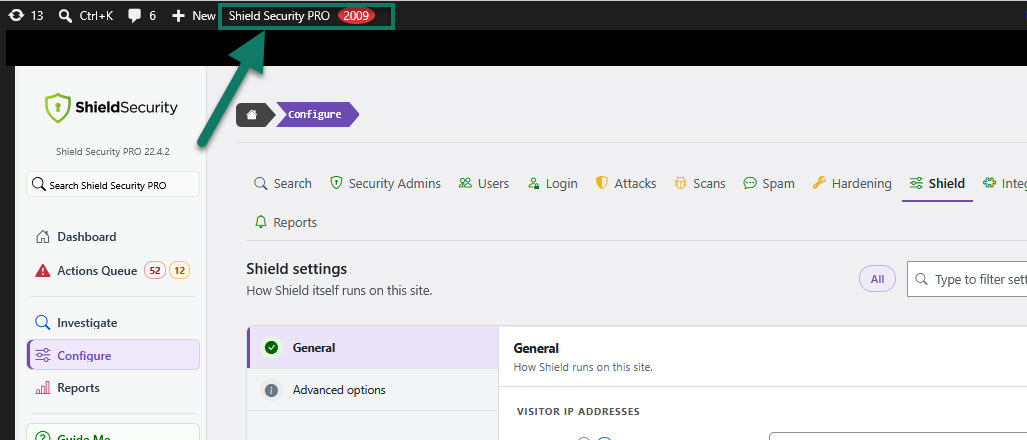
Admin bar menu: the Shield menu in the WordPress admin bar at the top of the screen.
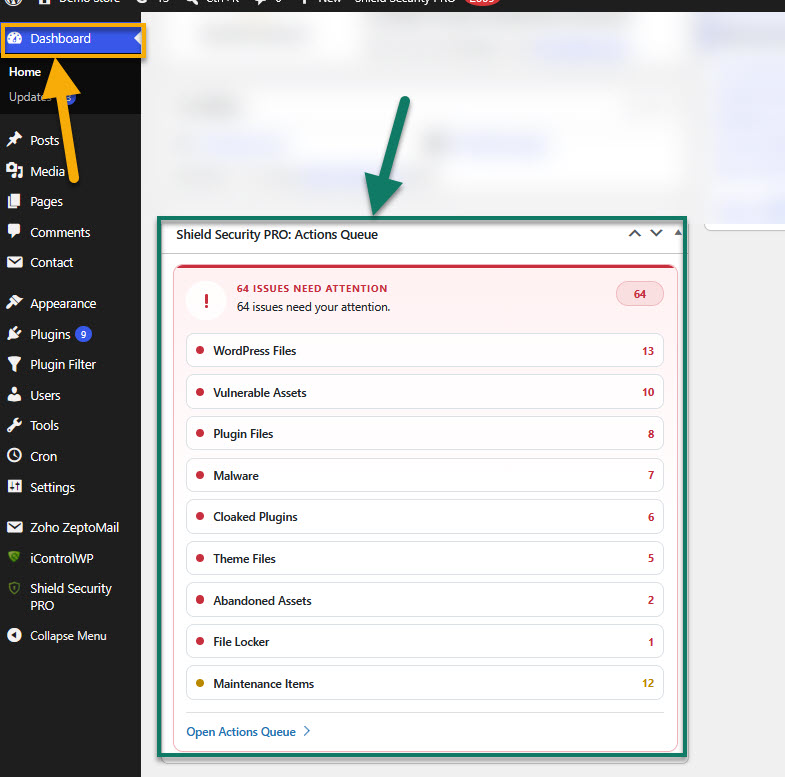
Dashboard widget: the Shield widget on your main WordPress Dashboard page. It shows the same priority items as the Actions Queue.
Top-level admin menu: Shield's own item in the left WordPress admin menu. If you hide it, Shield is listed under the Tools menu instead. On a multisite network, the network admin always keeps the top-level menu.
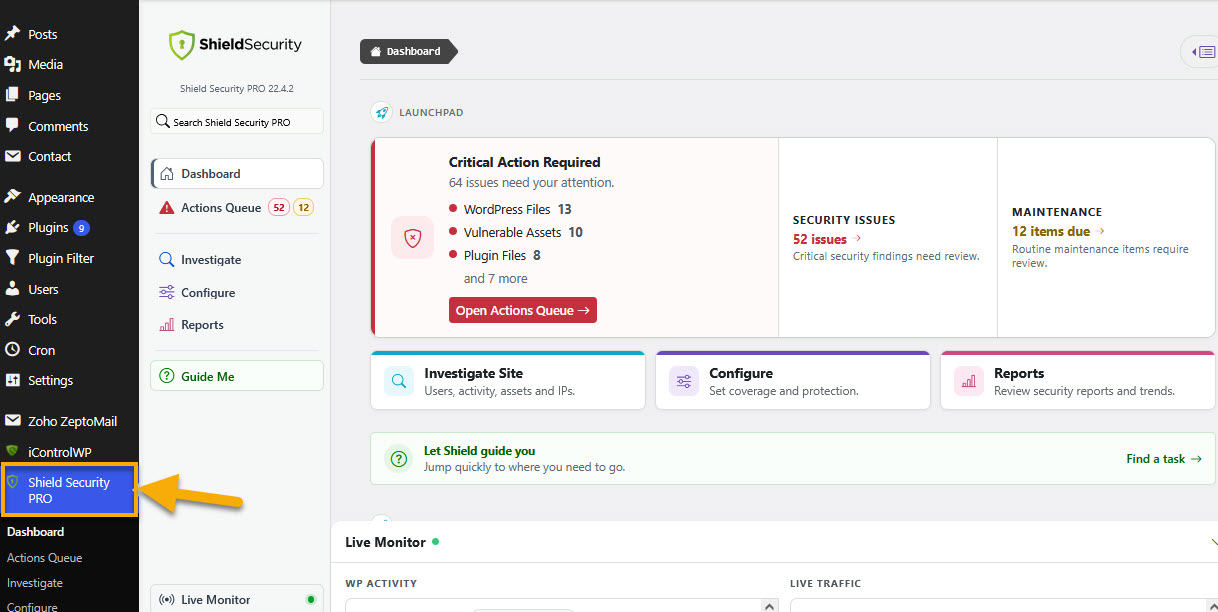
Option ON
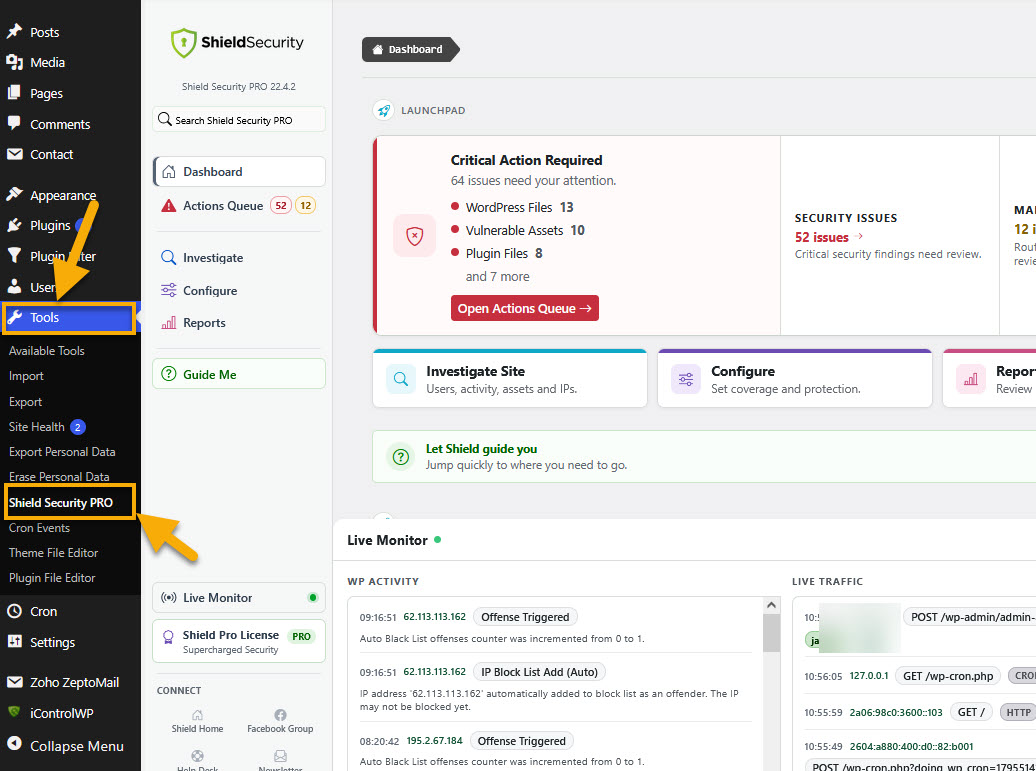
Option OFF