
What Is The CrowdSec Enroll ID Option?
The CrowdSec Instance Enroll ID option is in addition to the built-in, automated CrowdSec integration.
Important:
- You don't need to create a CrowdSec account to enable this integration - it's an optional extra.
- If you want to create this link, you only need 1 CrowdSec account (and associated Enrol ID) if you run multiple WordPress sites
You can link your WordPress site to your CrowdSec console by providing your Enroll ID. To do this, you'll need to login or signup for your free CrowdSec console here.

Example: CrowdSec instance ID to use in Shield
Just copy the last part of the line and enter it into "CrowdSec Enroll ID" field located in Shield main sidebar menu > Configure > Bots and IPs.
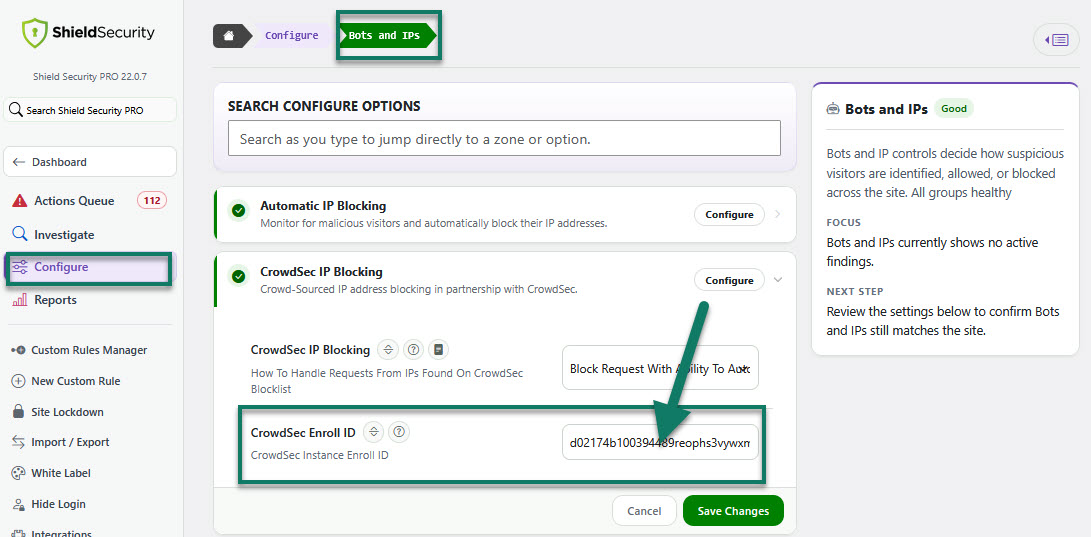
Access to CrowdSec Enroll ID option
You can also reset CrowdSec Enrollment if you need to, directly from within the Debug Info page > additional actions menu.
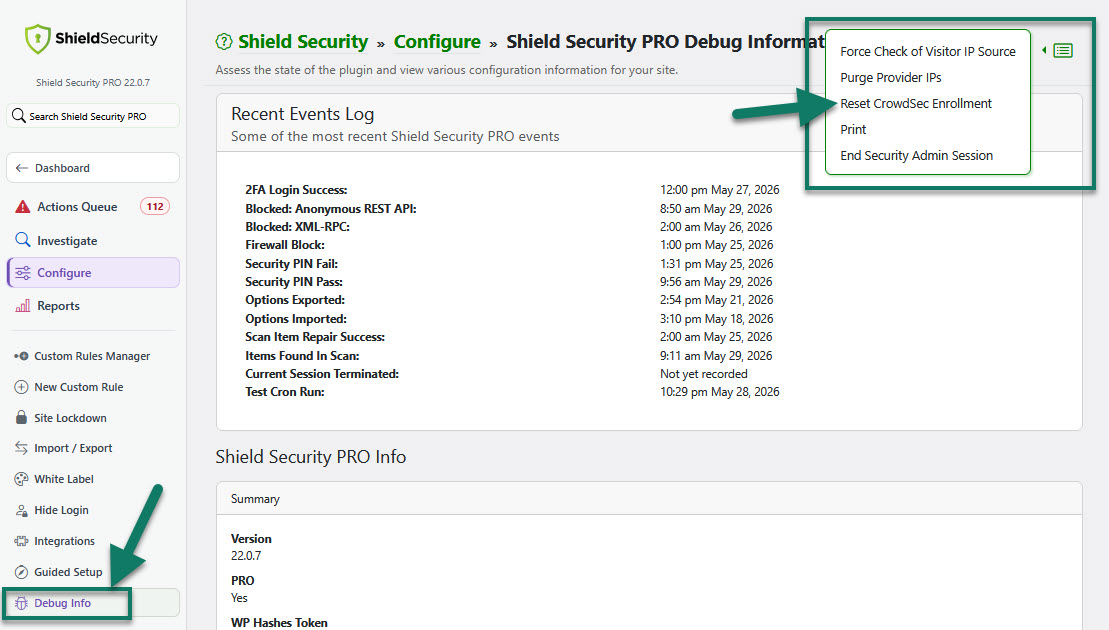
Access to Reset CrowdSec Enrollment option
This is an example of Crowdsec instance/console:


For more information about the Shield's CrowdSec integration and how it works, read this article here.