
What Is The silentCAPTCHA Bot Minimum Score Option And How Does It Work?
The silentCAPTCHA Bot Minimum Score option is a part of the Bots & IPs Zone: silentCAPTCHA AntiBot system. You can use it to set the bot minimum score (percentage).
Bot Minimum Score configuration
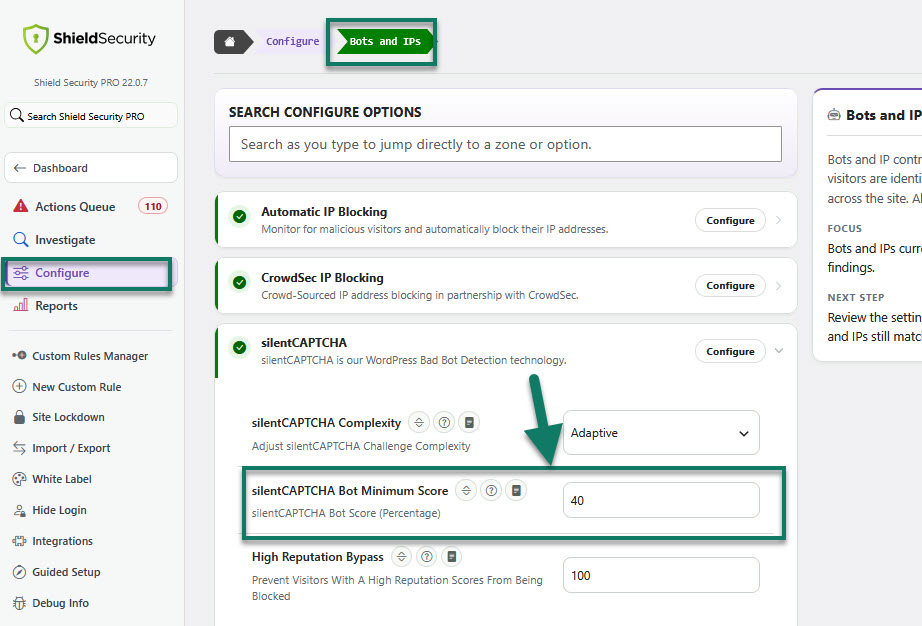
To configure silentCAPTCHA Bot Minimum Score in Shield, you may go to the Shield main sidebar menu > Configure > Bots and IPs > silentCAPTCHA. Here, you'll see all options for the silentCAPTCHA AntiBot technology, including silentCAPTCHA Bot Minimum Score.
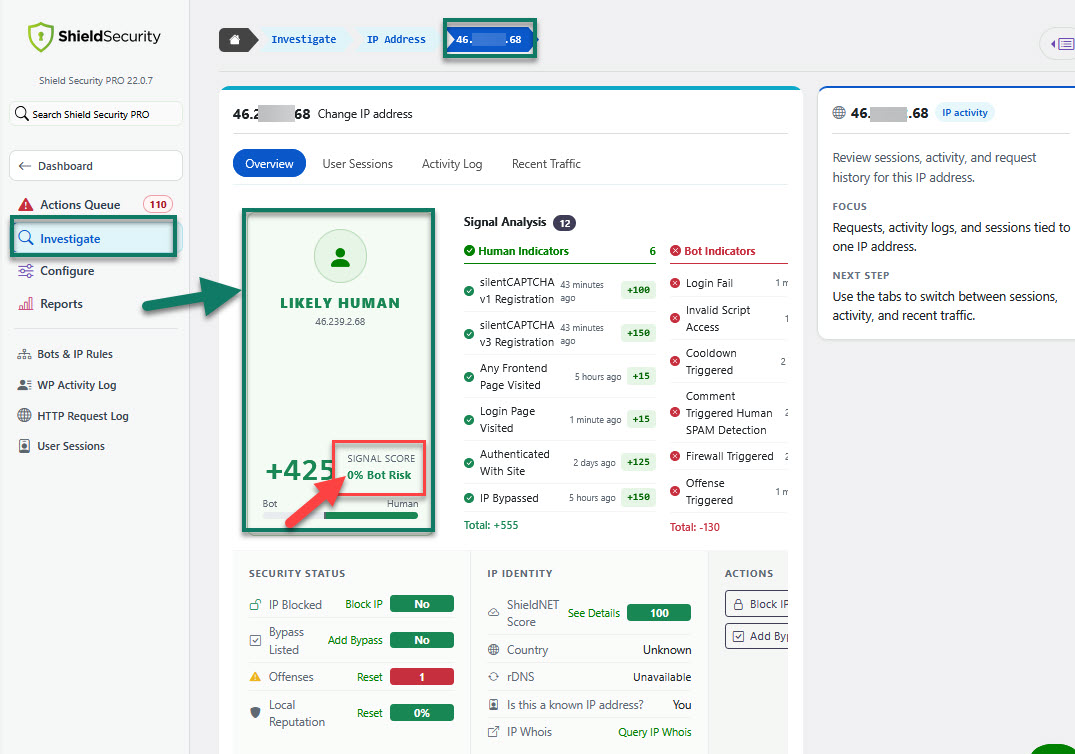
Every IP address accessing your site gets its own unique visitor score - the higher the score, the better the visitor i.e. the more likely it's human.
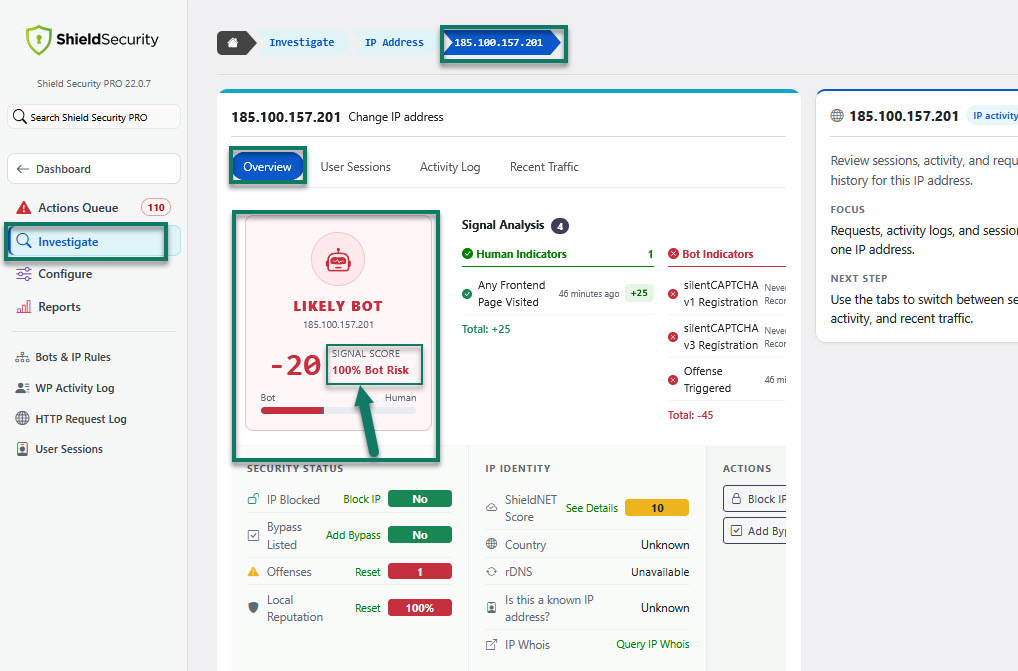
A score of '100' means it's highly likely to be a bad bot.
When a bot tries to login, or post a comment, we test its visitor score. If the visitor score fails to meet your minimum bot score, we prevent the request. If its higher, we allow it.
How to reset IP Reputation Score
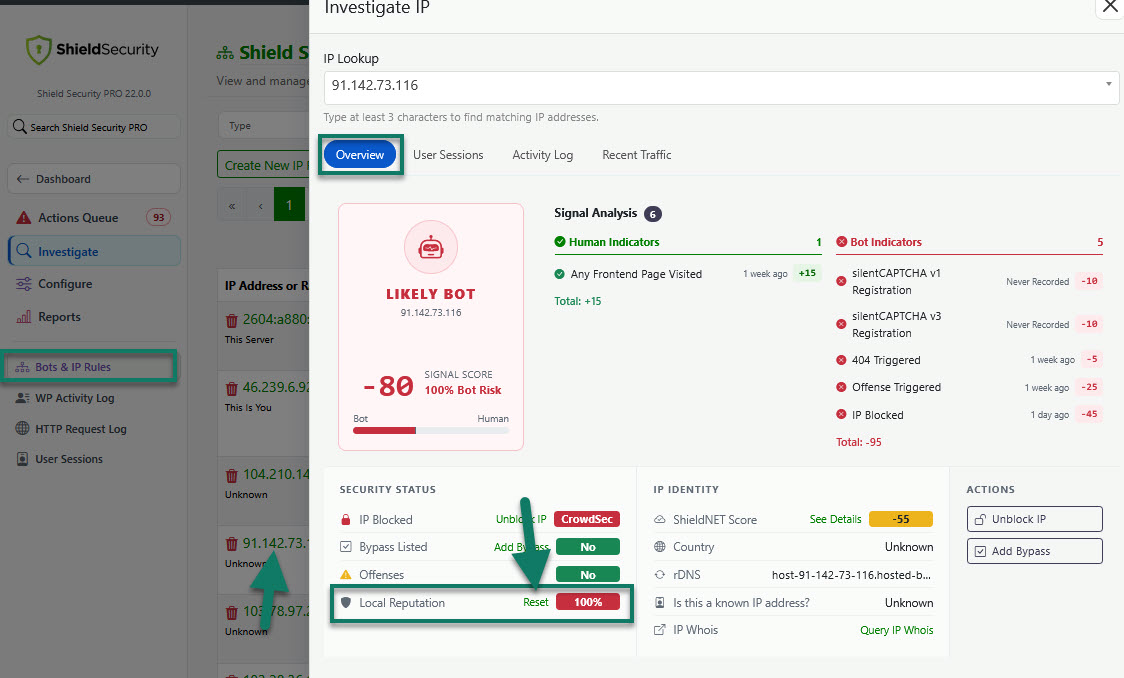
If you need to reset IP Reputation Score for a specific IP address, the easiest way is via the IP Analysis dialog.
In the table, click the IP address you want.
When the Investigate IP dialog opens, choose Local Reputation > Reset option. Offense limit and bot signals will reset to zero.
silentCAPTCHA Bot detection scoring improvements
-
Improved Bot Scoring Logic
We’ve adjusted a lot of scoring logic to help ensure legitimate users don’t get flagged as bots.
We've also improved the system's ability to pick up on past user sessions, which helps improve silentCAPTCHA scores for administrators.
-
silentCAPTCHA Cookie
silentCAPTCHA uses a small cookie, icwp-wpsf-notbot, to track which visitors have completed the silentCAPTCHA checks.
-
Faster silentCAPTCHA JS Execution
Originally, we thought loading the silentCAPTCHA JS in the page footer, after the page had loaded, was a wise optimisation. In fact, it belongs in the page header. The code is a small AJAX request that runs in the background and doesn't block page rendering for visitors. With the script in the footer, an admin would sometimes try to log in before the silentCAPTCHA JS had run, and would appear to be a bot. To fix this, the silentCAPTCHA JS now loads in the page's head section and runs immediately.
-
Better Bot Score Reset
Sometimes it was necessary to reset a bot score through the Shield interface. Previously, when you reset the score it would immediately look to the Block List and pick-up negative signals for the IP and you’d be back to square 1. Not any longer – when you reset the bot score, it’ll also remove the IP from the Block List if it’s there.
Note: You can use the IP Management and Analyse tool to see all information pertaining to an IP address in 1 place. Here, you can also reset Bot Score for that IP address.