
How to use Protected Forms option
"Protection Locations" option helps you to choose the forms for which bot protection measures will be deployed.
You can protect the following forms:
- Login form
- Registration form
- Lost password form
To access these forms, go to the Shield main sidebar > Configure > Login > Limit Attempts: Login, Register & Lost Password Forms > Protected Forms.
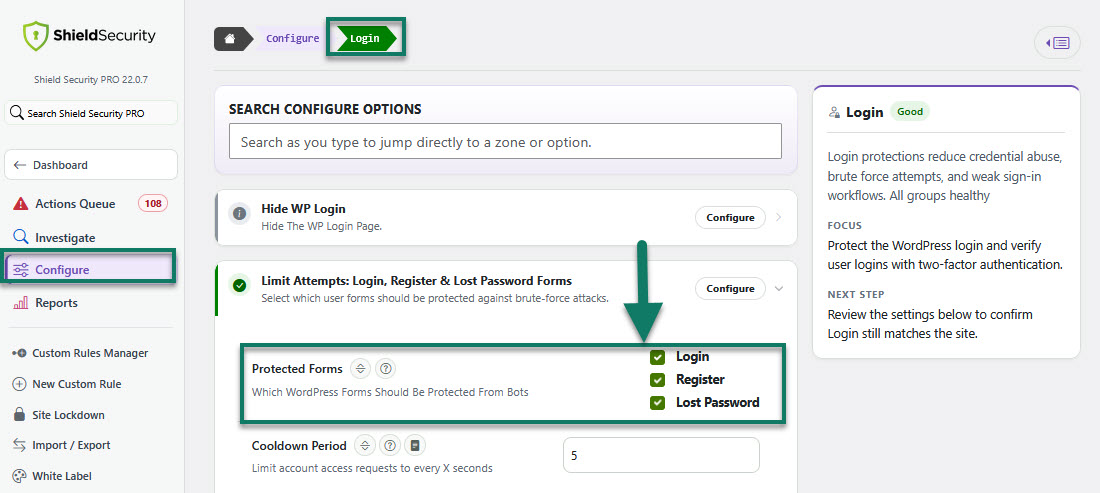
Access to Protected Forms options
We highly recommend selecting the all forms: login/registration/lost password. This will also protect your WooCommerce checkout form.
Note: Using 3rd party forms requires ShieldPRO. A full list of the integrated 3rd party - custom user forms and how to use them, can be found here.
Hint: ShieldPRO also has the most popular contact forms integrated in silentCAPTCHA for SPAM protection.