
How To Un-Hide And View Ignored, Repaired, Deleted Scan Results Items
When Shield presents scan results it shows only those results that need intervention by the admin. If there was a result that has already been processed (e.g. repaired or ignored), then that result is removed from display, never to return.
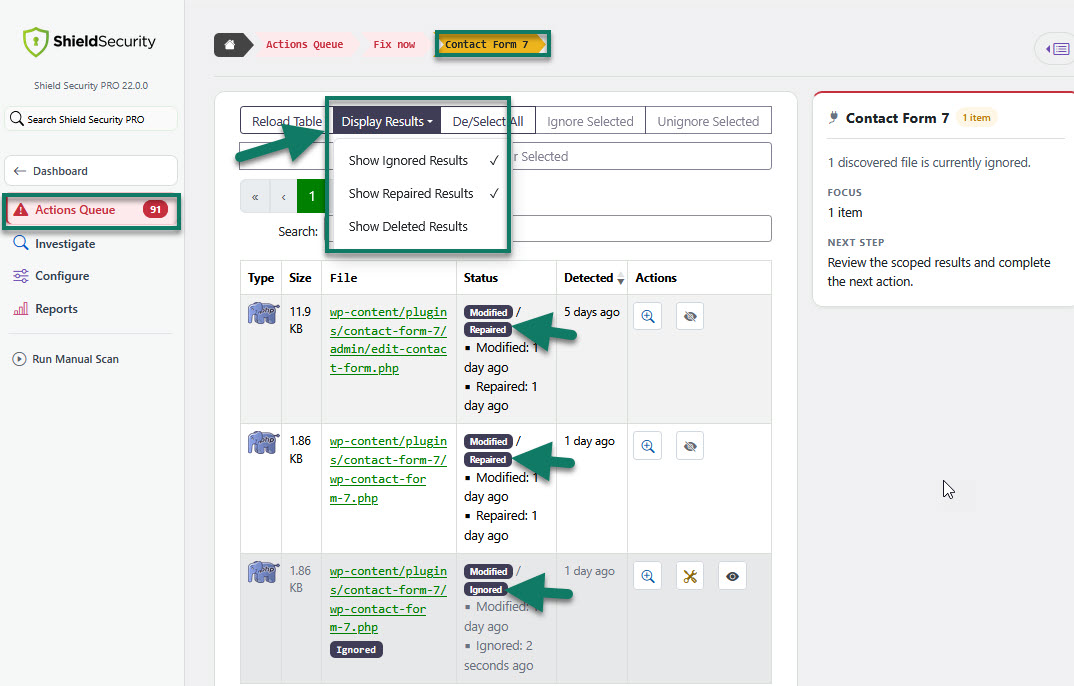
You have the ability to expand the results that are displayed on the scan results tables to include previously processed results.
Normally the following scan results are hidden:
- ignored
- repaired
- deleted
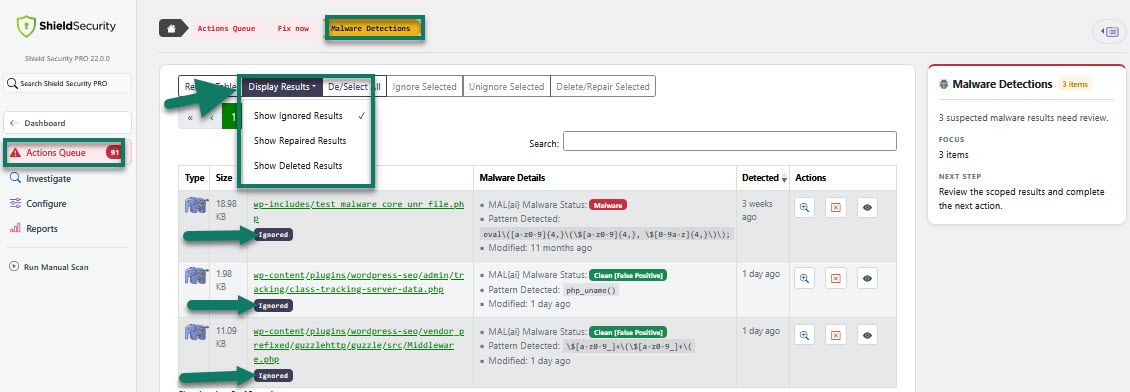
But, you can un-hide these results for the WP core, plugin, theme and malware files.
These options are located under the Actions Queue section > Fix Now. On all Scan Results pages, go to the table main menu > Display Results.
Please note that these options do not work for the all previous scans. They apply after the current scans only.
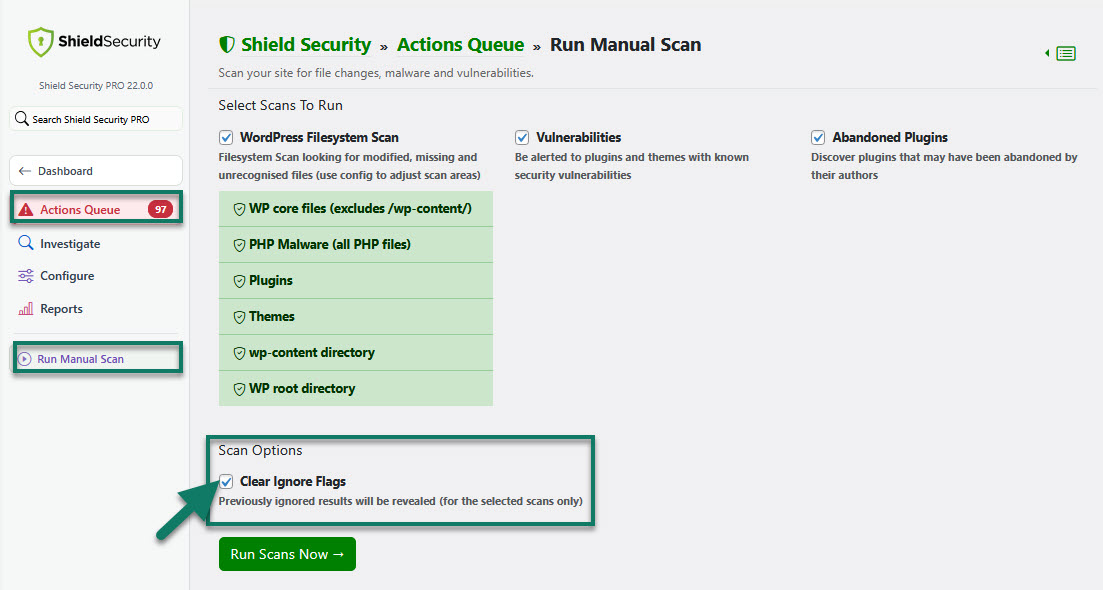
In case you want to re-scan to reveal the all previously ignored files, you can use "Clear Ignore Flags" option under the the Run Manual Scan. Just select this option and click to run scans. The all previously ignored scan results will show up in the Scan Results page.
You can also reveal individual files by using "Unignore" option directly form within the scan results table.

We also recommend you to read A Complete Guide To The Shield Security Scans here.